
NETGEAR WAX210PA-100NAS vs TP-Link EAP610: Specification Comparison
Both the NETGEAR WAX210PA-100NAS and the TP-Link EAP610 are dual-band Wi-Fi 6 (802.11ax) indoor access points targeting small-to-medium deployments where ceiling or wall mounting, PoE powering, and gigabit wired uplinks are standard requirements. This comparison evaluates the three dimensions that most directly drive purchase decisions for this product class: wireless throughput and radio configuration, power input and operating environment, and management platform and security capabilities.
In This Guide
- How do the WAX210PA-100NAS and EAP610 compare on wireless throughput and radio configuration?
- How do the WAX210PA-100NAS and EAP610 differ in power input requirements and operating temperature range?
- Which access point offers stronger management and wireless security capabilities?
- Which should you choose: the WAX210PA-100NAS or the EAP610?
- Side-by-Side Specs
- FAQ
How do the WAX210PA-100NAS and EAP610 compare on wireless throughput and radio configuration?
Both access points are rated AX1800, meaning a combined maximum theoretical throughput of 1.8 Gbps across two bands. The WAX210PA-100NAS specifies the band breakdown explicitly: 600 Mbps on 2.4 GHz and 1,200 Mbps on 5 GHz. The EAP610 lists AX1800 as its throughput figure but does not break down per-band speeds in the provided specifications.
Both units support the full 802.11ax (Wi-Fi 6) standard and are backward-compatible with legacy 802.11a/b/g/n/ac client devices; the EAP610 specifications enumerate this explicitly (802.11a/b/g/n/ac/ax), while the WAX210PA-100NAS lists WiFi 6 (802.11ax) without enumerating the legacy modes. Each unit provides a single gigabit Ethernet uplink port, so the wired backhaul is equivalent between models.
How do the WAX210PA-100NAS and EAP610 differ in power input requirements and operating temperature range?
The WAX210PA-100NAS accepts 802.3af PoE at a minimum of 13 W, or an optional 12 V/1.5 A (18 W) DC adapter included only with the WAX210PA (non-PA) SKU. The EAP610 specifications list both 802.3at (PoE+) and 802.3bt PoE, as well as a 12 V/4.5 A (54 W) DC adapter — however, the provided specs also reference '802.3af minimum' in one field, creating an internal inconsistency that buyers should verify against the manufacturer datasheet.
The operating temperature range is a meaningful differentiator. The WAX210PA-100NAS is rated 0°C to 40°C (32°F to 104°F) for operation, with a storage range of -40°C to 70°C. The EAP610 is rated 0°C to 60°C (32°F to 140°F) for operation — a 20°C wider upper operating limit that may be relevant in warmer indoor environments such as warehouses, utility rooms, or facilities without climate control.
Which access point offers stronger management and wireless security capabilities?
The WAX210PA-100NAS specifies Local Web GUI as its management interface. No cloud or controller-based management platform is referenced in the provided specifications.
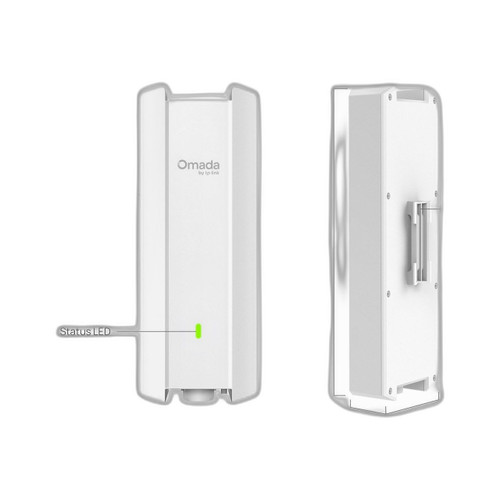
The EAP610 is managed via TP-Link's Omada SDN platform, which supports centralized controller-based management across multiple sites and access points. This is a significant operational advantage for multi-AP or multi-site deployments. On security, the EAP610 specifications explicitly list WPA3-Personal, WPA3-Enterprise, and WPA3 Enhanced Open (OWE), along with WPA2 and legacy WEP modes. The WAX210PA-100NAS specifications do not enumerate supported encryption or authentication standards in the provided data. Buyers requiring confirmed WPA3 support or centralized controller management should note this gap.
Which should you choose: the WAX210PA-100NAS or the EAP610?
Our take: The EAP610 is the stronger choice when operating temperature headroom, centralized SDN management, and confirmed WPA3 security are priorities. The EAP610 operates up to 60°C versus the WAX210PA-100NAS's 40°C ceiling — a 20°C advantage in warmer facilities. It also ships with Omada SDN controller support for multi-AP fleet management, while the WAX210PA-100NAS is limited to a local Web GUI with no controller platform referenced in its specifications. The EAP610 explicitly enumerates WPA3-Personal, WPA3-Enterprise, and OWE; the WAX210PA-100NAS specs do not document encryption support. The WAX210PA-100NAS does have one advantage: its 802.3af PoE requirement (13 W minimum) is satisfied by any standard PoE switch port, whereas the EAP610's power input specifications contain an internal inconsistency (listing both 802.3at/bt and 802.3af minimum) that warrants datasheet verification before deployment.
Side-by-Side Comparison
Spec-for-spec, from manufacturer data.
| Specification | NETGEAR WAX210PA-100NAS | TP-Link EAP610 |
|---|---|---|
| Wi-Fi Generation | Wi-Fi 6 (802.11ax) | Wi-Fi 6 (802.11ax) |
| Max Throughput (Combined) | 1.8 Gbps (AX1800) | 1.8 Gbps (AX1800) |
| 2.4 GHz Band Speed | 600 Mbps | — |
| 5 GHz Band Speed | 1,200 Mbps | — |
| Legacy Protocol Support | — | 802.11a/b/g/n/ac/ax |
| Wired Uplink Port | 1× 100/1000 Mbps Gigabit (RJ-45) | 1× Gigabit Ethernet |
| PoE Input Standard | 802.3af (13 W minimum) | 802.3at / 802.3bt (see note) |
| DC Power Input | 12 V / 1.5 A (WAX210PA SKU only) | 12 V / 4.5 A |
| Operating Temperature | 0°C to 40°C (32°F to 104°F) | 0°C to 60°C (32°F to 140°F) |
| Storage Temperature | -40°C to 70°C | — |
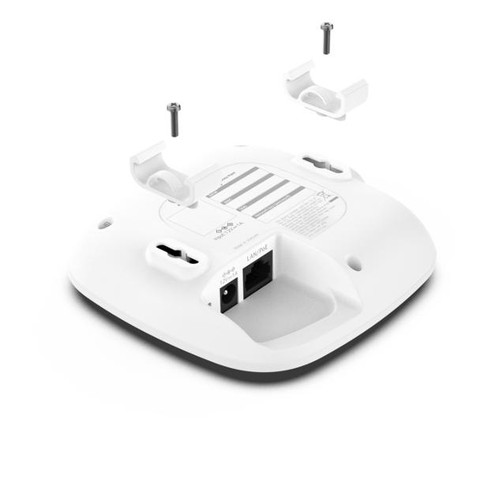
| Mount Type | Ceiling / Wall | Ceiling / Wall / Junction Box |
| Dimensions | 4.5 × 4.5 × 1.2 in (114 × 114 × 30 mm) | 160 × 160 × 33.6 mm |
| Weight | 0.48 lb (0.219 kg) | — |
| Encryption / Security | — | WPA2, WPA3-Personal/Enterprise, OWE |
| Management Platform | Local Web GUI | Omada SDN (controller-based) |
| Frequency Bands | 2.4 GHz / 5 GHz dual-band | 2.4 GHz / 5 GHz dual-band |
Frequently Asked Questions
Which should you choose: the WAX210PA-100NAS or the EAP610?
The EAP610 is the stronger choice when operating temperature headroom, centralized SDN management, and confirmed WPA3 security are priorities. The EAP610 operates up to 60°C versus the WAX210PA-100NAS's 40°C ceiling — a 20°C advantage in warmer facilities. It also ships with Omada SDN controller support for multi-AP fleet management, while the WAX210PA-100NAS is limited to a local Web GUI with no controller platform referenced in its specifications. The EAP610 explicitly enumerates WPA3-Personal, WPA3-Enterprise, and OWE; the WAX210PA-100NAS specs do not document encryption support. The WAX210PA-100NAS does have one advantage: its 802.3af PoE requirement (13 W minimum) is satisfied by any standard PoE switch port, whereas the EAP610's power input specifications contain an internal inconsistency (listing both 802.3at/bt and 802.3af minimum) that warrants datasheet verification before deployment.
Is the WAX210PA-100NAS or EAP610 better for a multi-AP deployment managed from a single console?
The EAP610 is better suited for multi-AP deployments requiring centralized management. Its specifications confirm support for TP-Link's Omada SDN platform, which provides controller-based management across multiple access points and sites. The WAX210PA-100NAS specifications reference only a Local Web GUI; no controller or cloud management platform is documented in the provided specs.
Can either access point be powered from a basic 802.3af PoE switch port I already have installed?
The WAX210PA-100NAS explicitly requires 802.3af PoE at a minimum of 13 W, which is satisfied by any standard 802.3af switch port. The EAP610 specifications list 802.3at and 802.3bt PoE as power inputs in some fields but also reference '802.3af minimum' in another field — this internal inconsistency means buyers should confirm the actual PoE class requirement against the EAP610 manufacturer datasheet before assuming compatibility with an existing 802.3af infrastructure.
Which access point is more suitable for installation in a space that may get warm, such as a warehouse or non-air-conditioned room?
The EAP610 has a rated operating temperature range of 0°C to 60°C (32°F to 140°F), compared to the WAX210PA-100NAS rated at 0°C to 40°C (32°F to 104°F). The EAP610's 20°C higher upper operating limit makes it the appropriate choice for warmer indoor environments where ambient temperature may exceed 40°C.
More Wireless Access Point Comparisons
Get a Second Opinion on Your Camera Choice
Share your site layout, coverage goals, and budget. Our team will validate the camera selection, flag anything we would change, and recommend products that match the use case.