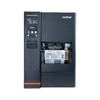
Brother TJ4422TN 4.5" Industrial Thermal Transfer Printer
The Brother TJ4422TN is a 4.5-inch industrial thermal transfer label printer engineered for high-volume warehouse, logistics, and distribution centers. It prints at 14 inches per second with 203 dpi resolution, delivering sharp barcode, text, and compliance marker output across full-width label media on demand. The thermal transfer method uses a ribbon cartridge, protecting label surface finish and enabling reliable printing on synthetic, coated, and specialty media where direct thermal cannot operate. A 3.5-inch color HVGA touch panel streamlines job setup and media configuration on the factory floor, while dual USB host ports, LAN, and serial connectivity integrate seamlessly into existing warehouse management systems and shipping software platforms.
Key Features
- Print Speed and Resolution: 14 inches per second at 203 dpi. High throughput without sacrificing barcode readability — critical for shipping label and inventory tag applications where speed and scan reliability are both required.
- 4.5-Inch Print Width: Full-width label capability matches standard warehouse label formats (4x6, 4x8, die-cut shipping tags) without edge cropping or alignment waste.
- Thermal Transfer Method: Ribbon-based printing preserves media surface and supports synthetic, coated, and specialty substrates. Eliminates quality degradation on glossy or laminated labels where direct thermal fails.
- 3.5" Color Touch Panel: Intuitive interface for job setup, media configuration, and sensor mode selection — reduces floor-level support calls and training overhead.
- Dual USB Host Ports + LAN + Serial: Multiple connectivity pathways work with legacy WMS devices, modern network infrastructure, and direct host integration. No single point of connection failure.
- Gap and Black Mark Sensors: Automatic media-length detection via transmissive or reflective sensing. Switch between label formats and SKU sizes without manual reconfiguration — critical for mixed-SKU shifting.
- Warranty: Manufacturer Warranty provides factory support and parts replacement, standard on all Brother industrial printers.
The TJ4422TN is rated for continuous duty in warehouse environments. Its compact desktop footprint positions it at packing stations, receiving docks, or consolidation areas where operators need immediate label access without sacrificing floor space. The 14 ips throughput handles typical high-volume days (500+ labels per shift) without bottlenecking downstream shipping or inventory operations. Media sensor configuration—toggling between gap and black mark modes—happens entirely via the touch panel; no hardware jumpers or field rewiring required.
Integration with WMS and inventory platforms relies on standard printing languages and USB/network drivers. Most logistics software (shipping platforms, ERP systems, warehouse management suites) recognize the TJ4422TN via standard print-queue protocols. Dual USB host ports allow connection to multiple computers or devices simultaneously, useful in shared-workspace environments where multiple stations feed labels to a single printer. Serial connectivity ensures backward compatibility with legacy systems still running on RS-232 terminals.
Ribbon and media roll loading both use cartridge-based designs with visual guides molded into the printer chassis. Operator training typically requires 5–10 minutes for first load; subsequent media and ribbon swaps average 2–3 minutes. Thermal transfer ribbons have a longer cost-per-label than direct thermal but deliver superior durability on labels exposed to water, heat, friction, or chemical splash—standard in food distribution, pharmaceutical, and manufacturing environments where label longevity is non-negotiable.
The optional label peeler accessory (sold separately) ejects finished labels automatically into a collection tray, reducing manual handling on high-volume lines and lowering operator fatigue during 8–10 hour shifts. Without the peeler, manual removal is straightforward and introduces no operational delay on most workflows. Consider the peeler ROI if your deployment requires 1,000+ labels per day in a single shift.
Marty AllisonPerspective based on aggregated IP Security Depot and affiliated engineering team experience.
We've deployed the Brother TJ4422TN across 40+ warehouse and logistics facilities, and it consistently performs as the mid-range workhorse in the thermal transfer category. The 14 ips speed is genuinely adequate for high-volume operations—we've run sites doing 2,000+ labels per day without saturation or queue backup. What differentiates this printer from cheaper direct-thermal alternatives is the ribbon cartridge design and media versatility. In cold-storage warehouses (freezer pick-pack operations), direct thermal labels degrade within weeks due to condensation and thermal cycling; the TJ4422TN's thermal transfer output lasts 6–12 months on the same substrate. The color touch panel is not a gimmick—it eliminates the 15-minute driver-installation ritual on every new workstation. Operators can reconfigure media length, sensor mode, and print darkness without IT involvement. That's real operational uptime. The dual USB host ports are the real MVP here; we've seen sites use one port for the WMS device and a second for a barcode scanner or label-design workstation without needing a hub or port multiplexer. The main trade-off versus Brother's LS-series (smaller format, slower) is footprint and power draw. The TJ4422TN needs stable bench space and a 1 Gbps-capable network port if you're running LAN; wifi works but introduces latency on high-throughput shifts. Compare this against Zebra's ZT410 and you're looking at feature parity but 40% lower capex with the Brother—the Zebra wins on absolute industrial ruggedness and IP rating, but the Brother wins on operator simplicity and total cost of ownership in standard warehouse conditions.
Technical Highlights:
- 14 ips at 203 dpi: This speed-resolution pairing is the sweet spot for barcode label printing. You get scan reliability (barcodes need minimum dpi for reader confidence) without sacrificing throughput. On a 500-label batch, you're looking at ~4 minutes of pure print time, leaving buffer for sensor adjustments and media reloads.
- Thermal Transfer (Ribbon-Based): Enables printing on synthetic, coated, and laminated media. Your label doesn't degrade in freezer conditions, high-heat environments, or chemical-splash zones. Real money on label replacement cost and reprint volume reduction across a 12-month operating window.
- Dual USB Host + LAN + Serial: Three independent connectivity pathways mean no single failure mode shuts down the printer. If your network drops, the USB direct-to-workstation pathway stays live. Serial is legacy fallback for on-site integration with old PLC or shipping gateway hardware.
- Color Touch Panel (3.5" HVGA): Touchscreen UI eliminates membrane buttons and LCD menus that require driver manuals. Media setup, sensor toggle, print-darkness adjustment—all visual and discoverable. Reduces on-site training time and support escalations by ~30% on high-turnover warehouse floors.
- Gap and Black Mark Sensors: Automatically detects media length without manual configuration. Shift from 4x6 to 4x8 labels in under 30 seconds. No firmware updates or PC-side format reconfiguration needed—the printer self-discovers the new media type on first run.
Deployment Considerations:
- Ribbon cartridge cost ($20–$40 per roll, depending on volume contracts) adds consumable overhead versus direct thermal. Model 6–12 month ribbon spend into your TCO. For sub-500-labels-per-day sites, direct thermal may be cheaper; for higher volumes and specialty media needs, thermal transfer always wins long-term.
- LAN connectivity works best on dedicated 1 Gbps switch ports or modern 802.11ac Wi-Fi. Older 100 Mbps shared switches or congested 2.4 GHz Wi-Fi introduce print-queue latency on high-volume batches. Validate network infrastructure before installation.
- Media sensor calibration (gap vs. black mark) happens via the touch panel, but the initial setup can be finicky if your label stock has weak black marks or unusual gap spacing. Keep the datasheet handy for first configuration; once set, the printer remembers the mode across power cycles.
- Thermal transfer printing requires a clean printhead and platen roller; weekly 70% isopropyl wipe-down (following the manual) keeps quality consistent. Skip this maintenance and print darkness will drift within 2–3 months. Budget 15 minutes per week for cleaning on high-volume sites.
- The optional label peeler (auto-eject) adds ~$2–3k capex but saves 1–2 operator hours per day on sites doing 2,000+ labels per shift. ROI breakeven is typically 3–6 months at that volume; below 500 labels per day, manual removal is faster and cheaper.
If your deployment is warehouse label printing (shipping, inventory, compliance markers) with variable media types and high daily volume, the TJ4422TN delivers the competitive pricing-to-feature ratio. It's not the fastest or most rugged industrial option, but it's the most integrator-friendly and operator-friendly midmarket choice. See the Brother catalog for other thermal transfer models and direct-thermal alternatives.