
Best PoE Switches for Wireless Access Points
Powering Wi-Fi access points over PoE — PoE+/PoE++ budget for high-density APs, plus ports for the AP fleet and uplinks.

Eden Phillips
Networking & Infrastructure Specialist · Working integrator
Bottom line
Powering wireless access points over PoE demands a switch sized to your AP count, your per-port watt budget, and your total PoE power budget — those three numbers drive every decision before brand or price enters the conversation. For small deployments or outdoor/industrial locations, compact ruggedized options with PoE+ or PoE++ per-port headroom handle modern Wi-Fi 6/6E APs cleanly; large enterprise floors need 24- or 48-port platforms with enough aggregate wattage to avoid throttling. Match the switch's PoE standard and power budget to your AP's actual draw, then verify your uplink count and speed before you buy.
What This Setup Needs
Choosing a PoE switch for wireless access points isn't just port-counting — a wrong watt budget leaves APs throttling at exactly the moment traffic peaks. Here are the factors that actually matter in practice:
- Per-port PoE standard (PoE / PoE+ / PoE++): Standard PoE (802.3af) delivers up to 15.4 W at the port — fine for older or budget APs but insufficient for Wi-Fi 6E or tri-radio APs that draw 25–35 W. PoE+ (802.3at) covers the 25.5 W budget most enterprise APs need. PoE++ (802.3bt) at 60–90 W is required for high-end multi-radio or outdoor APs with integrated heaters. Verify your AP's actual PoE draw spec before selecting a port standard.
- Total chassis PoE power budget: A 24-port PoE+ switch might advertise 370 W total — divide that across 24 ports and you get roughly 15 W average per port, meaning you cannot simultaneously max every port. In a high-density deployment, derate by 80% and model your realistic concurrent draw. Under-provisioned budgets cause APs to boot in degraded mode or cycle power during peak load.
- Port count and uplink capacity: Count your APs, add 15–20% for near-term growth, then verify uplinks. A 24-port access switch feeding a core through a single 1 GbE uplink becomes a bottleneck the moment several APs hit multi-gigabit aggregate throughput. Look for SFP+ or multi-gig uplink slots sized to your backhaul.
- Operating temperature range: Indoor wiring closets typically stay within 0–50°C — most commercial switches cover that comfortably. Outdoor enclosures, rooftop IDF cabinets, factory floors, or parking-structure deployments can see -40°C winters or >60°C summer enclosure temps. A switch rated to -40°C/+75°C survives those environments; a 0°C-minimum unit will fail or refuse to boot below its floor.
- Managed vs. unmanaged: Wireless AP deployments almost always benefit from managed switching — you need per-port PoE power cycling (remote AP reboot without physical access), VLAN segmentation for SSID isolation, LLDP-MED for AP auto-negotiation, and QoS for voice/video traffic. Unmanaged PoE is acceptable only in the smallest, simplest single-SSID sites.
- Redundant or dual power input: In critical wireless coverage areas — hospitals, warehouses, transit hubs — a switch that accepts both AC and DC input, or supports a backup power feed, keeps the AP network up during a primary power event without a full UPS on every closet.
- Form factor and mounting: Rack-mount 1U or 2U units suit structured IDF closets. Compact wall-mount or DIN-rail switches work where there is no rack — junction boxes, retail kiosks, outdoor poles. Some small PoE switches are explicitly designed for these embedded installs and include mounting hardware accordingly.
Our Picks
Selected from our catalog by spec-fit. All channel-direct and factory-new — not ranked by price.
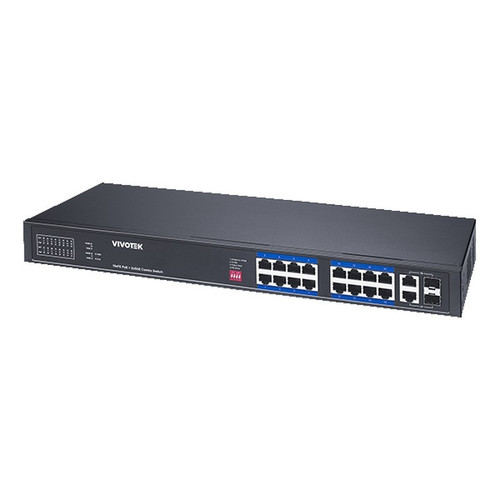
Vivotek IHT-1271
8-Port PoE
The Vivotek IHT-1271 is an 8-port PoE+ class switch rated for -40°C to 75°C operation, making it well-suited for small AP clusters in outdoor enclosures, rooftop equipment rooms, or industrial edge locations where ambient temperature swings rule out most commercial-grade hardware. Its compact footprint and extended temperature range are a strong fit when you need to power a handful of APs in a physically harsh environment without a climate-controlled rack.
View product →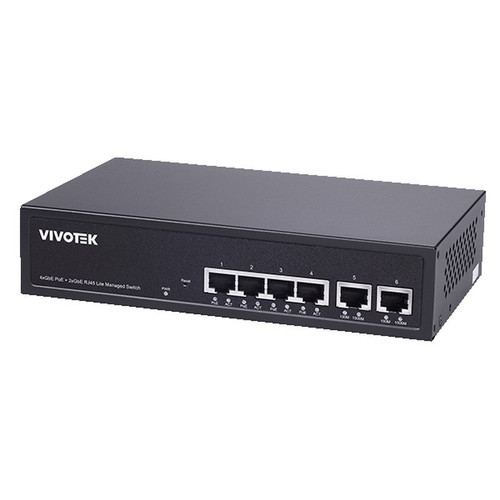
Vivotek GEV-288A-370
24-Port PoE
The Vivotek GEV-288A-370 is a 24-port PoE platform with a 370 W aggregate power budget, well-suited for medium-density indoor AP deployments — a single-floor office, a school wing, or a retail buildout where you need to power 12–20 APs from one switch. Its operating range of -10°C to 50°C covers standard wiring-closet and light industrial environments, and the 24-port density reduces the number of upstream switch connections needed in a structured cabling layout.
View product →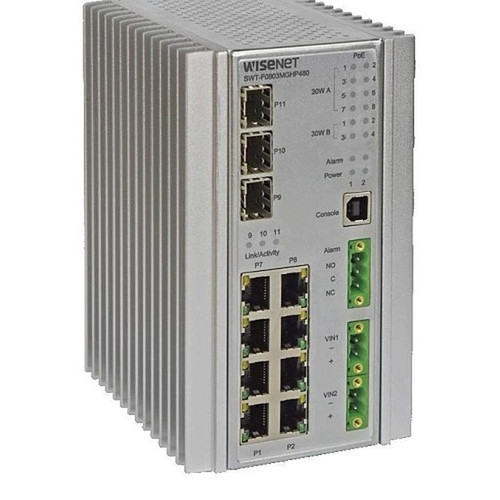
Hanwha SWT-F11MGHP
11-Port PoE
The Hanwha SWT-F11MGHP is an 11-port switch with ports 1–4 rated at 60 W PoE (PoE++ class) and ports 1–8 at 30 W, making it specifically well-suited for mixed AP fleets where a few high-draw tri-radio or outdoor Wi-Fi 6E APs share the switch with standard PoE+ APs. The -40°C to +75°C operating range and AC/DC dual power input make it a strong fit for industrial or outdoor-cabinet installs where both temperature extremes and power redundancy are requirements.
View product →
Hanwha SWT-G11MGHP
11-Port PoE
The Hanwha SWT-G11MGHP is an 11-port PoE switch sharing the same -40°C to +75°C extended temperature rating and AC/DC power input as its sibling, well-suited for small AP clusters in harsh-environment deployments — cold-storage facilities, outdoor pedestrian plazas, or transportation hubs — where you need a compact ruggedized switch with reliable PoE delivery rather than high port density.
View product →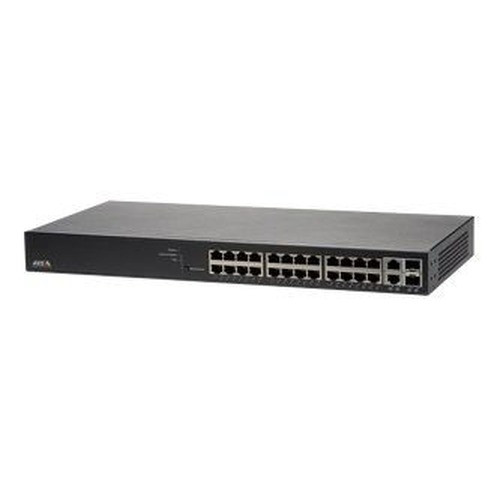
Axis T8524
24-Port PoE
The Axis T8524 is a 24-port PoE+ managed switch designed for integration into Axis ecosystem deployments but equally well-suited as a dedicated AP-layer switch in any structured wireless rollout requiring per-port management, VLAN support, and PoE+ headroom across a full 24-port run. Its 0°C to 50°C rating positions it for conditioned IDF closets, and its managed feature set covers the LLDP, QoS, and port-level power cycling that a professional AP deployment expects.
View product →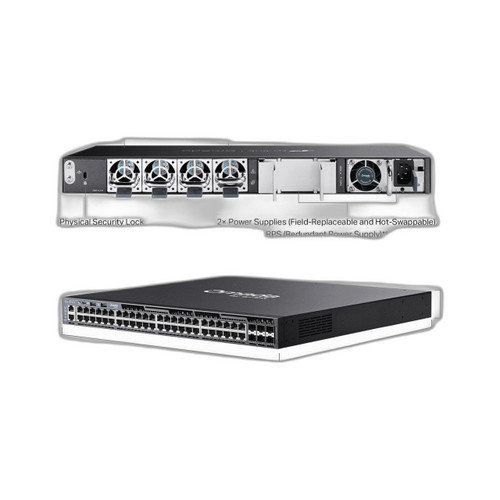
TP-Link SG6654XHP
48-Port non-PoE
The TP-Link SG6654XHP is a 48-port PoE+ switch with six additional uplink interfaces, well-suited for high-density AP floors — open-plan offices, conference centers, or campus buildings — where you need to terminate a large AP fleet on a single access-layer switch and retain multi-port uplink flexibility for aggregation. With 48 PoE+ RJ45 ports and USB management, it serves deployments where port count and uplink headroom matter more than extended operating temperature, as its ratings suit standard conditioned equipment rooms.
View product →Frequently Asked Questions
How much PoE wattage do I need per wireless access point?
Most enterprise Wi-Fi 6 and Wi-Fi 6E APs draw between 15 W and 30 W at full load — check your AP vendor's datasheet for the maximum PoE draw under worst-case radio load, not the idle figure. Wi-Fi 6E tri-radio or outdoor APs with built-in heaters can push 40–60 W, requiring PoE++ (802.3bt) ports. Always size your switch's total power budget to the sum of your APs' maximum draw, then add 20% headroom so the switch isn't running at its thermal ceiling.
What is the difference between PoE, PoE+, and PoE++ for access points?
PoE (802.3af) delivers up to 15.4 W at the port — adequate for lightweight or single-radio APs but insufficient for most modern enterprise hardware. PoE+ (802.3at) raises the ceiling to 30 W, covering the vast majority of dual-radio Wi-Fi 6 APs. PoE++ (802.3bt) Type 3 delivers up to 60 W and Type 4 up to 90 W, needed for high-power outdoor APs, multi-radio units, or APs with PoE pass-through. Mismatching standard to AP draw causes the AP to either refuse to boot or operate with one radio disabled.
Can I use any managed PoE switch for wireless access points, or do I need a specific AP-compatible switch?
Any 802.3at/bt-compliant managed switch will power APs from any vendor — the PoE standard is interoperable. That said, some AP platforms (Cisco Meraki, Ubiquiti UniFi, Axis) publish preferred or tested switch lists, and using a switch that supports LLDP-MED lets APs auto-negotiate their power class cleanly. For most deployments, focus on aggregate wattage, uplink speed, and VLAN/QoS support rather than brand pairing.
Do I need a ruggedized switch for outdoor wireless access points?
If the switch itself is located outdoors or in an uncontrolled-temperature enclosure — rooftop, parking structure, transit shelter — yes. Standard commercial switches are typically rated to 0°C minimum and 50°C maximum; below that floor, capacitors and voltage regulators fail silently or the unit refuses to boot. A switch rated to -40°C handles most North American outdoor winters without a heater, and a 75°C upper limit survives summer enclosure temperatures in direct sun. The APs themselves are usually the ruggedized endpoint; the question is where the switch lives.
How many access points can I connect to a 24-port PoE switch?
Physically, up to 24 — but the practical limit is set by your total power budget. A 370 W switch powering 24 APs at 25 W each would need 600 W, so you'd realistically max out at 14–15 APs at full draw, or more if your APs average less. Always model the realistic concurrent draw of your specific AP model at expected load, not a theoretical per-port maximum. Reserve at least two to four ports as uplink or inter-switch connections in any structured deployment.
What uplink speed do I need on a PoE switch for a dense AP floor?
A useful rule of thumb: aggregate Wi-Fi 6 throughput across a busy floor can reach 1–3 Gbps on a dense deployment, so a single 1 GbE uplink becomes a bottleneck quickly. For floors with more than eight to ten active APs under load, plan for a 10 GbE SFP+ uplink or a link aggregate (LACP) of multiple 1 GbE ports to your core. On smaller deployments with lighter usage, a single 1 GbE uplink is often sufficient — the key is measuring actual AP throughput against uplink capacity rather than assuming port count equals congestion.
Related Resources
- Network Switch comparisons — head-to-head spec matchups
- Network Switch Buying Guide for IP Cameras & PoE
- Best PoE Switch for a 16-Camera Install
- Best PoE Switch for an 8-Camera System
- All product comparisons
Speccing this for a project?
Send us your requirements and our senior specialists will confirm specs, compatibility, availability and pricing — free, usually within one business day. Channel-direct, factory-new, serving commercial integrators since 2014.
Get a Free QuoteComparing for a project?
Send us the models you are weighing and our team will confirm specs, compatibility, availability, and pricing — free, usually within one business day.