
Best PoE Switches for Retail Stores
PoE switches for retail stores — right-sized port counts for cameras, POS, and Wi-Fi, VLAN isolation for payment systems, and quiet fanless options for back offices.

Eden Phillips
Networking & Infrastructure Specialist · Working integrator
Bottom line
Right-sized PoE switches for retail depend on camera count, POS isolation needs, and environment. Fanless or low-noise models suit back offices; higher-port enterprise gear handles camera-dense layouts. Match port count to your actual device load, not capacity; oversizing wastes budget and floor space.
What This Setup Needs
Retail PoE switch selection hinges on three overlapping demands: powering IP cameras and access points while isolating payment-critical traffic, fitting physical and thermal constraints, and avoiding unnecessary complexity that drives cost and noise.
- Port count and power budget alignment. Count actual devices: cameras (typically 15–95W each depending on PTZ and heaters), Wi-Fi APs (10–30W), POS terminals (passive), and edge switches. A 24-port switch half-full often outperforms an 8-port at capacity. Verify total PoE watts available, not just per-port limits.
- VLAN and layer-2 isolation for payment systems. Retail networks must segregate POS traffic from guest or camera networks to meet PCI-DSS and reduce breach blast radius. Confirm the switch supports static VLANs and port-based isolation; managed switches cost more but are essential if compliance audits are in scope.
- Fanless or low-noise operation in back-office and storage areas. Retail environments—especially stockrooms and cable runs near staff areas—benefit from fanless designs or models with thermal shutdown. Noise over 30dB becomes noticeable in a small office; check operating temperature range and cooling design.
- Operating temperature range for outdoor or harsh mounting. Retail back doors, loading bays, and covered outdoor areas experience wider swings. Models rated to -40°C handle unheated storage; those limited to 0°C or +50°C may fail in winter or under direct sun. Plan for seasonal and equipment-heat scenarios.
- Gigabit uplinks and future throughput. Most retail sites use Fast Ethernet (10/100 Mbps) for cameras and basic PoE devices, but uplinks to core switches and NAS/NVR storage benefit from Gigabit. Check for at least one or two Gigabit ports; inadequate uplinks become bottlenecks when multiple cameras stream to a recorder.
- Power input flexibility (AC vs. DC, redundancy options). AC-powered switches are standard but require a UPS or clean power. DC-powered or dual-input models suit distributed retail sites or environments where generator availability is limited. Some Hanwha units offer AC/DC hybrid input.
- Managed vs. unmanaged trade-offs. Unmanaged switches are cheaper and silent but offer no VLAN control or monitoring. Managed switches enable traffic isolation and diagnostics—a hard requirement for PCI compliance but overkill for simple camera-only networks. Weigh audit scope against budget.
Our Picks
Selected from our catalog by spec-fit. All channel-direct and factory-new — not ranked by price.
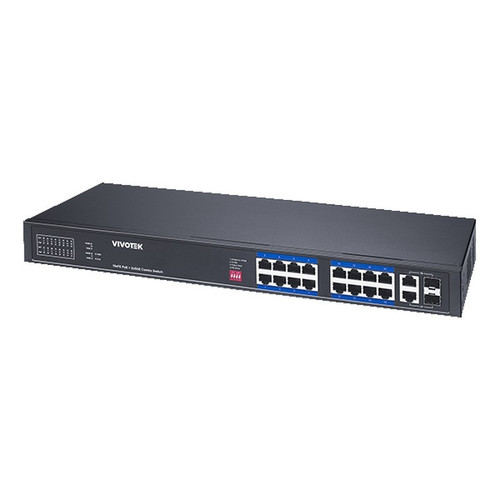
Vivotek IHT-1271
8-Port PoE
Vivotek 8-port PoE+ is well-suited for small retail locations or satellite camera rooms with 4–6 fixed cameras and light PoE loads. Its wide -40°C to +75°C operating range handles unheated storage and outdoor cable runs; PoE+ supports higher-draw 802.3at devices. Compact enough for tight mount points but limited for multi-AP or mixed-load layouts.
View product →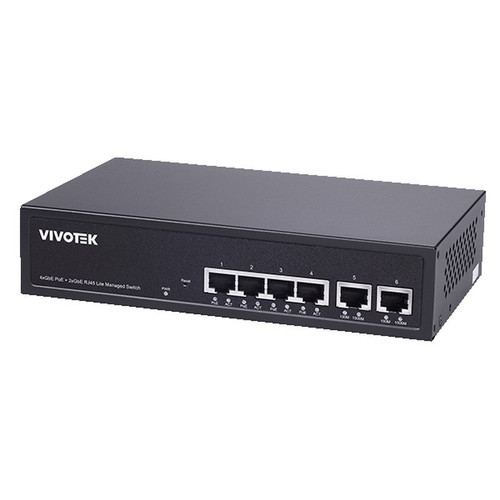
Vivotek GEV-288A-370
24-Port PoE
Vivotek 24-port PoE delivers sufficient port count for mid-size retail with 12–16 cameras plus multiple APs in a single chassis. Practical for centralized wiring closets; operating range is narrower (-10°C to +50°C), so not suitable for unheated outdoor cabinets. Best fit for climate-controlled back offices handling mixed PoE device types.
View product →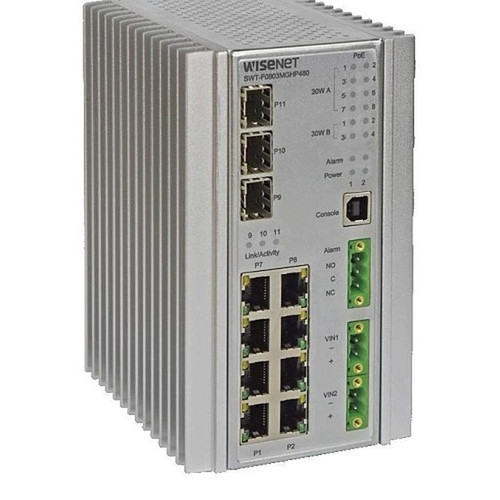
Hanwha SWT-F11MGHP
11-Port PoE
Hanwha 11-port hybrid PoE with mixed power budgets (60W on ports 1–4, 30W on ports 1–8) and AC/DC input is a strong fit for retail locations needing both powered-dome cameras and access-point flexibility in modest scale. Extended -40°C to +75°C rating and dual-power input suit distributed retail environments or backup-power scenarios. Overkill for single-location deployments.
View product →
Hanwha SWT-G11MGHP
11-Port PoE
Hanwha 11-port PoE with AC/DC hybrid input and -40°C to +75°C operating range is well-suited for retail back-office or storage-area mounting where thermal and power-supply resilience matter. Similar port class to F11MGHP but distinct power configuration; confirm per-port budget against your camera and AP mix before committing.
View product →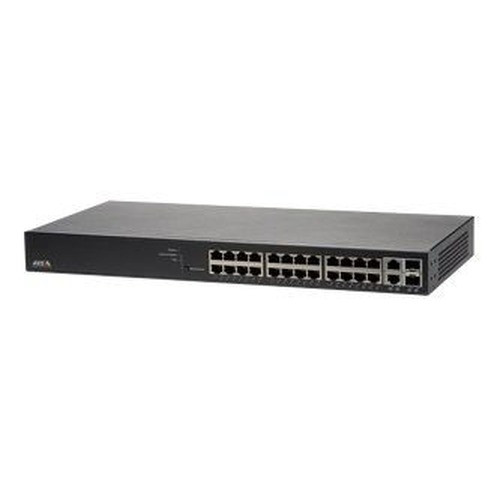
Axis T8524
24-Port PoE
Axis T8524 24-port PoE+ is a strong fit for larger retail stores or multi-tenant retail parks requiring 15+ cameras, redundant APs, and managed VLAN isolation for PCI compliance. PoE+ and Gigabit uplinks support heavier throughput; operating range (0°C to +50°C) suits climate-controlled wiring closets but not outdoor or unheated cabinets.
View product →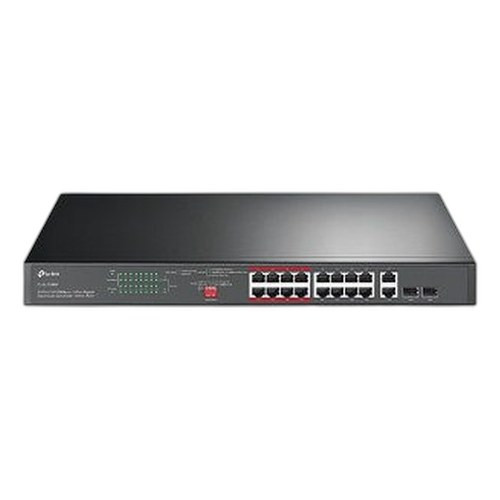
TP-Link SL1218MP
16-Port PoE
TP-Link 16-port (10/100 Mbps) plus 2× Gigabit is a budget-conscious option for retail camera networks prioritizing port count over raw uplink speed. Well-suited for locations with 8–12 fixed cameras and secondary APs where Gigabit uplinks to NVR/NAS justify the two dedicated ports. Verify fanless or low-noise operation before mounting near customer or staff areas.
View product →Frequently Asked Questions
How do I know if I need a managed switch or can get by with unmanaged?
Unmanaged switches are cheaper and silent but offer no VLAN control, port mirroring, or diagnostics. If your retail site has a PCI-DSS compliance audit, your acquirer or auditor will require VLAN isolation between POS and cameras—forcing you to upgrade later. Managed switches cost 20–40% more upfront but pay for themselves if compliance is in scope or you expect scale-ups. For single-location, camera-only networks with no payment system, unmanaged is acceptable.
What's the difference between PoE, PoE+, and PoE++, and do I need it?
PoE (802.3af) = 15.4W max per port; PoE+ (802.3at) = 30W; PoE++ (802.3bt) = 60–100W. Most fixed retail cameras draw 5–15W, so PoE suffices. PTZ domes, heated outdoor cameras, and thermal imaging can draw 30–60W, requiring PoE+ or PoE++. Check your camera spec sheet; if all cameras are under 15W and APs under 10W, standard PoE is adequate and cheaper.
Why does operating temperature matter, and what should I plan for?
Retail back offices, storage rooms, and outdoor cable runs experience seasonal swings and equipment heat that can exceed switch specs. A switch rated only to 50°C or limited to 0°C minimum will throttle or shut down in winter stockrooms or under direct sun. Plan for at least -10°C to +60°C if the switch mounts outside a heated office. Wide-range models (-40°C to +75°C) cost more but avoid costly downtime in harsh locations.
Do I really need Gigabit ports, or is Fast Ethernet (10/100) enough?
Fast Ethernet suffices for individual camera streams (typically 2–8 Mbps each), but Gigabit uplinks become critical when multiple cameras stream to a central NVR, NAS, or cloud backup simultaneously. A single Fast Ethernet uplink can saturate with just 8–10 concurrent camera feeds. If you have 8+ cameras or plan growth, at least one or two Gigabit uplinks future-proof your network and reduce upgrade costs.
Should I choose AC or DC power input, and does it matter?
AC is standard and requires a wall outlet and (ideally) a UPS to survive power glitches. DC input or AC/DC hybrid models suit distributed retail sites, generator-backed installations, or environments where clean power is unavailable. Most retail locations use AC with UPS; DC or hybrid adds cost and complexity unless you have a specific resilience need (e.g., multiple unconnected stores, outdoor cabinets).
How do I calculate total PoE power needed so I don't oversubscribe?
Add the maximum watts of every powered device you'll connect: list each camera wattage (from the datasheet), each AP, any powered access control, and any POE-powered switches downstream. Most switches specify total available PoE watts (e.g., 120W for a 24-port unit means ~5W per port average). Aim for 70–80% utilization of total budget; overshooting leads to power-down events or devices failing to boot. If your math exceeds available watts, split devices across two switches or upgrade to a higher-capacity model.
Related Resources
- Network Switch comparisons — head-to-head spec matchups
- Network Switch Buying Guide for IP Cameras & PoE
- Best PoE Switch for a 16-Camera Install
- Best PoE Switch for an 8-Camera System
- All product comparisons
Speccing this for a project?
Send us your requirements and our senior specialists will confirm specs, compatibility, availability and pricing — free, usually within one business day. Channel-direct, factory-new, serving commercial integrators since 2014.
Get a Free QuoteComparing for a project?
Send us the models you are weighing and our team will confirm specs, compatibility, availability, and pricing — free, usually within one business day.