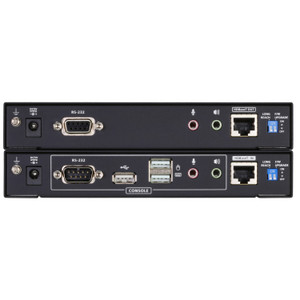
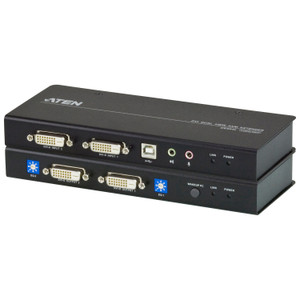
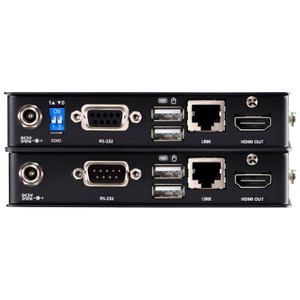
Product images are provided for reference and may not represent the exact model, configuration, or included components.

No Bots, Just Experts

Questions about this product? Free pre-sales support from a senior specialist — product questions, compatibility checks, BOM quotes, price confirmation — typically answered within one business day. Need camera placement or system design work? Engineering time is $175 per hour (qty 1 = 1 hour). Hardware buyers get up to one hour ($175) credited back on their order.

Description

ATEN CE775 USB VGA Dual View CAT5 KVM Extender

Overview

The CE775 is the remote-unit receiver component of ATEN's dual-view KVM extension system, designed to push USB keyboard/mouse control and VGA video across structured CAT5/6 cabling without running dedicated video cable. It handles two distance-resolution operating points: 1920 x 1200 @ 60 Hz out to 150 m, or drop back to 1280 x 1024 @ 60 Hz and reach 300 m — useful when your console needs to sit a server room away from the operator's desk. The built-in RGB deskew (3-knob hardware tuner) corrects the channel skew that long CAT5 runs introduce on analog VGA signals, so you're not chasing color fringing through software. Firmware is field-upgradeable; the current release is v1.1.108 (2025-03-04).

Compatibility

The CE775 is the receiver (remote) unit paired specifically with the ATEN CE774 local transmitter — the two ship together as the CE774/CE775 KVM extender kit and are not interchangeable with other ATEN extender families. The USB console port supports standard HID-class keyboards and mice; no proprietary drivers required on the host. Interconnect uses two RJ-45 female ports (black) for the CAT5/5e/6 link between local and remote units. This is a VGA video extender — it does not carry DisplayPort, DVI, or HDMI signals. If your target machines use digital-only video outputs, a separate analog adapter chain would be required, making a digital KVM extender the cleaner path. Rack-mount form factor; consult ATEN's dimensional note that WxDxH is expressed as LxWxH for rack products.

Installation Notes

Operating humidity limit is 0–80% RH non-condensing — avoid unventilated telecom closets with condensation risk. RGB deskew is hardware-only (3 knobs on the unit face); budget a few minutes at commissioning to tune each channel individually on long runs. Firmware upgrades are delivered as a ZIP package applied at the unit level — keep the CE775 and its paired CE774 on matching firmware versions to avoid link negotiation issues. CAT5e or CAT6 straight-through cable is recommended over CAT5 on runs approaching 300 m to maintain signal margin.

Specifications
Resolution: 1920x1200
Mount Type: Rack
Function: CE775R
Unit To Unit: 2 x RJ-45 Female (Black)
Rgb Tuner: 3 x Knob
Link: 1 (Green)
Keyboard / Mouse: USB
Video: 1920 x 1200 @ 60Hz (150 m);1280 x 1024 @ 60Hz (300 m)
Humidity: 0–80% RH, Non-condensing
Ce774-775 Um W 2019-01-07.Pdf (2.34 Mb: 2019-01-07
Firmware Upgrade: v1.1.108
Q&A
Reviews
Have Questions?

Aten CE775 USB VGA Dual View CAT 5 KVM Extender With Deskew (1280 X 1024@300M)

$1,135.00
$786.99

RELATED PRODUCTS

Save $542.01
ATEN TFT Active Matrix - 17 Inch - 1280 X 1024 - USB - CL5708M
Add to Cart The item has been added

ATEN CL5708M

ATEN TFT Active Matrix - 17 Inch - 1280 X 1024 - USB - CL5708M

N 8-port rack-mount LCD KVM console drawer integrating a 17-inch TFT active matrix display, keyboard, and touchpad into a 1U chassis — designed for

    In stock · Ships same business day Free shipping over $499
    $1,596.00 $1,053.99 Save $542.01
    The item has been added Add to quote
    $1,596.00 $1,053.99 Save $542.01
    Save $542.01 Add to cart Add to quote

    System Design, Deployment & Technical Support

    Support services and planning resources for commercial surveillance, access control, and infrastructure deployments.

    Fixed scope • Fixed price

    System Design Assistance

    • Get help validating product compatibility
    • Coverage requirements
    • Storage planning and deployment architecture before you buy.
    Request Design Help

    Deployment & Configuration Support

    • Access fixed-scope support for rollout planning
    • User setup guidance
    • Migration and system standardization across single-site or multi-site deployments
    View Support Services

    Guides, Tools & Calculators

    • PoE requirements
    • Storage retention
    • Camera selection and deployment methodology
    Open Technical Resources