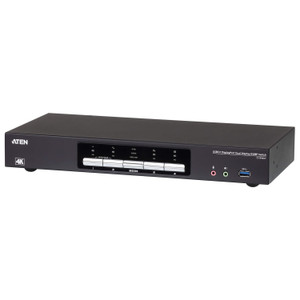
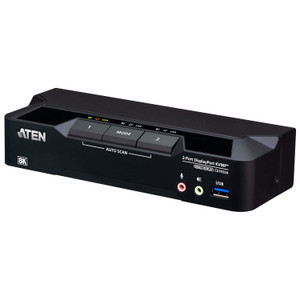
ATEN CS1944DPA 4-Port USB 3.0 8K Dual-View DisplayPort KVMP Switch
Overview
The ATEN CS1944DPA is a 4-port, dual-view DisplayPort KVMP switch built for workstations where both display fidelity and peripheral continuity matter — think broadcast editing bays, video surveillance operator stations, high-density trading desks, and AV-over-IP integration rigs. With support for up to 7680 x 4320 @ 60 Hz across dual DisplayPort outputs per port, the CS1944DPA handles true 8K content without downscaling, making it one of the few KVM options that won't become the bottleneck in a next-generation multi-source workflow. Four connected computers share two monitors, a keyboard, a mouse, and two USB 3.1 Gen1 Type-A ports — all switched simultaneously with sub-second cutover. This is rack-mounted hardware intended for control room infrastructure, not a desktop widget.
Key Features
- Dual-Head 8K DisplayPort Video (7680 x 4320 @ 60 Hz): Both DisplayPort outputs support the full 8K resolution at 60 Hz per head. At a surveillance or broadcast operator station running 4K+ source feeds, this means neither display is resolution-bottlenecked — you get full pixel-for-pixel fidelity from each connected computer without intermediate scaling artifacts. The switch also handles 5120 x 2880 @ 60 Hz and 4096 x 2160 @ 240 Hz, covering 5K and high-refresh 4K use cases on the same hardware.
- 4-Computer KVMP Consolidation: Four separate computers share a single keyboard, mouse, and dual-display setup. In a physical security operations center, this means an analyst can switch between an NVR management station, a VMS client, a PSIM console, and an administrative workstation without touching four separate input sets — reducing desk clutter and operator error from context-switching.
- Five Port-Selection Methods: Switch between computers via front-panel pushbutton, keyboard hotkey, mouse wheel, RS-232 command, or remote port selector. The RS-232 path is the one worth noting for integrators: it enables the KVM to participate in control-system automation (Crestron, Extron, AMX, or custom scripts), so port switching can be triggered by room logic or operator panels rather than manual intervention.
- USB 3.1 Gen1 Hub (Two Ports): Two USB 3.1 Gen1 Type-A ports — one on the front panel, one on the rear — follow the active KVM port. At 5 Gbps, they handle USB storage, capture cards, and other peripherals that would stall on USB 2.0. Front placement means you can hot-plug a drive or dongle without reaching behind the rack unit.
- 5 USB Link Ports (Green): Five dedicated USB link connections let you keep peripherals like smart card readers, biometric devices, or specialty input hardware persistently connected per source computer without going through the switched hub — useful where each computer needs its own dedicated USB device regardless of which port is active.
- Station Selection via Slide Switch: A physical slide switch on the unit provides station selection independent of software or hotkey state. In environments with strict input-device discipline (air-gapped networks, classified workstation switching), a hardware-level switch selection provides a tactile, auditable method of confirming which computer currently owns the peripherals.
- Configurable Auto-Scan (1–99 Seconds): Auto-scan mode cycles through connected computers at a user-defined interval between 1 and 99 seconds (default 5 seconds). For surveillance operators monitoring multiple systems, a 10–15 second scan interval keeps each source visible in rotation without requiring manual switching — practical when operators are monitoring rather than actively controlling.
- Rack-Mount Form Factor: Designed for rack installation, the CS1944DPA integrates directly into standard equipment racks alongside NVRs, servers, and network gear. This matters in control room and server-room deployments where desk space is constrained and cable management needs to route cleanly through the rack rather than across a desk surface.
Integration and Compatibility
The CS1944DPA uses USB for keyboard and mouse connections, which means compatibility with any modern OS that handles standard USB HID devices — no proprietary driver dependency for basic switching. The RS-232 control interface opens integration with third-party AV control systems, making this switch specifiable in rooms where a control processor already manages source switching logic. The dual DisplayPort outputs are suited for workstations running professional GPU cards with multiple DP outputs, which is standard on Quadro, Radeon Pro, and Intel Arc-class workstation graphics. Verify your source machines each carry two DisplayPort outputs per GPU before specifying this switch — it requires two DP connections per connected computer to drive both displays. The USB 3.1 Gen1 hub operates at 5 Gbps, so downstream devices must match: USB 2.0 devices will connect and function, but at USB 2.0 speeds. Firmware is field-upgradeable (current release: v1.0.062, dated 2026-01-06), which means you can apply ATEN's updates without physical hardware replacement — relevant in environments where security patch cadence is tracked.
Frequently Asked Questions
Q: Can the CS1944DPA be controlled by a third-party room control system like Crestron or AMX?
A: Yes. The CS1944DPA includes an RS-232 command interface that allows external control systems to trigger port switching programmatically. This makes it compatible with Crestron, AMX, Extron, and similar control processors that support serial commands.
Q: How many DisplayPort connections does each source computer need?
A: Each of the four connected computers requires two DisplayPort outputs to drive both displays through the switch. Workstation GPUs with dual DP outputs — common on Quadro, Radeon Pro, and similar cards — meet this requirement natively.
Q: What is the maximum resolution the CS1944DPA supports?
A: The switch supports up to 7680 x 4320 (8K) at 60 Hz per display head. It also handles 5120 x 2880 @ 60 Hz and 4096 x 2160 @ 240 Hz, covering 5K and high-refresh 4K scenarios on the same hardware.
Q: Can the auto-scan interval be customized?
A: Yes. The scan interval is configurable from 1 to 99 seconds. The factory default is 5 seconds. Operators who prefer longer dwell times on each source can set this up to 99 seconds via hotkey configuration.
Q: Is the firmware on the CS1944DPA field-upgradeable?
A: Yes. ATEN provides downloadable firmware updates for the CS1944DPA. The current firmware version is v1.0.062, released 2026-01-06, and can be applied without returning the unit to the factory.
Q: Does the USB hub on the CS1944DPA support USB 3.0 speeds?
A: Yes. The two hub ports are USB 3.1 Gen1 (also marketed as USB 3.0), rated at 5 Gbps. One port is front-panel accessible for quick peripheral connections; the second is rear-panel for permanently cabled devices.
The spec that sets the CS1944DPA apart in a field of KVM switches that still top out at 4K is the dual-head 8K DisplayPort output — 7680 x 4320 at 60 Hz per display, per port. In a physical security operations center running high-resolution panoramic cameras or multi-sensor feeds, that resolution headroom means you are not artificially downscaling a 4K+ VMS stream just because your switching layer can't keep up. Four source computers, two monitors, one clean rack unit.
Technical Highlights:
- 8K @ 60 Hz Dual DisplayPort: Both outputs independently deliver 7680 x 4320 @ 60 Hz — not shared bandwidth across heads. Each connected computer gets full 8K fidelity on both screens simultaneously when that port is active.
- RS-232 Control Interface: Port switching can be scripted or driven by a control processor via RS-232 commands. In an integrated control room, this eliminates the KVM as a manually-operated island and lets it participate in room-state automation alongside display matrix switchers and audio systems.
- Field-Upgradeable Firmware (v1.0.062): Current firmware is dated 2026-01-06 and is downloadable from ATEN. For installations in environments with change-management requirements, having a documented, field-applied upgrade path means you don't pull the hardware for factory service to address a firmware-level issue.
Deployment Considerations:
- Each of the four source computers must have two DisplayPort outputs available — verify GPU specs before finalizing the BOM. A workstation with only one DP output cannot drive both displays through this switch without a DisplayPort MST hub or GPU upgrade.
- The USB 3.1 Gen1 hub ports are switched with the active KVM port. If a downstream device (capture card, security dongle) needs to stay connected to a specific computer regardless of active port, wire it directly to that machine rather than through the hub.
The CS1944DPA is the right specification for a four-source operator workstation where the display signal path cannot be the weakest link — surveillance control rooms running 4K-plus VMS clients, broadcast engineering suites switching between editing and monitoring systems, or trading desks where multiple high-resolution market data feeds need to coexist on a single operator surface without compromising pixel fidelity.