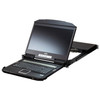
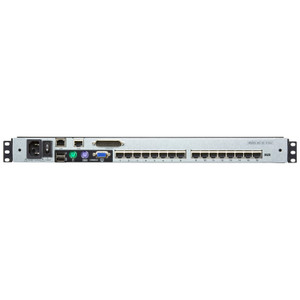
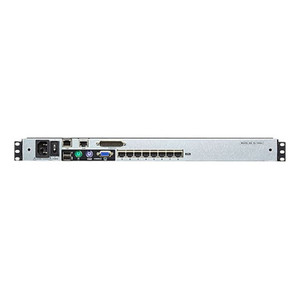
ATEN CL3884NW 18.5-Inch FHD 4-Port HDMI Dual Rail LCD KVM Switch
The ATEN CL3884NW is an 18.5-inch Full HD rack-mounted LCD KVM console that integrates a 1920×1080 display, keyboard, and touchpad into a dual-rail chassis — giving data center and server room operators direct console access to up to four HDMI servers from a single 1U drawer, without cluttering the rack with loose peripherals. Cascade a second CL3884NW unit and that ceiling rises to 16 nodes, making it a practical backbone for mid-density deployments that want a clean, cable-managed rack presence.
Overview
Dual-rail LCD KVM consoles solve a specific rack problem: you need an integrated display and input device that stows flat against the rack when not in use, deploys in a single pull, and doesn't consume floor space with a dedicated crash cart. The KVM switch market has plenty of options, but the CL3884NW stands out for its HDMI video path — important when connecting to modern servers and workstations that have dropped legacy VGA outputs entirely. The 18.5-inch FHD panel at 350 cd/m² is bright enough to read in a typical server room without straining, and the second console output at 1920×1200 @ 60 Hz means you can simultaneously run a dedicated external display if local conditions demand it.
Key Features
- 18.5-Inch FHD LCD Display (350 cd/m²): The integrated panel runs at full 1080p and delivers 350 cd/m² of brightness — readable under fluorescent rack-room lighting without washing out. No external monitor needed for routine console tasks.
- 4 Direct HDMI Ports, Cascadable to 16: Four servers connect directly; add a second CL3884NW unit via cascade to reach 16 managed nodes. For a 4–16 server environment, this eliminates the cost and complexity of a separate KVM matrix. Browse the full ATEN KVM lineup if you need higher port counts.
- Multi-View OSD: The on-screen display lets you view multiple server outputs simultaneously on the integrated panel — useful during boot sequences, parallel maintenance windows, or monitoring tasks where you want side-by-side visibility without toggling.
- Four Port-Selection Methods: Switch targets via OSD menu, hotkey sequences, front-panel pushbuttons, or RS-232 commands. RS-232 is the key differentiator for automated and scripted environments — it means your DCIM or automation platform can drive port selection programmatically without touching the panel.
- Second Console Output at 1920×1200 @ 60 Hz: The secondary console port drives an external display at up to 1920×1200 — slightly higher than the panel's own 1080p — useful when rack operators want a larger external monitor on the desk while the drawer panel stays closed.
- USB Keyboard and Mouse: Keyboard and mouse connectivity runs over USB, ensuring compatibility with modern servers that have dropped PS/2 support. The front-panel USB Type-A port provides a convenient connection point for a flash drive or USB peripheral without routing cables to the back of the rack.
- Flexible Scan Intervals: Auto-scan cycles through connected servers at 5, 10, 15, 30, 60, or 90-second intervals (default 5 seconds). Useful for passive monitoring of multiple nodes on a secondary display during maintenance.
- Universal Power Input (100–240V AC): The 100–240V, 50–60Hz, 1A input means you can deploy globally without a step-down transformer — one SKU, any data center power standard.
- Firmware Updatable (v1.2.111): Field firmware updates mean security patches and feature additions reach deployed units without hardware replacement. Current release is v1.2.111 (December 2024).
Integration and Compatibility
The CL3884NW fits standard 19-inch rack enclosures and connects to servers via HDMI. RS-232 command support integrates with rack management systems, DCIM platforms, and scripted provisioning workflows where programmatic KVM switching is required. The USB peripheral path is compatible with modern operating systems that enumerate standard HID devices — no proprietary driver installation needed on connected servers for basic keyboard/mouse control. The secondary console output provides a 1920×1200 signal for desktop monitors used at operations desks adjacent to the rack.
For environments running managed network infrastructure alongside rack servers, the RS-232 port allows the CL3884NW to slot into broader automation stacks. Pair with a compatible out-of-band management solution for full lights-out coverage when network access to servers is unavailable.
Frequently Asked Questions
Q: How many servers can the CL3884NW manage?
A: Directly, four servers via its four HDMI KVM ports. By cascading a second unit, you can manage up to 16 servers total from a single console position.
Q: What video standard does the CL3884NW use?
A: The CL3884NW uses HDMI for all KVM port connections. The second console output supports resolutions up to 1920×1200 @ 60 Hz.
Q: Can the CL3884NW be controlled programmatically or via automation?
A: Yes. In addition to OSD menu, hotkey, and front-panel pushbutton switching, the CL3884NW supports RS-232 command control, allowing DCIM platforms, scripts, or automation systems to switch ports without manual interaction.
Q: What are the scan interval options on the CL3884NW?
A: The auto-scan feature supports six intervals: 5, 10, 15, 30, 60, and 90 seconds, with 5 seconds as the factory default.
Q: Does the CL3884NW require a separate power supply or injector?
A: No. The CL3884NW has an integrated power supply with a universal input rating of 100–240V AC, 50–60Hz, 1A — plug directly into any standard rack PDU.
Q: Can the firmware on the CL3884NW be updated in the field?
A: Yes. ATEN provides firmware updates for the CL3884NW; the current release is v1.2.111 (December 2024). Field updates avoid hardware replacement for security or feature patches.
The CL3884NW is one of those products that solves a very specific rack discipline problem. When I spec dual-rail LCD KVM consoles, the question is always whether the video path keeps up with the servers — and the HDMI interface on the CL3884NW means you're not stuck adapting modern GPU outputs to VGA just to get console access. The 350 cd/m² panel holds up in lit server rooms, and I've found the RS-232 command interface is what separates this unit for any shop running scripted rack operations.
Technical Highlights:
- RS-232 Port Selection: Unlike hotkey-only consoles, RS-232 command support lets automation scripts or DCIM tools drive port switching without anyone touching the panel — critical in managed colocation or lights-out NOC environments.
- Second Console at 1920×1200 @ 60 Hz: The secondary output slightly exceeds the panel's own resolution, so operators running a desk monitor alongside the rack can push a sharper image to that display while the drawer stays closed.
- Cascade to 16 Nodes: Four direct ports is the right density for a small cluster; the cascade path to 16 keeps a second unit from being a hard cutover — you grow into it without replacing hardware.
Deployment Considerations:
- Confirm your server HDMI outputs match the cable run length you're planning — longer passive HDMI runs at 1080p can degrade signal quality, and the CL3884NW spec sheet doesn't list a maximum cable distance. Use active cables or an HDMI extender on runs over 10 meters.
- The humidity ceiling of 85% RH (non-condensing) covers standard data center environments, but watch deployments in industrial or basement locations where ambient moisture can spike — exceeding this without environmental controls risks condensation on the LCD.
For a 4–16 server colocation cage, branch office server closet, or NOC rack where clean cable management and programmatic switching matter, the CL3884NW is a well-matched fit. It's not the right call for IP KVM requirements (remote out-of-band access) — for that you'd want an ATEN unit with IP console capability.