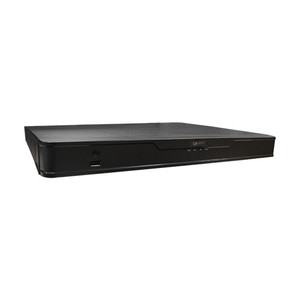
ACTi ZNR-221P 16-Channel 2-Bay Desktop NVR
Overview
The ACTi ZNR-221P is a 16-channel desktop NVR built for small-to-mid surveillance deployments where you need centralized recording, instant playback, and integrated PoE power delivery without adding a separate switch or external power distribution. The unit draws power from 100–240V AC and delivers 802.3af PoE via 16 onboard connectors—eliminating external PoE injectors or mid-span devices on every camera line. Recording throughput maxes at 160 Mbps, sufficient for concurrent playback and live monitoring across all 16 feeds. VGA output (640×480) and HDMI port both support local incident review and evidence export via USB. The 2-bay storage design accepts standard 3.5" or 2.5" drives (sold separately), giving you flexibility to scale capacity without replacing the unit.
Compatibility
The ZNR-221P is compatible with any IP camera drawing ≤13W at 12V DC over PoE (802.3af limit). This covers the vast majority of ACTi's smaller dome, turret, and bullet models, as well as third-party IP cameras adhering to ONVIF standards. If you are pairing this with higher-power cameras (PoE+ 30W or PoE++ 95W), you will need to supply external PoE injectors or a dedicated PoE+ switch in addition to the NVR's onboard connectors. Built-in DHCP server eliminates manual IP assignment for plug-and-play startup; remote access is supported for off-site review.
Installation Notes
Mount the ZNR-221P on a desktop or rack shelf; it is a tabletop form factor, not DIN-rail or wall-mount. AC power inlet requires a standard grounded outlet (100–240V, 50–60 Hz). Camera cables should not exceed recommended run lengths for 802.3af—typically 100 meters (328 feet) cat6 or better to avoid voltage drop at the far end. Audio and DI/DO terminals are provided for basic alarm integration; consult the full datasheet for pinout details. No special cooling or ventilation is required for typical office environments.
What's in the Box
- 1x ZNR-221P 16-channel NVR unit
- 1x AC power cable
- 1x HDMI cable
- Documentation and quick-start guide