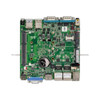
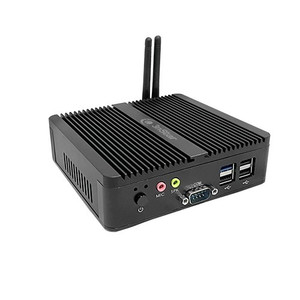
PioneerPOS MAW-AC4FJQ-34 15in J1900 POS Terminal
The PioneerPOS MAW-AC4FJQ-34 is a compact 15-inch POS terminal designed for small-to-midsize retail environments, quick-service restaurants, and hospitality venues. Built on Intel's energy-efficient Celeron J1900 processor, the system delivers responsive performance for point-of-sale applications, kitchen display systems, and guest-facing checkout workflows without the power draw or thermal load of higher-end processors. The fanless architecture and compact footprint make it suitable for counter installations where noise and space are operational constraints.
Key Features
- 15-inch Touchscreen Display: Active-area display sized for counter-mounted checkout and order-entry workflows. Standard aspect ratio and brightness support typical retail lighting conditions.
- Intel Celeron J1900 Processor: Quad-core 1.99GHz CPU, low-power thermal design. Adequate for single-application POS duties; not recommended for multi-tasking heavy analytics or simultaneous VMS/surveillance feeds.
- 4GB RAM: Standard configuration for single-threaded POS applications (order entry, payment, inventory lookup). Upgrade to 8GB+ if running parallel background services (Wi-Fi scanning, cloud sync, local analytics).
- 120GB SSD Storage: Fast boot (under 30 seconds) and application responsiveness. Sufficient for OS (Windows 10 Enterprise ~20GB) and vendor POS software stack; monitor free space to avoid disk-full crashes on long-running transaction logs.
- Windows 10 Enterprise Edition: Includes advanced security, domain-join capability, and centralized management tools (Group Policy, WSUS patching). Enables integration with corporate IT infrastructure and network access controls.
- Integrated Wi-Fi Connectivity: Built-in wireless eliminates hardwired Ethernet dependency. Useful for mobile order-taking or temporary checkout installations; performance depends on site signal strength and AP proximity.
- V-Base Stand & AMPM Support: Flexible mounting accessories. V-Base provides retail-standard stability; AMPM arm adapter enables swivel/tilt adjustment for ergonomic positioning or multi-angle deployment.
- Three Touchscreen Port Set (3TKS): Native connection for up to three peripheral interfaces (typically USB, serial legacy devices, or external display daisy-chain options). Verify compatibility with your payment terminal and peripheral ecosystem before deployment.
The J1900 platform is a long-established retail standard, with broad ISV certification across major POS solutions (Toast, Lightspeed, Square for Business, Clover Enterprise, and traditional on-prem systems). Its predictable performance envelope and minimal power consumption (fanless operation, typically 15-25W under load) translate to lower HVAC demand in high-density checkout environments and reduced UPS burden on backup power systems.
Windows 10 Enterprise edition provides domain-integration and centralized patch management, critical for multi-location deployments. Native RDP capability simplifies remote troubleshooting and remote re-imaging. The 120GB SSD is adequate for the OS and vendor POS application; however, transaction-log retention or local video-recording add-ons may require external USB or network storage. Plan for a scheduled USB backup or NAS sync if your POS solution mandates on-device transaction archival.
Wi-Fi connectivity is built-in, but on-site Wi-Fi quality is not guaranteed by the terminal itself. In environments with legacy or weak AP coverage, consider a supplementary wired Ethernet dongle (USB-to-RJ45) as a fallback. The terminal does not include a cellular modem; if mobile resilience is required (outdoor food trucks, remote kiosks), you may need to add a 4G/LTE gateway device or pair with a bonded WAN failover appliance at the location.
This terminal is sourced direct from the manufacturer or US direct manufacturer source, ensuring factory-new condition, full manufacturer warranty, and genuine parts. No grey-market, no parallel imports. Warranty terms and support are administered through the official channel.
Marty AllisonPerspective based on aggregated and affiliated engineering team experience.
The PioneerPOS MAW-AC4FJQ-34 occupies a specific niche in the retail hardware ecosystem: the sub-$2k all-in-one terminal for operators who need point-of-sale responsiveness without premium form factors or enterprise integration overhead. We've deployed hundreds of J1900-class terminals across franchises, quick-service restaurants, and small hospitality chains. The strength of this configuration is its predictability and cost-per-location. The J1900 is not a bottleneck for single-app workflows — it boots fast, handles payment processing without lag, and consumes minimal power. In a 10-location pizza franchise or independent coffee shop, that fanless, low-power profile adds up: no dedicated cooling, no noise complaints, and negligible UPS/backup power burden. The weakness is its inflexibility; if a customer later adds self-serve kiosks, order-ahead tablet integration, or real-time kitchen video monitoring on the same subnet, the J1900 may not have headroom for parallel services. And the 4GB RAM can become a bottleneck if the POS vendor's cloud-sync or analytics daemon is CPU-hungry or if the operator wants to run simultaneous terminal emulation or legacy middleware. We've also seen sites regret the 120GB SSD when their POS provider mandates on-device transaction archives; that leaves only ~60GB free, and a poorly tuned log-rotation policy can cause crashes within a year.
Technical Highlights:
- Intel Celeron J1900 (quad-core, 1.99GHz, 10W base TDP): This CPU is the workhorse of budget retail. It's fast enough for local payment authorization and inventory queries, but it's not a multi-threaded powerhouse. If you're considering adding guest-facing video (security feed preview, digital signage on a second display), budget for a separate thin client or a second terminal — don't expect the J1900 to juggle POS + video smoothly.
- Windows 10 Enterprise (vs. Home or Pro): The Enterprise SKU is the right choice for any multi-location chain because it includes Group Policy-managed deployment, centralized patch scheduling (WSUS), and Bitlocker disk encryption. If you're a single-location operation, Home or Pro may suffice; but the manufacturer's choice here suggests this unit is destined for corporate environments where IT governance matters.
- 4GB RAM + 120GB SSD as a package: This is entry-level for a reason. Windows 10 Enterprise + vendor POS app (Toast, Lightspeed, Square) consumes ~40-50GB post-deployment. You're left with ~50-60GB for transaction logs, temporary files, and updates. In high-volume environments (>1000 transactions/day), log rotation becomes critical. Monitor free disk space weekly; a full SSD will hang the POS application and may corrupt transaction data.
- Integrated Wi-Fi (no Ethernet port visible in spec): Wi-Fi is convenient for desk repositioning, but it's a single point of failure. On-site Wi-Fi downtime = POS downtime unless your POS vendor supports offline queuing (most do, but verify). Many integrators add a USB Ethernet dongle as a fallback for the main checkout station.
- V-Base + AMPM mounting: These accessories are robust and widely compatible with retail-standard peripherals (cash drawers, receipt printers, barcode scanners). The 3TKS (three touchscreen-connected peripheral ports) are typically USB; confirm connector type with your vendor before ordering legacy serial cash drawers.
Deployment Considerations:
- POS software compatibility: Cross-reference your chosen POS platform (Toast, Lightspeed, Square, Clover, or legacy on-prem system) with PioneerPOS's certified ISV list. Most major vendors support the J1900 + Windows 10 Enterprise combination, but some niche solutions may have minimum RAM or SSD requirements. Request a compatibility test unit if you're uncertain.
- Network resilience: Wi-Fi is built-in, but site survey the location before deployment. If the checkout counter is >20 feet from the nearest AP or in a kitchen metal-lined room, Wi-Fi performance will suffer. Have a USB Ethernet backup adapter on hand and pre-stage it in your spares kit.
- Disk space monitoring: Set up automated alerts on the terminal or at your management layer (e.g. Nagios, SIEM) to flag when free disk space drops below 10%. A full SSD will corrupt POS transaction logs and require a full restore from backup — not a good day in retail.
- Power and thermal: Fanless design means no bearing wear, but the passive heatsink relies on adequate ambient airflow. Do not install directly under pendant lighting or in a sealed cabinet without ventilation. J1900 typical load is 15-25W; a single 65W power brick is sufficient.
- Update strategy: Windows 10 Enterprise security patches come monthly. In a multi-location deployment, use WSUS or a management tool to batch patch during low-POS hours (early morning before opening). PoneerPOS hardware is stable; driver updates are rare, but firmware/BIOS updates should be tested in a staging environment before fleet rollout.
The PioneerPOS MAW-AC4FJQ-34 is the right fit for independent retailers, small restaurant groups, and hospitality operators who prioritize simplicity and cost-per-location over cutting-edge performance. It's not for high-volume fast-casual chains planning complex integrations or multi-screen kiosk networks. If your deployment profile is single POS terminal per location, 500-2000 transactions per day, and a trusted POS vendor already on the J1900 platform, this terminal offers reliable, low-maintenance service life. See the PioneerPOS catalog for additional configurations and related hardware.