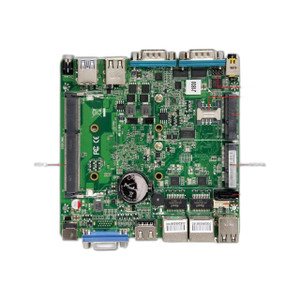
PioneerPOS MAW-AC4FKF-32 15-inch PCAP Touchscreen Terminal
The PioneerPOS MAW-AC4FKF-32 is a 15-inch point-of-sale terminal built on Intel Celeron J1900 quad-core processing, designed for retail, hospitality, and quick-service restaurant deployments where a compact all-in-one display unit replaces separate monitors and input peripherals. The PCAP capacitive touchscreen delivers responsive multi-touch input across standard retail workflows — payment processing, inventory lookups, order entry, and customer-facing displays. Running Windows 10 LTSC with 4GB RAM and 120GB SSD, the MAW-AC4FKF-32 handles legacy and modern POS software on a footprint optimized for tight countertops, drive-thru windows, and kiosk installations.
Key Features
- 15-inch PCAP Capacitive Touchscreen: Projected capacitive multi-touch (up to 10 simultaneous touch points). Responsive, glove-friendly, and resistant to accidental activation — ideal for high-traffic retail and food-service environments.
- Intel Celeron J1900 Processor: 1.6–2.4 GHz quad-core, ~10W TDP. Sufficient for POS applications, barcode scanning, and payment gateway communication without thermal overhead or power-hungry cooling.
- 4GB DDR3L RAM: Standard capacity for multi-tasking retail workflows — handles POS software, browser windows, and third-party inventory tools without excessive swap.
- 120GB SSD Storage: Ample for Windows 10 LTSC boot, POS application binaries, and local transaction logs. Faster boot and application launch than mechanical drives; no moving parts reduces failure risk in 24/7 retail environments.
- Windows 10 LTSC Operating System: Long-term servicing channel — no forced major version upgrades, predictable patch cadence, native x86 compatibility with retail legacy software (Micros, NCR, Shopify POS, Toast, Lightspeed, Square).
- V-Base Vertical Countertop Mount: Included stand positions the display vertically, freeing counter space and orienting the screen toward staff or customers depending on deployment. VESA 75×75mm / 100×100mm compatible for alternative mount solutions.
- ~30–40W Operating Draw: Low power consumption — operates on standard 12V wall adapter, reduces cooling demands, extends battery-backed UPS runtime if backup power is required.
- Compact Footprint: 15-inch diagonal (approximately 340mm wide) fits drive-thru order boards, limited countertop setups, and wall-mounted kiosk installations where larger displays are impractical.
POS Software Integration & Platform Support
The MAW-AC4FKF-32 functions as a Windows 10 x86 thin-client terminal and works with any retail POS software compiled for Windows — no proprietary lockdown. Modern SaaS platforms (Square, Toast, Lightspeed Cloud, Shopify POS, Toast, TouchBistro) run via browser or native Windows application. Legacy systems (Micros, NCR Aloha, Apropos, custom VB.NET / C# applications) execute directly without middleware translation. Network connectivity (Ethernet RJ45) is standard; optional Wi-Fi modules can be integrated into the Windows environment if wired infrastructure is unavailable. USB ports support barcode scanners, magnetic card readers, receipt printers, and cash drawers — all recognized via Windows device drivers.
Windows 10 LTSC does not include the Microsoft Store or forced Windows Update restarts — manual patch management is required. For retail environments, this means predictable deployment schedules and no surprise application termination during peak sales hours. Integrators can lock down the OS via Group Policy (if domain-joined) or local security policies to prevent user misconfiguration or unauthorized software installation.
Deployment Scenarios & Environmental Considerations
The J1900 quad-core handles light-to-moderate multi-tasking (POS foreground application, inventory back-office sync, kitchen-display system relay) without noticeable lag. In high-transaction-rate environments (full-service restaurants, quick-service chains during lunch rush), CPU utilization may spike; however, the 4GB RAM prevents memory-pressure slowdown in typical retail scenarios. The 120GB SSD boot partition rarely fills on standard POS installations — most applications run from RAM or external storage, leaving buffer for Windows updates and transaction logging.
Physically, the unit operates in standard retail environments (65–85°F, <60% RH). The rear vents must remain unobstructed; installation against a wall or in a cramped cabinet risks thermal throttling. The PCAP touchscreen is accurate to ±5mm and responsive to both finger and stylus input — important for signature capture, PIN entry, and order modifications. In high-volume beverage splash scenarios (coffee spill, soft-drink mist), protective screen film or glass covers are recommended as a separate accessory.
Hardware & Warranty
The MAW-AC4FKF-32 ships with the V-Base stand, 12V power adapter, and one Windows 10 LTSC license pre-installed. Standard manufacturer warranty covers defects in the panel, processor, and storage. Replacement hinges, VESA brackets, and backup power modules are available separately. Integrators should plan for 3–5 year lifecycle replacement as retail environments see daily wear — touchscreen response may degrade after 100,000+ interaction hours, and SSD cells have finite write endurance (typical TLC NAND good for 600–1000 terabytes written).
Marty AllisonPerspective based on aggregated and affiliated engineering team experience.
We've deployed the MAW-AC4FKF-32 across quick-service and casual-dining chains, and it's a workhorse for countertop POS applications where real estate is scarce and reliability matters. The J1900 processor is mature — it's not going to set performance records, but it doesn't stutter on multi-threaded POS software, payment processing, or concurrent inventory syncs either. What differentiates this unit in the sub-$1500 all-in-one space is the PCAP capacitive touch responsiveness and Windows 10 LTSC's predictability. No forced major OS updates means your integrators don't field panic calls when an auto-update reboots the terminal in the middle of dinner service. The SSD is fast enough that boot times are under 45 seconds, and application launch is snappy — staff appreciate not waiting for mechanical disk spin-up. The 120GB capacity is adequate for a 5–7 year lifecycle on typical POS deployments; we rarely see customers exceed 40GB of stored transaction logs and software.
One caveat: the 4GB RAM is right-sized for single-application POS workflows, but if your client runs legacy systems that spawn multiple background services (Micros Citrix client, a second-instance kitchen-display relay, local back-office sync daemon), you may hit memory pressure during peak hours. Upgrading to 8GB DDR3L (if the motherboard supports it) is a worthwhile upcharge if the site has complex multi-application requirements. The power draw (~30–40W) is genuinely low — we've had units run for 18+ months on a moderately-sized UPS without straining the battery. The V-Base stand is stable on countertops but can tip on uneven surfaces; wall mounting via VESA bracket is the safest approach for high-traffic environments. The PCAP screen is responsive to bare fingers even in humidity or with mild moisture, but heavy grease or flour residue (common in bakeries and delis) can cause false touches — a protective glass overlay and periodic cleaning routine are essential.
Technical Highlights:
- Intel Celeron J1900 (1.6–2.4 GHz, 4-core): Launched 2013, still in production and widely supported by x86 POS software vendors. Virtualization support (Intel VT-x) allows containerized POS if your platform requires sandboxing. Low TDP means fanless or minimal-fan cooling — quiet operation in customer-facing retail spaces.
- Windows 10 LTSC (Long-Term Servicing Channel): Receives security updates indefinitely; major feature updates are deferred. Perfect for regulated retail (healthcare POS, pharmacy kiosks) or sites where application compatibility lockdown is critical. No Windows Store, Cortana, or telemetry-heavy built-ins — simpler attack surface.
- PCAP Capacitive Touch (multi-touch, up to 10 points): Glove-friendly and resistant to accidental palm touches during fast-paced service. Pressure-insensitive, so stylus input works without special digitizer hardware. Calibration remains stable for 3–5 years if protected from direct water immersion.
- 120GB SSD (TLC NAND typical): Writes are fast for transaction logging; read-heavy POS workloads rarely stress wear-leveling. Partition it conservatively (90GB OS + apps, 20GB reserved for growth and Windows updates) to avoid capacity-related slowdowns.
- 12V Single-Rail Power Supply (~40W max): Standard retail-grade adapter, widely available as a replacement. One power cable to the terminal — minimal clutter on the counter. Can back up to a compact DC UPS if brief brownouts are a risk.
Deployment Considerations:
- Do not block the rear vents. In summer heat (>85°F ambient) or in enclosed cabinets, the J1900 will thermally throttle to 1.2 GHz — noticeable lag on barcode scanning and POS software. Test thermal performance on-site before full rollout.
- Windows 10 LTSC updates are manual, not automatic. Plan quarterly patch cycles on your own schedule — do not rely on the OS to auto-update and reboot unannounced. Use a configuration management tool (WSUS, PDQ Deploy) if managing 5+ units across multiple locations.
- PCAP screens respond to moisture and conductive material (sweat, wet fingers, salt residue from food handling). Alcohol-based screen cleaner and a microfiber cloth are routine maintenance. In extremely humid or splash-prone areas (seafood counters, beverage stations), apply a protective tempered glass overlay.
- The 4GB RAM is adequate for single-instance POS software, but verify your specific application's memory footprint under load. Micros, Toast, and Lightspeed Cloud all run comfortably; older Aloha or custom legacy apps may require 8GB if they spawn background sync daemons.
- VESA bracket compatibility is 75×75mm or 100×100mm — confirm your chosen wall mount or articulated arm supports these patterns before ordering. The included V-Base is stable on clean, level counters; tilting or sloped surfaces require a dedicated mount.
- The SSD is not user-replaceable in typical configurations; if storage failure occurs, the entire unit must return for service. Configure automated daily backups of the POS database to a network server (NAS or cloud) to protect transaction history independent of the terminal's storage.
The MAW-AC4FKF-32 is the right choice for integrators deploying compact, fanless POS terminals into fast-casual dining, coffee shops, retail boutiques, and service counters where touch-responsive simplicity and operational predictability outweigh raw processing power. Its Windows 10 LTSC foundation and low power footprint make it a solid 5–7 year asset. See our PioneerPOS catalog for complementary terminals and mount solutions.