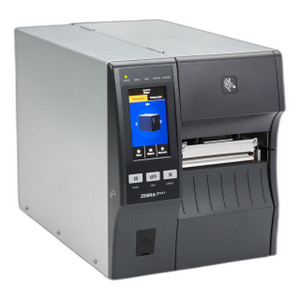
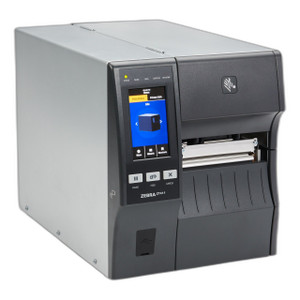
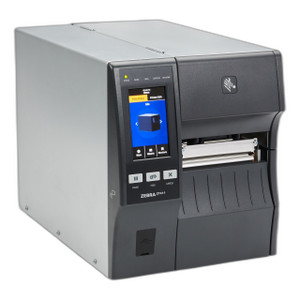
Zebra ZT41142-T31E000Z 4-Inch Thermal Label Printer
Overview
The Zebra ZT41142-T31E000Z is a compact desktop thermal label printer purpose-built for warehouse, logistics, and retail environments where barcode-dense label volume and production speed matter. This model prints at 14 inches per second with selectable resolution options (203, 300, or 600 DPI), making it suitable for small-format shipping labels, inventory tags, and compliance documentation. The 4-inch print width aligns with standard parcel logistics formats—4x6 shipping labels, 4x4 inventory tags, 4x3 compliance labels—so you're not paying for wasted ribbon on oversized media. Dual connectivity (Ethernet and Bluetooth 5.3 with Apple MFi certification) means you can anchor this to a fixed warehouse station or enable mobile label printing from iOS devices during receiving, picking, or shipping operations without additional hardware interfaces.
Key Features
- Print Speed & Resolution Trade-off: 14 ips at 203 DPI covers most barcode applications; step up to 300 or 600 DPI if you need sharper image detail or smaller fonts on compliance labels, though throughput will decrease. This flexibility lets you optimize for speed in high-volume operations or quality when regulatory documentation demands finer print.
- 4-Inch Print Width: Eliminates media waste on standard parcel and inventory label sizes. If your operation requires 6-inch or wider labels, this is not the right choice—consider a wider-format model in the Zebra thermal printer family.
- Peel-with-Takeup Mechanism: Automatically separates and collects printed labels, reducing operator fatigue and manual peeling bottlenecks. This is valuable in 24/7 distribution centers handling hundreds of labels per shift; it cuts handling time per label and lowers the rate of creased or damaged labels entering your shipping pipeline.
- Dual Connectivity—Ethernet & Bluetooth 5.3: Wired Ethernet ensures stable, high-throughput printing at fixed label stations on your warehouse network. Bluetooth 5.3 with MFi certification lets you print directly from iPhones and iPads during mobile picking or receiving workflows—no mobile printing gateway or middleware required. Choose deployment mode based on your workflow; many operations use both in the same facility.
- 2D Barcode Scanning Engine: Integrated scanner reads QR Code, Data Matrix, PDF417, Code 128, Code 39, UPC, and EAN formats. This breadth ensures compatibility with existing WMS systems, e-commerce fulfillment standards, and regulated-industry labeling mandates without requiring a separate external scanner.
- Media Flexibility: Supports standard label stock, thermal transfer ribbons (if using transfer mode), and tag formats used across warehousing, parcel logistics, and retail supply chains. Check your specific label substrate with the manufacturer if you're using specialty media.
Connectivity & Deployment
Deploy the ZT41142-T31E000Z as a stationary label station connected via Ethernet to your warehouse LAN, or pair it via Bluetooth 5.3 to a fleet of iOS mobile devices for on-the-floor labeling during receiving or shipping. The Bluetooth implementation is MFi-certified, meaning it's optimized for Apple device pairing and doesn't require additional USB adapters or wireless gateways. If you need to support Android or Windows Mobile devices, this printer's Bluetooth profile may have compatibility limits—verify with the manufacturer before committing to a mobile-first deployment on non-Apple platforms.
Barcode & Symbology Support
The integrated 2D scan engine validates one-dimensional codes (Code 128, Code 39, UPC, EAN) used in traditional inventory systems and two-dimensional codes (QR, Data Matrix, PDF417) required for complex product data, tracking URLs, and serialization in regulated industries. This ensures the ZT41142-T31E000Z integrates without requiring separate barcode verification hardware downstream.
When to Choose a Different Model
If your operation prints labels wider than 4 inches regularly, or if you need 600+ DPI as a standard (not optional), evaluate a wider-format or higher-resolution variant within the Zebra thermal printer lineup. If you require direct thermal printing exclusively at very high speeds (20+ ips), consider a different model in the same family optimized for speed over resolution flexibility.
Frequently Asked Questions
Q: Does the ZT41142-T31E000Z support direct thermal printing?
A: Yes, direct thermal is supported. Confirm media compatibility with Zebra's thermal media specification sheet for your specific label stock.
Q: Can I print from both Ethernet and Bluetooth simultaneously?
A: The ZT41142-T31E000Z supports both connectivity modes, but print jobs are queued by the printer. You can receive from both interfaces; the printer processes jobs in queue order.
Q: What is the maximum label length per print?
A: Maximum print length depends on media roll capacity and driver configuration. Consult the manufacturer's setup guide for media roll specifications and maximum continuous print length supported by firmware.
Q: Is the Bluetooth pairing limited to Apple devices?
A: The ZT41142-T31E000Z includes Apple MFi certification for optimized iOS pairing. Bluetooth pairing with non-Apple devices is technically possible but may not be officially supported—verify compatibility with Zebra before deploying to Android or Windows Mobile platforms.
Q: What ribbon types are compatible?
A: Confirm ribbon specifications directly with Zebra documentation. The printer supports both direct thermal (no ribbon) and thermal transfer (requires compatible ribbon) modes; ribbon compatibility depends on your media choice and print mode.
Q: Does the printer include software for label design?
A: The ZT41142-T31E000Z is a print engine. Label design software is typically provided by the printer manufacturer or sourced separately (e.g., ZebraDesigner, third-party label design tools). Confirm software availability with the vendor at time of purchase.
Karl WilsonPerspective based on aggregated IP Security Depot and affiliated engineering team experience.
The Zebra ZT41142-T31E000Z hits a specific operational niche: compact, 4-inch label footprint with dual connectivity that doesn't sacrifice speed. At 14 ips with selectable resolution, you're choosing between throughput at 203 DPI or print fidelity at 300/600 DPI—the printer handles both without a firmware reflash, just a configuration change. That flexibility is genuine value in mixed-workload environments (shipping labels, compliance tags, inventory stickers on the same device).
Technical Highlights:
- 14 ips @ 203 DPI: Delivers barcode-readable output for standard UPC/128/39 codes in high-volume parcel operations. If you print 500+ 4x6 labels per shift, you're looking at sustained throughput without thermal head fatigue or media jams that plague older thermal printers.
- 300 and 600 DPI options: Step up when regulatory labels (pharmaceuticals, hazmat, serialized goods) demand sharper text and microbarcodes. The trade-off: print speed decreases, but the printer doesn't force you to buy a second SKU to handle both workflows.
- Peel-with-takeup mechanism: Automatically separates labels and collects them in sequence. In a 24/7 operation, this cuts operator fatigue per label and reduces creased/damaged label escape rate. One operator can manage higher sustained label volume without manual peeling becoming the bottleneck.
- Bluetooth 5.3 + MFi certification: Apple device pairing works without a wireless gateway or mobile device management middleware. In a warehouse running iOS-based picking/shipping workflows, this drops deployment friction and keeps label printing on-device, offline-resilient.
Deployment Considerations:
- The 4-inch print width is non-negotiable. If your operation regularly requires 5.5-inch or 6-inch labels (common in apparel and automotive logistics), this printer will frustrate you. Verify your modal label size before committing.
- Bluetooth is optimized for Apple. If your mobile fleet runs Android or Windows Mobile, test Bluetooth pairing and driver support before deployment. Don't assume it works just because it has Bluetooth 5.3.
- The integrated 2D scanner is convenient for label verification and QR code printing workflows, but it's not a high-throughput scanning engine. If you need to scan dozens of labels per minute downstream, add a dedicated barcode scanner in-line.
Position the ZT41142-T31E000Z in moderate-to-high-volume parcel logistics (third-party fulfillment, e-commerce receiving), warehouse inventory tagging (SKU labels, bin labels, compliance stickers), and mixed-workload operations where you print both fast-turnaround shipping labels and quality-critical compliance documentation on the same device without hardware swaps. It's a production workhorse, not a slow-printing boutique label solution.