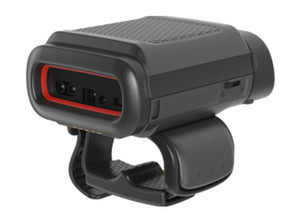
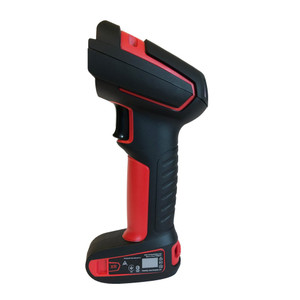
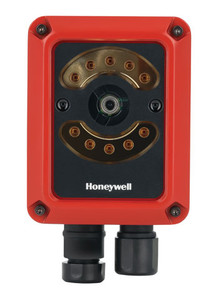
What's the difference between 1D laser and 2D imaging barcode scanners?
1D laser scanners read linear barcodes (UPC, Code 128) quickly and reliably at distance, making them ideal for standard retail and logistics workflows. 2D imaging scanners capture area-based codes (QR, PDF417, DataMatrix) and can recover data from damaged or poorly printed barcodes using advanced image processing. If your supply chain uses pharmaceutical serialization, food track-and-trace, or multi-carrier shipping labels, 2D is essential; for fast-moving consumer goods, 1D laser is typically sufficient and faster.
How do I choose between handheld and fixed-mount barcode scanners?
Handheld scanners provide flexibility for picking, receiving, and spot-checks across a warehouse; cordless models with wireless connectivity offer maximum mobility. Fixed-mount scanners at conveyor lines and dock doors automate high-volume verification, eliminate operator fatigue, and achieve consistent motion-based read rates. Many operations deploy both: fixed scanners for throughput-critical points, handhelds for ad-hoc and exception workflows. Mobile computers with integrated scanners offer a hybrid option.
What IP rating and drop specification should I require?
IP65 (dust and water ingress protection) is the minimum for warehouse use. IP67–IP69K adds submersion and high-pressure jet tolerance, critical for wet environments and frequent cleaning. Drop tests of 4–6 feet onto concrete simulate real warehouse accidents; scanners meeting MIL-STD-810G certification are proven for rugged field deployments. If your facility uses wet-clean or chemical-sanitized areas, specify IP69K with sealed connectors and conformal coating on circuit boards.
Should I use wired USB/Ethernet or wireless barcode scanners?
Wired connectivity (USB, Ethernet) guarantees bandwidth, eliminates pairing overhead, and works reliably near metal racks and RF interference. Wireless (2.4 GHz) enables mobility and reduces cable clutter but requires site survey, multiple access points, and careful channel planning in congested RF environments. Many warehouses use both: wireless handhelds for mobile picking and receiving, wired scanners for fixed dock-door and conveyor stations. If you choose wireless, plan for redundancy and test coverage in your specific facility before rollout.
What accessories should I budget for alongside barcode scanners?
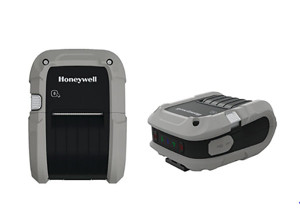
Plan for charging cradles or docks to ensure overnight battery replenishment, replacement cables and adapters for USB/serial/Ethernet connections, protective cases and holsters to reduce drop damage, and spare parts like protective windows and triggers. For print-and-scan workflows, integrate barcode label printers to generate barcodes on-demand. Budget 20–30% above scanner cost for supporting accessories to sustain fleet reliability over 3–5 years.
How do I integrate barcode scanners with my WMS software?
Most barcode scanners emulate USB keyboard or serial input, allowing direct integration with any WMS via standard drivers. Ethernet-connected and wireless scanners may require DHCP configuration and firmware updates; consult your WMS vendor for supported barcode scanner models and symbologies. Test decode accuracy and transmission latency in your specific warehouse layout before full rollout. Contact our experts to validate compatibility with your existing infrastructure and discuss integration best practices for your multi-site deployment.