
Monitors & Displays
Showing Results for Monitors & Displays
-

ELO Touch
SKU: E427882
ELO Touch Elo 17-inch I-Series 3 with Intel AiO 5:4 - E427882
- 17-inch 1280×1024 (5:4) display minimizes POS font-scaling issues in legacy workflows.
- Intel Core i5 with 8 GB DDR4 and 256 GB SSD handles concurrent POS and payment tasks.
- Projected capacitive 10-touch with zero-bezel frame works with gloves; no recalibration needed.
$3,033.00 $2,778.99 Save $254.01 -
ELO Touch
SKU: E428081
ELO Touch Elo 17-inch I-Series 3 with Intel AiO 5:4 - E428081
- 1280×1024 native res on 17" 5:4 panel reduces vertical scroll in POS layouts.
- 16GB RAM and 256GB SSD handle concurrent transactions and inventory sync reliably.
- 10-point PCT touch supports gloved and wet-surface input in high-traffic deployments.
$3,424.00 $3,135.99 Save $288.01 -
ELO Touch
SKU: E741189
ELO Touch Elo 17-inch I-Series 3 with Intel AiO 5:4 - E741189
- 17-inch 5:4 PCAP touchscreen supports 10-point multi-touch for high-volume transaction workflows.
- Intel Core i5 with 16GB RAM and 256GB SSD handles concurrent POS and inventory sync without throttling.
- Bluetooth connectivity enables peripheral pairing without additional cabling at the checkout counter.
$3,223.00 $2,952.99 Save $270.01 -
ELO Touch
SKU: E296315
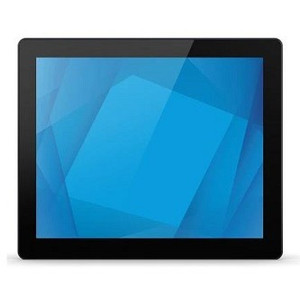
ELO Touch Elo 1790L 17-inch LCD (LED Backlight) Open - E296315
- 17-inch open-frame form factor mounts flush into kiosks or cabinetry.
- HDMI, VGA, and DisplayPort inputs support flexible source integration.
- USB touch controller enables 10-point projected capacitive input without added hardware.
$697.00 $639.99 Save $57.01 -

ELO Touch
SKU: E326347
ELO Touch Elo 1790L 17-inch LCD (LED Backlight) Open - E326347
- 17-inch open frame LCD fits custom enclosures without an external power brick.
- AccuTouch resistive touch handles multi-user kiosk and POS environments reliably.
- HDMI, VGA, and DisplayPort inputs support both legacy and modern system installs.
$746.00 $689.99 Save $56.01 -

ELO Touch
SKU: E330225
ELO Touch Elo 1790L 17-inch LCD (LED Backlight) Open - E330225
- 17-inch zero-bezel open frame mounts flush into kiosk or panel enclosures.
- HDMI, DisplayPort, and VGA inputs support diverse source devices without adapters.
- USB touch controller enables plug-and-play 10-point multi-touch on any host.
$564.00 $522.99 Save $41.01 -

ELO Touch
SKU: E658394
ELO Touch Elo 1903LM 19-inch LCD Medical Grade Touch - E658394
- DICOM 14-calibrated display ensures accurate grayscale for diagnostic imaging workflows.
- 10-touch PCAP input supports gloved operation with 5M+ touch durability, no mechanical wear.
- Dual VGA/HDMI outputs integrate with legacy and modern EMR systems without adapters.
$1,127.00 $1,044.99 Save $82.01 -
ELO Touch
SKU: E658586
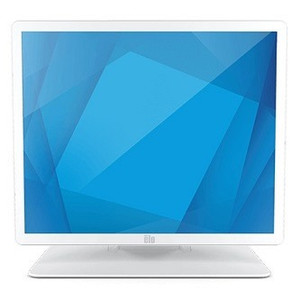
ELO Touch Elo 1903LM 19-inch LCD Medical Grade Touch - E658586
- PCAP 10-touch supports gloved operation and repeated disinfectant wipe-downs.
- DICOM Part 14 factory calibration meets diagnostic imaging regulatory requirements.
- USB connectivity simplifies integration into existing clinical and POS workstations.
$1,147.00 $1,062.99 Save $84.01 -

ELO Touch
SKU: E296521
ELO Touch Elo 1990L 19-inch LCD (LED Backlight) Open - E296521
- 19-inch open-frame LCD fits custom enclosures and multi-display kiosk builds.
- HDMI, VGA, and DisplayPort inputs ensure compatibility across diverse control systems.
- USB touch controller with 10-point PCAP enables plug-and-play deployment at 50W.
$642.00 $588.99 Save $53.01 -

ELO Touch
SKU: E330817
ELO Touch Elo 1990L 19-inch LCD (LED Backlight) Open - E330817
- 19-inch open-frame LCD with LED backlight integrates directly into kiosk or POS enclosures.
- Triple video inputs (HDMI, VGA, DisplayPort) support flexible source switching without adapters.
- USB-connected projected capacitive 10-touch eliminates external touch controllers on compact builds.
$587.00 $546.99 Save $40.01 -

ELO Touch
SKU: E296720
ELO Touch Elo 1991L 19-inch LCD WVA (LED Backlight) - E296720
- 19-inch WVA LED panel delivers 178° H/V viewing angles for kiosk deployments.
- 10-point PCAP touch over USB enables plug-and-play integration with retail terminals.
- Open-frame design mounts flush into custom enclosures, minimizing chassis depth.
$778.00 $723.99 Save $54.01 -

ELO Touch
SKU: E326541
ELO Touch Elo 1991L 19-inch LCD WVA (LED Backlight) - E326541
- 19-inch WVA LED panel maintains image quality at 160°+ horizontal and vertical angles.
- HDMI, DisplayPort, and VGA inputs integrate with mixed-generation POS or kiosk systems.
- USB and RS232 touch controllers enable direct integration with POS middleware and kiosk software.
$884.00 $817.99 Save $66.01 -

ELO Touch
SKU: E331019
ELO Touch Elo 1991L 19-inch LCD WVA (LED Backlight) - E331019
- 19-inch WVA LED panel maintains color accuracy at 45° angles for multi-user kiosk use.
- HDMI, VGA, and DisplayPort inputs simplify retrofit into existing POS or control systems.
- USB touch controller with 10-point PCAP eliminates additional drivers or integration middleware.
$699.00 $651.99 Save $47.01 -
ELO Touch
SKU: E969524
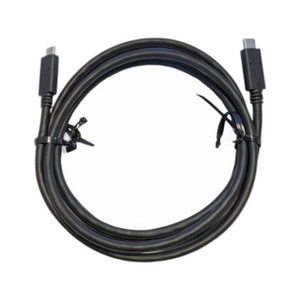
ELO Touch Elo 2 ft USB-C to USB-C cable kit - E969524
- 2 ft USB-C to USB-C length suits desk-side and mount-adjacent kiosk installs.
- Strain relief at both connectors reduces fatigue in high-turnover disconnect cycles.
- Native ELO Touch accessory ensures compatible power delivery and data on USB-C models.
$29.00 $28.99 Save $0.01 -
ELO Touch
SKU: E331214
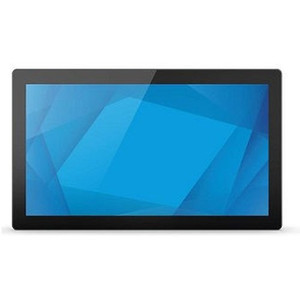
ELO Touch Elo 2094L 19.5-inch wide FHD LCD WVA (LED - E331214
- 1920×1080 FHD WVA panel delivers sharp, angle-stable visuals at kiosk or POS counters.
- 10-point projected capacitive touch supports multi-finger gestures for high-throughput workflows.
- HDMI, VGA, and DisplayPort inputs enable retrofit into both legacy and modern host systems.
$605.00 $562.99 Save $42.01 -

ELO Touch
SKU: E706811
ELO Touch Elo 21.5-inch I-Series 3 with Intel - E706811
- 1920×1080 Full HD panel delivers crisp transaction and inventory data at 21.5 in.
- Projected capacitive 10-touch input supports multi-point gestures for fast staff workflows.
- No pre-installed OS allows clean deployment of your validated POS software stack.
$1,911.00 $1,755.99 Save $155.01
Monitors & Displays
Surveillance monitors and displays provide reliable visual output for control rooms, security desks, and video walls. Commercial-grade displays are designed for continuous operation, consistent image clarity, and integration with modern video management systems.
Plan Your Deployment
- Screen size and viewing distance requirements
- 24/7 operation and duty cycle expectations
- Resolution compatibility with NVR or VMS output
- Mounting method (desk, wall, video wall configuration)
- Input types and connection standards (HDMI, DisplayPort, etc.)
Monitors & Displays — Engineering-Grade Video Recording & Storage for Commercial Deployments
This category covers 45 working models of monitors & displays sourced manufacturer-direct or through channel-direct US distribution. Build the rest of your system around the architectural choices below — compatibility, environmental rating, and lifecycle decisions made here propagate through every downstream component you specify.
What to Look For
Channel count and supported resolution define the recorder's ceiling. A 16-channel NVR rated for 8MP per channel is a different product from a 16-channel rated for 2MP — the latter throttles your future camera upgrades. Read the per-channel and aggregate bitrate ceilings (often expressed in Mbps incoming/outgoing). A safe rule: target an NVR with at least 50% headroom on bitrate, and channel count one step above current need.
Storage architecture matters as much as raw capacity. Surveillance-grade drives (WD Purple, Seagate SkyHawk) are tuned for 24/7 write loads and a small concurrent read count; desktop drives fail in months under the same workload. RAID levels affect both fault tolerance and write performance — RAID 5 for general retention with one drive of redundancy, RAID 6 or 10 for larger arrays where two-drive failure isn't recoverable in RAID 5.
VMS choice locks you into a vendor ecosystem more than any camera decision will. Genetec, Milestone, Hanwha Wisenet WAVE, Avigilon, and Axis Camera Station differ on per-camera licensing cost, third-party integrations (access control, video analytics, identity), and analyst workflow. Demo the operator interface with the people who will actually use it before committing — analyst frustration drives more replacements than technical limits.
Plan for off-site or redundant storage. Single-site recorders fail or get stolen. Cloud-archive licensing, NAS replication, and multi-site federation become important the moment a chain customer asks for centralized investigation tools. Recorders that bury cloud-archive in a per-camera SaaS bundle drive long-term costs much higher than a one-time NAS expansion.
Key Specs in This Category
| Spec | Available Options |
|---|---|
| Resolution | 2MP, 5MP |
| Connectivity | Wi-Fi |
| Power | PoE, AC/DC, PoE+, Battery |
| Storage | microSD |
| Type | NVR, Monitor, DVR, Accessory, Mobile Computer, Intercom, Cable, UPS |
| Durability | Indoor |
Top Brands in This Category
Frequently Asked Questions
How many drives can fit in a typical NVR?
Compact desktop NVRs hold 1-2 drives — typically capping around 16TB usable. Mid-size rack-mount NVRs hold 4-8 drives, often 32-64TB usable in RAID 5/6. Enterprise NVRs and dedicated storage servers scale to 16+ drives with hot-swap and JBOD expansion. Match drive count to your retention math; running out of drive bays mid-project means a recorder replacement, not just a drive add.
Should I use surveillance-grade or enterprise drives?
Surveillance-grade drives (WD Purple, Seagate SkyHawk) are correct for most NVRs — they're tuned for many concurrent write streams from cameras with low read count. Enterprise drives (WD Gold, Seagate IronWolf Pro, Exos) are appropriate for high-channel-count systems with many concurrent investigator clients reading recorded video. Avoid desktop drives entirely; they're rated for 8x5 light duty and fail quickly in 24/7 NVR loads.
What's the difference between an NVR and a hybrid recorder?
An NVR records exclusively from IP cameras over Ethernet. A hybrid (or tribrid) recorder accepts both IP cameras and legacy analog/HD-over-coax cameras on dedicated BNC inputs, useful for migrations where you can't replace coax runs immediately. Hybrid units cost more per channel and add complexity; if you're starting fresh or fully replacing analog, a pure NVR is simpler and almost always cheaper per usable channel.
Can I expand storage on an existing NVR?
Most rack NVRs and storage servers accept storage expansion via empty drive bays, eSATA/SAS JBOD shelves, or iSCSI targets. Desktop NVRs with only 1-2 bays generally do not. Before buying, check the recorder's supported expansion architecture and the maximum raw and usable capacity — many sub-$2,000 NVRs cap below the 24TB threshold most projects need within three years.
Do I need a dedicated VMS workstation?
For a few cameras and one or two simultaneous operators, the NVR's built-in client interface is enough. For 32+ cameras, multiple investigator seats, video walls, or wall-of-monitors operations, a dedicated workstation (or thin client) running the VMS client is standard. The workstation needs adequate GPU decode capacity for the simultaneous stream count — H.265 decode acceleration is essential at scale.
Need help choosing? Talk to a Senior Specialist — direct line 877-277-7147 or request a quote.