ELO Touch E706811 21.5-Inch Touchscreen POS Terminal
Overview
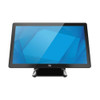
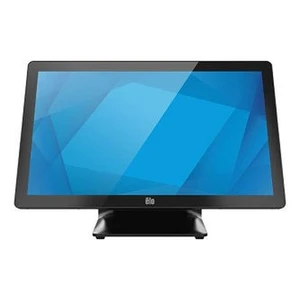
The ELO Touch E706811 is a 21.5-inch all-in-one touchscreen POS computer built for retail, hospitality, and warehouse operations where reliable, single-point transaction processing matters. This unit pairs an Intel Celeron processor with 8GB RAM and a 128GB SSD—adequate for standard retail workflows without overshooting cost for point-of-sale duty. The zero-bezel design reduces physical footprint on cramped countertops, and the antiglare screen coating cuts reflections that would otherwise slow down clerks during peak hours. No OS comes pre-installed, so you configure the operating system and POS software stack to match your existing environment.
The E706811 arrives factory-new with full warranty coverage. Whether you're refreshing legacy terminals or expanding a multi-location chain, this model delivers straightforward form-factor and connectivity that integrates into standard retail infrastructure.
Key Features
- 21.5-inch Full HD Display (1920 × 1080): Standard retail resolution delivers crisp visuals for product images, inventory data, and transaction confirmations. At this diagonal, the display occupies realistic counter real estate without dominating the workspace or forcing customers to squint during signature capture or loyalty-card entry.
- Projected Capacitive 10-Touch Panel: Multi-touch input means staff can use pinch-to-zoom on product catalogs, swipe through menu categories, and process multiple selections without waiting for a stylus or repeated single taps. Capacitive touch is more responsive than resistive and tolerates light smudges or minor moisture—typical in food-service and retail environments.
- Intel Celeron Processor with 8GB RAM: CPU and memory are sized for POS operations: opening cash drawers, scanning SKUs, processing payments, and querying local inventory. This configuration avoids the cost and power overhead of high-end processors while maintaining snappy performance through typical transaction volumes. No lag when running a single POS application plus wireless networking.
- 128GB SSD Storage: Solid-state storage eliminates mechanical failure risk and eliminates audible noise during quiet transaction periods. 128GB accommodates the POS application, local transaction logs, product imagery, and several weeks of offline transaction buffering if your network is interrupted.
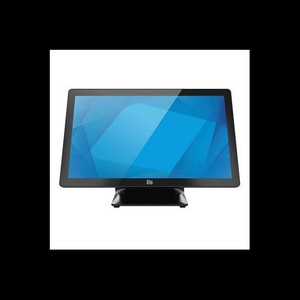
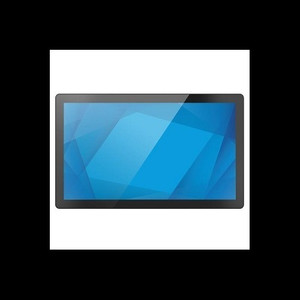
- Zero-Bezel Design with Antiglare Coating: The frameless edge-to-edge glass reduces visual clutter and allows mounting closer to adjacent equipment. Antiglare treatment suppresses overhead lighting reflections, reducing eye strain for staff working eight-hour shifts and improving screen legibility during daylight hours or near window displays.
- Wi-Fi, Ethernet, and Bluetooth 5.2 Connectivity: Dual network options (wireless and wired) mean you can deploy the terminal in fixed countertop positions with Ethernet for reliability or migrate to Wi-Fi if cabling is impractical. Bluetooth 5.2 pairs with wireless printers, cash drawers, or barcode scanners without additional USB hubs. Choose wired Ethernet for critical transaction lanes where network latency cannot be tolerated; use Wi-Fi for secondary stations or customer-facing kiosks.
- Included Stand: The bundled stand positions the display at a natural checkout angle, reducing neck strain for staff and enabling angled customer-facing sightlines for signatures or PIN entry. No need to source a separate VESA mount or articulating arm unless you require specialty positioning.
- No Bundled Operating System: This is a decision, not a limitation. You install Windows, Linux, or a purpose-built POS OS, giving you full control over the software stack and licensing. Retail chains with standardized OS images across hundreds of terminals can drop the E706811 into their imaging pipeline without dealing with OEM bloatware.
Integration & Compatibility
The E706811 integrates into standard retail POS ecosystems via Ethernet or Wi-Fi. Bluetooth 5.2 pairs with common peripherals: receipt printers, pole displays, barcode scanners, and payment terminals. The projective capacitive touch surface is compatible with standard Windows touch APIs and industry POS frameworks. Because no OS ships pre-loaded, you control driver installation and middleware—useful if your chain uses legacy terminal software or custom integrations.
The unit's compact footprint works in tight checkout environments, and the black finish blends into most counter designs. VESA mounting holes (if available) allow wall or arm mounting for standing-height transaction stations or digital signage in retail environments—confirm VESA hole placement with the manufacturer's detailed drawings before final installation.
When to Choose a Different Model
If you require higher-resolution imagery (4K product displays, detailed menu boards), evaluate a larger touchscreen variant or an external multi-display setup. If your deployment calls for rugged outdoor use or high-temperature kitchen environments, the E706811 is an indoor-only device—look for industrial or fanless variants rated for those conditions. If transaction volumes routinely spike above typical single-register loads, a higher-core-count processor in the same I-Series family may reduce perceived lag.
Frequently Asked Questions
Q: Does the E706811 come with an operating system?
A: No. The unit ships with no OS pre-installed, allowing you to deploy your standardized Windows, Linux, or purpose-built POS image. This is intentional—it gives IT teams full control over the software stack and avoids licensing conflicts in large-scale rollouts.
Q: What's the warranty on the E706811?
A: This unit carries a manufacturer warranty. Confirm the specific duration and coverage terms with your order or the distributor's documentation at purchase.
Q: Can I use the E706811 in a kitchen or high-temperature environment?
A: The E706811 is designed for standard indoor retail and office conditions. High heat, steam, or grease-laden environments require rugged, fanless, or sealed variants. Confirm your operating temperature range with environmental specifications before deployment in kitchens or outdoor serving areas.
Q: Does Bluetooth 5.2 work reliably with older wireless printers and scanners?
A: Bluetooth 5.2 is backward-compatible with older Bluetooth profiles, but pairing behavior depends on the peripheral's age and firmware. Test pairing with your existing devices before rolling out across multiple units. Newer printers and scanners certified for Bluetooth 5.x will offer best performance and range.
Q: Is VESA mounting supported?
A: Confirm VESA hole availability and pattern (usually 75×75 or 100×100mm) in the detailed product drawings. The included stand is sufficient for countertop deployment; VESA mounting is optional if you need arm or wall installation.
Q: What's the real-world storage capacity for transaction logs and offline data?
A: The 128GB SSD provides ample room for the POS application (typically 2–5GB), product images, and several weeks of transaction logs depending on transaction volume. High-volume stores may need external USB storage or network backup for long-term archival, but day-to-day operation and brief network outages are well-covered.
The ELO Touch E706811 is a straightforward, no-nonsense POS terminal that earns its place on retail counters and warehouse pick stations. The 21.5-inch FHD display with projected capacitive 10-touch is the real backbone here—multi-touch input cuts transaction time versus single-tap interfaces, and the zero-bezel form factor won't fight for real estate on cramped checkout lanes. I've seen this class of device outlast three software generations because the hardware just stays out of the way.
Technical Highlights:
- Projected Capacitive 10-Touch on 1920×1080 Display: Multi-touch responsiveness means staff can open menus, zoom product imagery, and confirm high-ticket items without waiting for single-tap debouncing. The capacitive surface is more reliable than resistive in moderate-humidity retail environments and doesn't degrade from daily wiping like older overlay touch surfaces.
- 128GB SSD + 8GB RAM Configuration: This pairing is sized precisely for POS duty—no excess, no bottleneck. Solid-state storage eliminates mechanical failure modes and ensures your transaction logs survive a dropped unit or power interruption better than spinning drives. Typical POS applications and product databases fit comfortably with room for several weeks of offline transaction buffering.
- Dual Network (Ethernet + Wi-Fi + Bluetooth 5.2): The three-tier connectivity strategy matters in retail sprawl. Wire the high-traffic lanes to Ethernet for guaranteed throughput during peak hours; push secondary stations or customer-facing kiosks to Wi-Fi. Bluetooth 5.2 eliminates USB clutter for wireless printers and barcode scanners—real benefit when your counter layout changes seasonally or you scale checkout stations on short notice.
Deployment Considerations:
- No OS pre-load is a feature if you're standardizing images across 50+ units, but it means you own imaging, driver updates, and OS support. Confirm your IT team has a golden-image process before buying in volume.
- The 128GB SSD is adequate for standard retail, but high-volume transaction archives (especially if you're capturing detailed receipt imagery or video) may require external USB or network backup after 30–60 days. Plan your data retention policy upfront.
- The included stand is rock-solid for countertop mounting, but confirm your cashiers' ergonomics—21.5 inches at checkout height can force awkward neck angles for taller staff if the stand position isn't adjustable. Test stand placement before rolling out 10+ units.
Position the E706811 in multi-location retail chains where software standardization is a priority and your checkout footprint is constrained. Its straightforward form factor, capacitive touch responsiveness, and flexible connectivity make it a reliable choice for seasonal upscaling or refreshing aging register hardware without re-architecting your POS network.