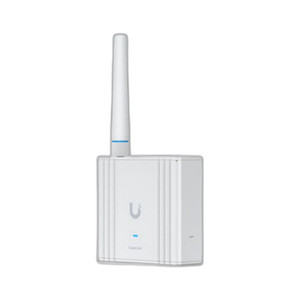
Ubiquiti UDM-PRO 10G Security Gateway Router
Overview
The UDM-PRO is a compact 1U rackmount security gateway designed to consolidate routing, threat protection, and video surveillance management into a single appliance. At its core, it delivers 3.5 Gbps of IPS-enabled throughput—meaning intrusion prevention signatures run continuously without sacrificing forwarding speed, which matters in high-traffic deployments where competitors force you to choose between security scanning and performance. The UDM-PRO (often searched as UDM PRO) integrates the UniFi Network Controller directly into the hardware, eliminating the need for a separate management server. It supports 100+ UniFi-managed devices with up to 1,000 concurrent clients, making it suitable for medium to large distributed networks—branch offices, campuses, or enterprise warehouses where centralized policy control is non-negotiable.
Key Features
- 3.5 Gbps IPS-Enabled Routing: Real-time intrusion prevention and threat signatures run at wire speed on all traffic. This prevents the usual performance cliff when you enable deep packet inspection—critical for security-first environments that can't tolerate latency penalties.
- Dual WAN Ports for Redundancy: Connects to two independent ISP links simultaneously, enabling automatic failover if one circuit drops. In practice, this keeps your network up during ISP maintenance windows and protects against single-point-of-failure routing.
- 10G SFP+ Uplink Port: Direct 10 Gigabit connectivity for high-speed backhaul or core network integration. Eliminates bottlenecks when aggregating traffic from multiple access points, switches, and cameras across a campus or multi-building site.
- Integrated 3.5" HDD Bay for NVR Storage: Built-in storage expansion for video recording without external appliances. Supported camera streams record directly to the UDM-PRO, reducing deployment footprint and simplifying management—one appliance handles network, security, and video in a single 1U footprint.
- 100+ Device Scalability with 1,000 Concurrent Clients: Manages large UniFi ecosystems including access points, managed switches, IP cameras, and door access controllers from a single controller instance. Meaningful when expanding beyond a single building—avoids the operational burden of distributed controllers.
- 19" Rackmount Form Factor: Fits standard data center or network closet racks alongside switches and UPS equipment. Single-unit footprint simplifies cable routing and reduces real estate consumption in space-constrained deployments.
- AC/DC Power Flexibility: Supports both AC mains and DC backup power inputs. Allows integration with UPS or DC battery plant for continuity in environments requiring persistent network uptime during power loss.
- Unified Control for UniFi Ecosystem: Embedded Network Controller software manages all connected UniFi devices—access points, switches, cameras, and door controllers—from a single management interface. Eliminates the need for a separate controller appliance and simplifies policy deployment across distributed locations.
Integration and Compatibility
The UDM-PRO functions as the centerpiece of a network video recorder and security infrastructure when paired with Ubiquiti IP cameras and other UniFi devices. It supports high-availability pairing for fault tolerance—two units can be configured to share state and seamlessly hand off traffic if one fails. The built-in controller manages access policies, VLAN segmentation, and threat protection across all connected infrastructure. Compatible with managed switches that provide Power over Ethernet (PoE) to cameras and access points, allowing you to power and manage the entire network from a single logical platform. Video recording, user authentication, and network monitoring all flow through the UDM-PRO, reducing operational complexity in multi-site deployments.
What's in the Box
- UDM-PRO appliance
- Dual WAN configuration for failover capability
- 10G SFP+ port for uplink connectivity
When to Choose a Different Model
If your deployment requires distributed management across geographically isolated sites with minimal central control, or if you need standalone routing without video storage integration, consider a lighter-weight UniFi gateway in the family. If your IPS throughput demands exceed 3.5 Gbps—enterprise data centers with sustained multi-gigabit threat scanning—consult with your systems engineer to validate sustained performance under peak load. For environments that don't use UniFi ecosystem devices, this appliance will feel over-built; standard third-party routers and NVRs may provide better cost efficiency.
Frequently Asked Questions
Q: What's the difference between the UDM-PRO and earlier UniFi gateway models?
A: The UDM-PRO combines the network controller, security gateway, and NVR storage into a single 1U rackmount unit with 10G connectivity. It's designed for enterprises that want unified management without multiple appliances.
Q: Can I use the UDM-PRO in a high-availability (HA) pair?
A: Yes. Two UDM-PRO units can be configured for HA, allowing stateful failover if one appliance fails or requires maintenance.
Q: Does the UDM-PRO include enough storage for long-term video retention?
A: The built-in 3.5" HDD bay supports standard drives (size and capacity depend on your selected drive). Retention depends on the number of cameras, resolution, and frame rate. For example, a 2TB drive might retain 10–30 days of 1080p video from 4–8 cameras; exact duration requires calculating your bitrate and recording schedule.
Q: What's the maximum number of cameras the UDM-PRO can record simultaneously?
A: The UDM-PRO integrates the NVR controller, but camera capacity depends on storage size, codec, and resolution. No hard limit is published; contact your integrator or Ubiquiti systems engineer for your specific use case.
Q: Is the UDM-PRO compatible with non-UniFi cameras or third-party network devices?
A: The UDM-PRO is optimized for UniFi ecosystem devices (cameras, access points, switches). Third-party ONVIF cameras may integrate, but deep feature integration (analytics, scheduling, unified policy) is limited outside the UniFi line. It will function as a standard gateway and NVR for non-UniFi devices, but you lose centralized management benefits.
Q: Can I update the appliance firmware remotely?
A: Yes. Firmware updates are delivered through the UniFi controller interface and can be scheduled to minimize disruption during maintenance windows.
Ted PerryPerspective based on aggregated IP Security Depot and affiliated engineering team experience.
The UDM-PRO is a genuine consolidation play for mid-market and enterprise deployments that have already committed to the UniFi ecosystem. The 3.5 Gbps IPS-enabled throughput is the headline—it means threat scanning runs continuously without the performance hit that haunts single-threaded security appliances. In a 10-building campus with 50+ access points and 20+ cameras, having intrusion prevention active on all north-south traffic while maintaining line-rate forwarding is non-trivial. The integrated NVR storage eliminates one rack unit and one power circuit compared to separate gateway and NVR appliances.
Technical Highlights:
- 3.5 Gbps IPS Throughput: Real-time signature-based threat detection doesn't reduce forwarding capacity. In practice, this means you enable intrusion prevention globally without negotiating performance trade-offs with your network team.
- Dual WAN Failover: Automatic switchover between two independent ISP circuits. Measured uptime gain in branch offices where a single circuit failure historically meant hours of downtime.
- 10G SFP+ Uplink: Direct 10 Gigabit port eliminates bottlenecks when aggregating traffic from campus switches and surveillance infrastructure. Meaningful in deployments with sustained multi-gigabit flows across multiple buildings.
- 1U Rackmount + Integrated NVR: One appliance replaces two separate devices. Real estate savings in space-constrained network closets, plus unified power and management.
Deployment Considerations:
- UniFi Ecosystem Dependency: The UDM-PRO shines when your network is predominantly UniFi devices (Unifi access points, switches, cameras). Non-UniFi devices integrate at ONVIF level, but you lose the unified policy engine and centralized analytics. If you're running Cisco APs or Arista switches, the controller value evaporates—you're just paying for a feature-rich gateway you can't fully leverage.
- Storage Scalability Gotcha: The 3.5" HDD bay supports one drive. If your surveillance footprint expands beyond 10–15 cameras or you need multi-year retention, plan external NAS integration early. The appliance can forward video to network storage, but that adds latency and operational complexity.
- High-Availability Setup Cost: HA pairing requires a second UDM-PRO unit—non-trivial capex. For single-appliance deployments, you lose stateful failover. Plan accordingly if five-nines uptime is contractual.
Position the UDM-PRO for mid-market campuses (5–20 buildings), branch networks with 20+ APs, or warehouse automation sites where you want unified control over network access, threat prevention, and video surveillance without managing separate controller appliances. It's the right tool when unified policy and centralized visibility matter more than cost-per-port or maximum scalability. Skip it if your site is already committed to non-UniFi infrastructure or if NVR storage needs exceed a couple terabytes.