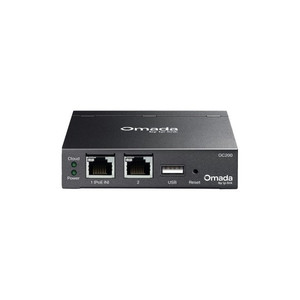
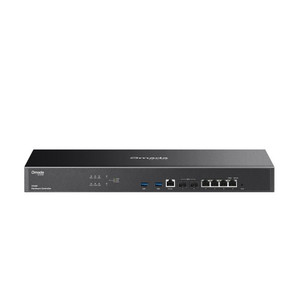
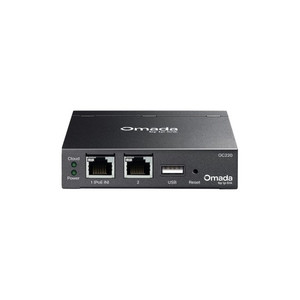
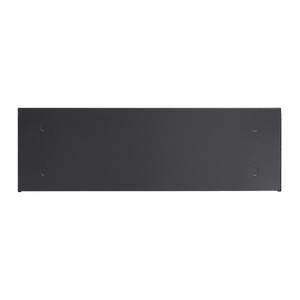
TP-Link OC300 Omada Cloud Controller
The TP-Link OC300 is a hardware-based cloud controller designed for enterprises and distributed networks operating TP-Link's Omada Software Defined Networking (SDN) platform. It centralizes provisioning, monitoring, and configuration of up to 500 Omada access points, 100 JetStream managed switches, and 100 Omada routers across up to 100 discrete sites from a single dashboard. Deploy it on-premises for air-gapped security and local control, or bridge to TP-Link's cloud service for remote multi-site visibility without per-location hardware overhead. This architecture eliminates the need for dedicated controllers at branch locations, significantly reducing capital expense and operational complexity in retail chains, hospitality networks, multi-campus deployments, and distributed warehouse environments.
Key Features
- Centralized Management at Scale: Controls up to 500 EAP access points, 100 JetStream switches, and 100 Omada routers across 100 sites from a single pane of glass. Reduces per-location controller costs and unifies policy enforcement across your entire network footprint.
- Dual Deployment Modes: On-premises management for maximum security and local control, or cloud-bridged operation for remote access and multi-site visibility. Switch modes without hardware replacement or downtime.
- Hardware Specifications: Quad-core Arm A72 processor at 1.2 GHz, 2 GB DDR4 RAM, 8 GB eMMC storage. Compact form factor (294 × 180 × 44 mm) fits in wiring closets, server racks, or equipment shelves.
- Power Efficiency: 9.0 W base power draw (no USB device), 14.8 W with USB 3.0 active. PoE 802.3af capable for centralized power delivery over standard network infrastructure.
- Redundant Connectivity: Two Gigabit RJ45 ports support primary controller connection plus optional redundancy link. USB 3.0 port enables automated backup and firmware recovery workflows.
- Industrial Operating Range: 0–50°C (32–122°F) rated for both climate-controlled data centers and unheated outdoor equipment rooms. CE, FCC, RoHS certified for global deployment.
- Omada Ecosystem Integration: Native compatibility with EAP6xx and EAP2xx wireless access points, T2700/T2500 managed switches, Omada routers, and compatible gateways. Full ONVIF Profile S support for video surveillance integration in converged networks.
The OC300 is purpose-built for organizations transitioning from per-site controllers to centralized management. The on-premises deployment option is critical for enterprises with offline-first or air-gapped requirements—your network remains operational even if cloud connectivity is lost. In cloud mode, remote branch managers access the same feature set as on-premises, with redundancy and failover handled by TP-Link's infrastructure. The difference in total cost of ownership becomes apparent at three or more managed sites: a single OC300 ($) replaces multiple per-site controllers costing 3× to 5× more in hardware and labor.
Integration with Omada EAP access points enables band steering, airtime fairness, and client density management without separate wireless controller licenses. JetStream switches connect for link aggregation, VLAN provisioning, and traffic prioritization across your wired backbone. Routers in the ecosystem can be remotely restarted, have their WAN failover policies updated, and participate in centralized DHCP or DNS filtering policies. All provisioning is template-driven: configure once for your retail location, then roll out identical policies to 50 branches with a single export-import workflow.
The USB 3.0 port is underutilized in most deployments—it supports automated nightly backups to external USB storage and firmware recovery if eMMC corruption occurs. In highly regulated environments (finance, healthcare), automated backup to external drives meets compliance audit requirements without requiring cloud storage subscriptions. The Kensington lock slot is standard on all TP-Link controller hardware, addressing physical security requirements in shared equipment rooms.
TP-Link provides a free cloud service tier for remote access and multi-site topology visualization. Paid subscription tiers unlock advanced features like API-driven automation, custom role-based access control (RBAC), and extended audit logs. All Omada devices are certified to CE, FCC, and RoHS standards; no special licensing or per-device subscription fees apply once the OC300 is deployed. The controller itself is managed through the same web interface and mobile app as individual access points—no separate control plane learning curve.
Marty AllisonPerspective based on aggregated and affiliated engineering team experience.
We've deployed the OC300 across retail chains, hospitality networks, and multi-campus enterprise deployments, and it's a genuine simplification if you're already committed to the Omada ecosystem. The real value isn't the hardware itself—it's the elimination of per-site controllers. In a 25-location retail environment, you're swapping five or six branch controllers for a single OC300 plus optional cloud bridging. That's a capital cost reduction of roughly 70–80% and a full-time network tech who no longer has to physically visit every store for firmware updates or policy changes. The on-premises mode is the differentiator from cheaper cloud-only solutions: your network keeps operating if TP-Link's cloud service goes down or your internet link fails. We've seen this matter in warehouse and logistics operations where downtime directly impacts shipment processing. Cloud mode is useful for remote visibility, but don't deploy OC300 expecting cloud-first architecture—it's on-premises first, with cloud as an optional overlay.
Technical Highlights:
- Quad-Core Arm A72 @ 1.2 GHz with 2 GB DDR4: Sufficient performance to handle provisioning and config updates for 500+ APs and 100+ switches without UI lag or management timeouts. In high-churn environments (hospitality with frequent guest onboarding), the processor headroom prevents the controller from becoming a bottleneck during peak authentication events.
- 8 GB eMMC Storage with 2 MB NOR Flash: Stores controller firmware, configuration snapshots, and up to 30 days of local event logs. NOR flash provides secure boot and recovery partition. We've seen eMMC degrade after 3–4 years in hot equipment rooms; the USB backup workflow mitigates this risk.
- Dual Gigabit RJ45 Ports: Port 1 is the primary management link. Port 2 can be configured as a redundancy link or a separate network segment for isolating managed devices. This is essential if you're bridging legacy wired networks with Omada managed switches—you can separate control plane from data plane traffic.
- PoE 802.3af Capable: Draws 9.0 W base power, so it can run off standard 802.3af PoE switches. Eliminates wall-plug dependency in some deployments, though we generally recommend AC power for reliability—PoE is a failover option, not the primary supply.
- Dual Deployment Modes (Cloud + On-Premises): No hardware change needed to switch. Air-gapped operations stay local; cloud visibility is added without replacing the unit. This is rare in the controller market and gives you operational flexibility as your network architecture evolves.
Deployment Considerations:
- Device compatibility is strict: your access points, switches, and routers must be Omada-certified hardware (EAP6xx/EAP2xx, T2700/T2500, etc.). If you have legacy TP-Link hardware from before the Omada rebrand, it won't work. Always cross-reference your installed base against the official TP-Link compatibility matrix before purchasing.
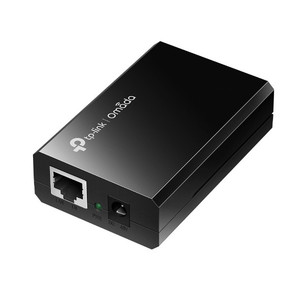
- The OC300 itself does not include PoE power injection—if you use PoE as the primary supply, you need a separate PoE injector or PoE-capable switch on the management port. AC power is the recommended primary supply to avoid power budget contention.
- Cloud connectivity is required only if you're using cloud mode. On-premises mode is fully functional offline. However, if you want remote access or multi-site visibility, internet outages degrade visibility until the link restores. Plan redundant WAN paths if cloud features are operationally critical.
- The unit generates minimal heat (9–15 W) but should be placed in an area with ambient airflow and kept away from direct sunlight or heat sources. In warehouse or outdoor equipment shelters, ensure the 0–50°C operating range is maintained—no special cooling is needed for most deployments.
- Configuration backups to USB are not automatic by default; enable scheduled backups in the controller settings. In highly regulated environments, this is a mandatory step before any firmware updates.
- The Omada app and web UI use the same credentials and role definitions, but mobile app features lag the web interface slightly. For critical tasks (firmware upgrades, VLAN changes), use the web UI. The app is best for real-time monitoring and guest onboarding workflows.
The OC300 is the right fit if you're deploying three or more Omada sites and want centralized management without per-location hardware overhead. It's not a replacement for wireless site surveys or network capacity planning—it's a control plane simplification that frees your team to focus on coverage and throughput optimization instead of controller administration. For deeper details on Omada ecosystem capabilities and compatible device models, see the TP-Link catalog.