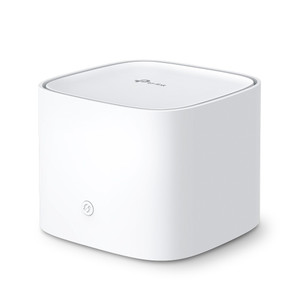
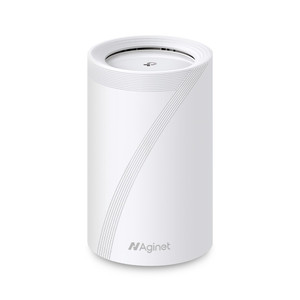
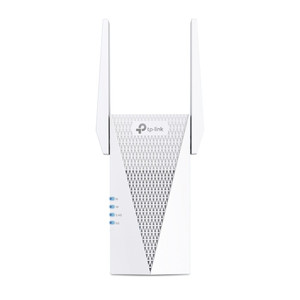
TP-Link HX220 AX1800 Dual-Band Mesh Wi-Fi Access Point
The TP-Link HX220 is a dual-band mesh access point designed for warehouse, facility, and multi-floor deployments where seamless roaming and scalable coverage matter. It delivers 574 Mbps on 2.4 GHz and 1201 Mbps on 5 GHz simultaneously, with dual-core CPU and OFDMA handling concurrent IoT sensors, mobile barcode terminals, and wireless tablets without queuing bottlenecks. EasyMesh R2 certification enables transparent handoff between multiple HX220 units without proprietary controller overhead. Three Gigabit Ethernet ports support wired backhaul (AP-to-AP, AP-to-core), eliminating reliance on wireless bridging and cutting latency in real-time inventory or asset-tracking workflows. For facilities running dozens of access points across multiple floors or zones, EasyMesh roaming means personnel never experience disconnects when moving between coverage cells.
Key Features
- EasyMesh R2 Certification: Standards-based mesh protocol — units from different vendors can interoperate, avoiding vendor lock-in and simplifying multi-AP rollouts.
- Dual-Band 802.11ax (Wi-Fi 6): AX1800 total throughput (574 Mbps 2.4 GHz + 1201 Mbps 5 GHz) — handles mixed legacy (11n) and modern (11ax) devices without performance collapse on congested bands.
- Three Gigabit Ethernet Ports: Wired backhaul option reduces wireless bridging overhead and latency critical for asset-tracking and mobile-device workflows.
- WPA3 Encryption: Latest Wi-Fi security standard with protection against brute-force attacks and improved handling of open networks.
- TR-069 Remote Management: Centralized provisioning and monitoring across distributed HX220 units — eliminates per-unit CLI configuration and supports bulk firmware updates.
- Dual-Core CPU with OFDMA: Orthogonal frequency division handles concurrent multi-client streams without degradation — measurable throughput gain when 30+ devices share airtime.
- 802.11k/v/r Fast Roaming: 11k neighbor reports, 11v BSS transition, and 11r fast roaming reduce handoff latency when floor personnel move between coverage zones.
- Router and Access Point Modes: Flexible deployment — AP mode for permanent facility integration, router mode for temporary edge sites or command posts.
- IPv6 and IPTV Support: Passthrough for enterprise environments mixing IPv4 and IPv6 workloads, plus IPTV multicast handling without stream duplication.
Internal antennas simplify ceiling or wall mounts in open-plan facilities and warehouses without external cable routing. MU-MIMO and 1024-QAM improve spectral efficiency, especially valuable when dense IoT sensor networks operate alongside handheld mobile devices. The compact form factor fits standard building infrastructure — no rack-mount hardware required for distributed deployment.
TR-069 integration with standard network management platforms (via TR-098 and TR-181 data models) enables zero-touch provisioning at scale. Batch configuration, remote reboot, and firmware push across dozens of units reduce operational overhead in multi-facility deployments. Aginet mobile app provides field technicians with per-unit status and quick-reboot capability from iOS or Android without console access.
The HX220 pairs with standard Gigabit switches and PoE injectors. Wired backhaul (via the three Ethernet ports) is recommended over wireless bridging when physical cabling exists — it eliminates half-duplex backhaul overhead and keeps client-facing bandwidth available. In facilities where backhaul cabling is impractical, wireless mesh bridging remains an option, though throughput to client devices will reflect the mesh overhead.
This access point is well-suited for integrators provisioning warehouses, multi-story offices, and facility-wide Wi-Fi refurbishment projects where EasyMesh interoperability and centralized TR-069 management reduce deployment and lifecycle costs. The combination of standards-based mesh, fast roaming, and remote management makes it a practical alternative to proprietary controller-dependent systems, especially when multi-vendor device ecosystems are in play.
Marty AllisonPerspective based on aggregated IP Security Depot and affiliated engineering team experience.
We've deployed the TP-Link HX220 across warehouse expansions and facility multi-floor rollouts where EasyMesh interoperability and centralized remote management were required. The real differentiator is TR-069 remote provisioning — when you're managing 10+ access points across three buildings, the ability to push configuration, firmware, and monitoring via a single NMS integration beats the alternative of per-unit SSH/Telnet CLI work. The three Gigabit ports are genuinely useful too. Most small mesh systems ship with one port, forcing wireless bridging; the HX220's three ports mean you can wire AP-to-AP backhaul, daisy-chain to a core switch, and still reserve a port for a local device (camera, access-control bridge, IoT gateway). That flexibility saves rework during expansion. EasyMesh R2 means you're not locked into TP-Link for future mesh units — a compliance-minded approach that integrators appreciate in competitive bids.
The 2.4 GHz band (574 Mbps nominal) is the real-world workhorse in most facilities. Legacy barcode scanners, wireless door sensors, and older IoT devices still clog 2.4 GHz; the 5 GHz band (1201 Mbps) is cleaner but has shorter range. We've seen sites where a three-unit HX220 mesh (one wired backhaul tier, rest wireless bridged) handles 60+ mixed devices without noticeable latency. Dual-core CPU and OFDMA make the difference — cheaper single-core mesh APs bog down at that density.
On the security side, WPA3 is a genuine upgrade from WPA2, especially if you're supporting BYOD or guest networks. The 802.11k/v/r roaming suite (which the HX220 implements) is often overlooked but critical for handheld workflows. When a picker moves from aisle 3 to aisle 5 in a warehouse, the AP should hand off seamlessly; 802.11r's fast-roaming frame exchange cuts reconnect time from 500ms+ down to <100ms. Not glamorous, but operationally significant for mobile devices on real-time inventory systems.
Technical Highlights:
- AX1800 (802.11ax) on Dual-Core CPU: 574 Mbps 2.4 GHz + 1201 Mbps 5 GHz is modest compared to flagship AX6000 units, but the dual-core processor handles OFDMA spatial multiplexing efficiently. In facilities with 30–50 concurrent clients (typical for warehouse + office blend), this is often the sweet spot — cheaper than high-end mesh, performance sufficient for non-4K-video workloads.
- TR-069 Remote Management with TR-098 / TR-181 Data Models: Centralized NMS integration — push config, firmware, and monitoring policy to dozens of units without per-device touchpoints. A time-saver on multi-site deployments and critical if you're billing managed Wi-Fi as a service.
- Three Gigabit Ethernet Ports: Allows wired-backhaul AP chains (HX220 A → switch → HX220 B) without consuming client-facing wireless capacity. Reduces mesh throughput penalty from ~50% down to ~10–15% depending on backhaul utilization.
- EasyMesh R2 Standard Compliance: No proprietary mesh controller needed. Units can coexist with EasyMesh devices from other vendors — useful for phased upgrades and multi-vendor RFPs.
- 802.11k/v/r Roaming Suite: 802.11r fast-roaming frame exchange cuts handoff latency below 100ms. Measurable improvement for handheld barcode terminals and tablets moving between zones.
Deployment Considerations:
- TR-069 requires a compatible NMS on your network (Aginet is included, but enterprise integrations with Cisco Prime or Infoblox DNS+DHCP platforms require custom integration). Verify NMS compatibility before specifying.
- Wired backhaul via the three ports is strongly recommended where cabling exists. Wireless bridging is simpler to deploy but will halve available client throughput — a 1800 Mbps mesh bridge becomes ~900 Mbps to clients. Plan backhaul strategy during site survey.
- Internal antennas offer simplicity but lower directional gain than external antennas. In large open warehouses (>50,000 sq ft), external antenna upgrade options may be worth evaluating if coverage maps show dead zones.
- The HX220 supports both router and AP modes. Router mode suits temporary edge deployments (mobile command center, temporary facility); AP mode is the standard for permanent facility integration. Confirm mode assignment during provisioning — mode switches require factory reset.
- IPv6 passthrough and IPTV support are useful in heterogeneous environments but require careful VLAN and routing config if your core network is pure IPv4 + legacy unicast. Test multicast video streams in pilot before full rollout.
The HX220 is a solid fit for integrators provisioning mid-scale facility Wi-Fi (20–100 devices, 2–4 building zones) where EasyMesh vendor independence and TR-069 lifecycle management are procurement priorities. It's not the right choice if your deployment is single-AP (buy a cheaper consumer unit) or if you need ultra-high throughput for 4K video or real-time data analytics (consider AX6000+ alternatives). For standard warehouse, office, and facility-wide roaming, it delivers practical engineering at reasonable cost — explore the TP-Link catalog for complementary switches and cabling.