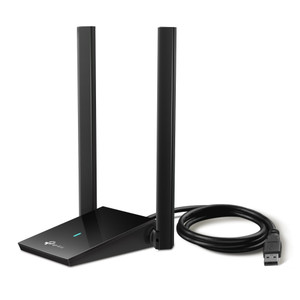
TP-Link ARCHER T2U PLUS AC600 WiFi USB Adapter
Overview
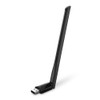
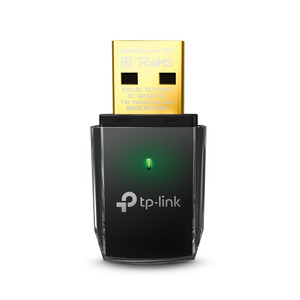
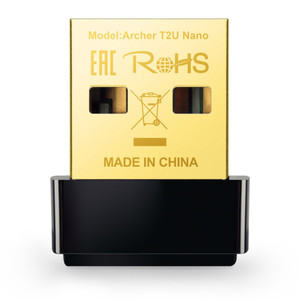
The ARCHER T2U PLUS is an AC600 dual-band USB adapter designed to add or upgrade wireless connectivity on desktop systems, laptops, and embedded platforms where integrated WiFi is absent or insufficient. The high-gain design addresses range and signal strength — critical when deploying surveillance management systems, VMS workstations, or access control servers in locations distant from your primary WiFi router or where wall attenuation weakens standard adapters. USB form factor integrates without additional slot requirements; dual-band operation (2.4 GHz and 5 GHz) allows you to select the band with the best signal margin for your site's RF environment.
Compatibility
The ARCHER T2U PLUS supports standard 802.11ac (WiFi 5) and legacy 802.11n/g/b devices. It works with any Windows, macOS, or Linux system that has a USB port and drivers installed. For surveillance deployments, pair it with management workstations running Milestone Xprotect, Genetec, or AXIS Camera Station — any VMS platform that runs on standard PC hardware. No special firmware or integration is required; the adapter appears as a standard network interface after driver installation.
Installation Notes
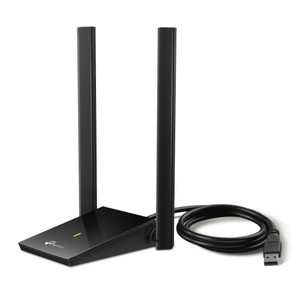
Install the included driver before plugging the adapter into a USB 3.0 or USB 2.0 port. Position the dual high-gain antennas at 90-degree angles to maximize coverage — vertical for one, horizontal for the other — to optimize reception across both polarizations. Avoid metal enclosures and maintain line-of-sight to your access point when possible; if mounting behind a PC tower, test signal strength before permanent placement. The adapter draws minimal current and does not require external power.
What's in the Box
- 1x TP-Link ARCHER T2U PLUS USB adapter with dual high-gain antennas
- 1x USB extension cable
- 1x driver CD and/or download link
- 1x quick-start guide