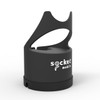
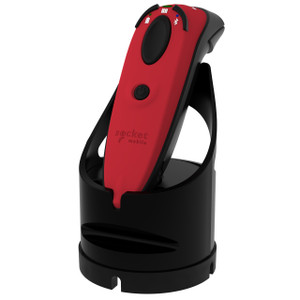
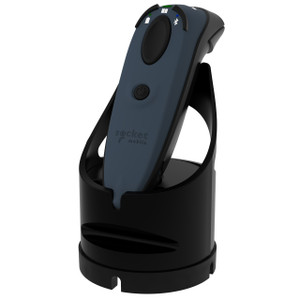
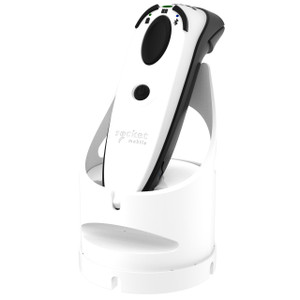
Socket Mobile AC4133-1871 Barcode Scanner Charging Dock
Overview
The Socket Mobile AC4133-1871 is a dedicated charging stand designed to support efficient battery management and device organization in retail point-of-sale and warehouse environments. This dock provides a centralized power solution for compatible handheld barcode scanners, reducing scanner downtime and ensuring devices remain ready across shifts. Compatible with Socket Mobile Series 7, 600, and 700 barcode scanners, the AC4133-1871 streamlines daily charging workflows by eliminating ad-hoc charging sprawl and consolidating multiple devices in a single, organized location.
Key Features
- Multi-Scanner Compatibility: Works with Socket Mobile Series 7, 600, and 700 handheld barcode scanners — verify your scanner model before ordering to confirm dock fit and electrical compatibility.
- Centralized Charging: Consolidates overnight or between-shift charging in one location, eliminating scattered chargers and reducing the risk of scanners going offline during peak hours.
- Dedicated Stand Design: Purpose-built form factor holds scanners upright and stable, minimizing tipping and accidental disconnection on busy retail counters or warehouse staging areas.
- Streamlined Battery Management: Coordinates charging cycles so multiple devices reach full capacity on predictable schedules — critical in high-volume retail where scanner availability directly impacts checkout speed and accuracy.
- Space-Efficient Footprint: Compact form factor fits into constrained POS backrooms, warehouse staging stations, or service bays without consuming retail floor or operational space.
- Reliable Connector Design: Socket Mobile dock connectors are engineered for thousands of dock/undock cycles, reducing contact wear and ensuring consistent power transfer over the life of the deployment.
Integration & Compatibility
The AC4133-1871 integrates directly into barcode scanner deployments across retail, logistics, and field service operations. Confirm model compatibility before procurement — the dock is designed specifically for Series 7, 600, and 700 devices and will not fit or charge other Socket Mobile scanner generations or third-party manufacturers' hardware.
In retail environments, position the dock in POS backrooms or break areas where associates naturally gather to swap or top up scanners between shifts. In warehouse and logistics settings, install the dock at staging or pickup points where barcode scans are frequent and scanner downtime translates directly to labor delays. For multi-location deployments, consider procuring multiple docks to ensure device readiness across all active work areas.
When to Choose a Different Model
If you operate Scanner Series 5 or earlier Socket Mobile hardware, or non-Socket Mobile barcode devices, the AC4133-1871 will not be compatible — consult the manufacturer's documentation for your specific scanner model to identify the correct charging dock. If your deployment requires portable or vehicle-mounted charging solutions, look for battery management kits or mobile charging cases designed for your scanner family instead of a stationary dock.
Frequently Asked Questions
Q: Is the AC4133-1871 compatible with my Socket Mobile scanner?
A: The AC4133-1871 is designed for Socket Mobile Series 7, 600, and 700 barcode scanners. Check your scanner's model number or documentation to confirm compatibility. If your device is an older or different series, you will need a different dock.
Q: Can I charge multiple scanners at once with the AC4133-1871?
A: The AC4133-1871 is a single charging stand. If you need to charge multiple devices simultaneously, you may need to purchase additional docks or consider a multi-bay charging solution if available in the Socket Mobile lineup.
Q: What power input does the AC4133-1871 require?
A: Consult the product datasheet or the device itself for power specifications. The dock connects to your scanner and manages charging — verify that your facility's power supply matches the dock's input voltage and connector type before installation.
Q: How do I know when a scanner is fully charged?
A: Refer to your scanner's user manual or the dock's documentation for LED indicators or status lights that signal charging status and full-battery conditions.
Q: Is the AC4133-1871 suitable for rugged warehouse environments?
A: The dock is designed for typical retail and warehouse settings. If your environment involves extreme temperatures, moisture, or vibration, review the product specifications and consult the manufacturer to confirm suitability for your conditions.
Q: What warranty does the AC4133-1871 carry?
A: Warranty terms vary by reseller and region. Check your purchase documentation or contact the supplier for warranty coverage, support period, and repair or replacement terms.
Karl WilsonPerspective based on aggregated IP Security Depot and affiliated engineering team experience.
The Socket Mobile AC4133-1871 is a straightforward charging dock that solves a real operational problem: scattered barcode scanners and inconsistent battery readiness across retail shifts. If you run Series 7, 600, or 700 devices, this dock centralizes power management and eliminates the ad-hoc charger sprawl that plagues multi-shift POS and warehouse environments. Verify model compatibility before ordering — it's a single-use stand and won't adapt to other scanner families.
Deployment Considerations:
- Series Compatibility is Non-Negotiable: This dock only works with Series 7, 600, and 700 scanners. If your fleet mixes older or different Socket Mobile models, you'll need multiple dock types or a staging approach where older units use alternative chargers.
- Single-Device Charging: The AC4133-1871 holds and charges one scanner at a time. In high-scanner environments (e.g., 8+ devices per shift), plan for multiple docks or staggered charging schedules, particularly if scanners see heavy use and run down batteries quickly.
- Connector Wear Over Time: Socket dock connectors are rated for thousands of dock/undock cycles, but connectors do degrade with repeated contact. Inspect connectors annually and factor replacement dock costs into long-term device lifecycle budgets.
- Power Supply Verification: Before installation, confirm that your facility's outlet provides the correct voltage and connector type. A mismatched power supply won't charge the scanner — verify specs with the dock label or manufacturer documentation.
Position the AC4133-1871 in backroom POS areas or warehouse staging zones where staff naturally rotate scanners between shifts. For retail environments managing 2–4 scanners per shift with nightly top-ups, a single dock is sufficient; for fast-paced multi-terminal deployments, deploy docks at each POS station or staging point to avoid scanner bottlenecks during peak hours.