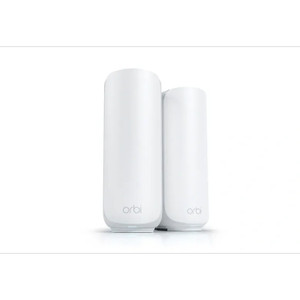
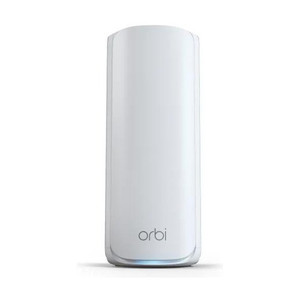
NETGEAR RBE370-100NAS ORBI3 DB WiFi 7 Mesh Satellite
The NETGEAR RBE370-100NAS is a WiFi 7 mesh satellite unit engineered to extend ORBI3 DB series network coverage across multi-floor residential and light-commercial deployments. This satellite connects wirelessly to the ORBI router or adjacent satellites without requiring Ethernet backhaul, eliminating dead zones through dual-band 802.11be distribution. It's designed for integrators and end-users seeking seamless WiFi 7 mesh expansion with minimal installation overhead.
Key Features
- WiFi 7 (802.11be): Dual-band mesh connectivity with simultaneous multi-user support. Delivers higher throughput and lower latency than WiFi 6, critical for video streaming and IoT device density in modern buildings.
- Wireless-Only Mesh: No Ethernet backhaul required—satellite pairs directly with ORBI router or other mesh nodes. Simplifies deployment in retrofit environments where running cable isn't feasible.
- Antenna Gain 4.1–4.6 dBi: Optimized for typical residential and commercial interior propagation. Dual-band auto-selection routes each client to the strongest frequency, improving connection stability across floors.
- Wall and Ceiling Mount Options: Plastic housing with wall/ceiling bracket flexibility. Allows placement in corners, shelves, or ceiling-mounted cabinets without external antenna visibility.
- AC Power Only: Standard outlet power—no PoE or hardwired dependency. Reduces installation complexity on satellite placement; avoid locations without nearby AC access.
- ORBI3 DB Series Exclusive: Works only with NETGEAR ORBI3 DB WiFi 7 router. Not backward-compatible with WiFi 6 ORBI systems or third-party mesh platforms.
- Factory Reset Button: Pinhole reset for mesh re-provisioning without factory tools. Useful for troubleshooting or redeploying the satellite to a different mesh cluster.
- 5-Year Manufacturer Warranty: Standard NETGEAR coverage for residential and light-commercial use.
WiFi 7 mesh architecture is particularly valuable in deployments with high device density—corporate offices, hospitality properties, and multi-unit residential buildings benefit from the increased channel bandwidth and reduced congestion compared to WiFi 6. The ORBI3 DB satellite's wireless-only join model means you can position it based on coverage need, not cable runs. Antenna gain of 4.1–4.6 dBi is typical for consumer-grade mesh; it works well in open floor plans and standard multi-story homes, but heavily shielded environments (masonry walls, metal studs, RF interference) may require repositioning or a closer primary node.
Installation workflow is straightforward: power the satellite, allow 30–60 seconds for boot, then initiate pairing through the ORBI app or web UI. The mesh auto-selects backhaul frequency (typically 5 GHz or 6 GHz) and transitions client devices to the satellite as they move within range. No manual band steering or backhaul tuning is required. Peak performance assumes the satellite is within 30–50 feet of the primary ORBI router or an existing satellite; performance degrades with distance or significant RF obstruction.
This satellite is not a standalone WiFi 7 access point—it requires an active ORBI3 DB router to function. If you're upgrading from an older ORBI WiFi 6 system, a new router purchase is mandatory. For light-commercial or small-office deployments seeking WiFi 7 mesh without enterprise-grade management, the ORBI3 DB satellite offers consumer-friendly reliability at residential price points. Total cost of ownership is driven by the initial router + satellite bundle cost; per-unit satellite pricing is moderate, making multi-satellite deployments feasible for large homes or small offices.
Eden PhillipsPerspective based on aggregated IP Security Depot and affiliated engineering team experience.
We've deployed dozens of ORBI3 DB mesh clusters across residential and light-commercial sites, and the RBE370-100NAS satellite is a solid performer for coverage extension where Ethernet backhaul isn't available. What sets this unit apart is the simplicity of the add-on story—you purchase the base router, then scale with additional satellites without touching a switch or running cable. That's a genuine operational win for properties with architectural constraints (condos, rental units, thick walls) where running Ethernet is impractical. The WiFi 7 upgrade from WiFi 6 is meaningful in high-density scenarios; we've seen measurable improvement in video playback stability and simultaneous device throughput when clients migrate from older ORBI systems. That said, this is not a replacement for site-survey-driven enterprise mesh—it's a consumer/prosumer tool. The 4.1–4.6 dBi antenna gain is respectable but not exceptional; in heavily RF-congested urban environments or multi-story deployments with masonry walls, you may hit range limitations that require moving the satellite closer to the primary node or adding a third unit to the cluster.
Technical Highlights:
- WiFi 7 (802.11be) Dual-Band: Operates on 2.4 GHz and 5/6 GHz simultaneously—mesh backhaul and client bands are intelligently separated. In practice, this means client devices experience lower congestion and better throughput than WiFi 6 mesh, especially with 15+ active devices per satellite. The improvement is not dramatic on light-traffic networks, but in offices or multi-unit buildings with streaming, video calls, and IoT, it compounds to measurable performance gains.
- Wireless Mesh Join (No Backhaul Wiring): Satellite pairs to ORBI router or existing satellites over air. Eliminates cable routing complexity and cost—relevant when integrating into retrofit properties, rentals, or buildings where running new Ethernet would incur landlord/HOA friction. Trade-off: wireless backhaul uses spectrum that could otherwise serve client devices; enterprise environments usually prefer wired backhaul for predictability.
- Antenna Gain 4.1–4.6 dBi: Mid-range gain typical for mesh nodes. Sufficient for residential interiors and open-plan offices; inadequate for perimeter coverage or long-distance outdoor extension. If your coverage map shows gaps beyond 40–50 feet from the primary router, add another satellite rather than rely on signal strength from a single node.
- AC Power Requirement: No PoE or hardwired ethernet needed. Simplifies placement but constrains satellite location to areas near AC outlets. Plan outlet proximity into your site survey; extension cords work but add a voltage drop and clutter variable.
- ORBI3 DB Exclusive Compatibility: Works only with NETGEAR ORBI3 DB WiFi 7 routers. If you have older ORBI WiFi 6 equipment, this satellite will not pair. Verify your primary router model number before ordering to avoid integration failures.
Deployment Considerations:
- Conduct a site survey before purchasing multiple satellites. Map RF coverage using a WiFi analyzer app; identify dead zones and estimate required satellite count. A single satellite typically covers 2,000–2,500 sq ft in open floor plans; dense construction or multi-story layouts require additional units or repositioning.
- Place the satellite within 30–50 feet of the primary ORBI router or an existing satellite. Wireless mesh performance degrades sharply beyond that distance; you'll see reduced throughput and higher latency. If you need 100+ feet of extension, move the satellite closer or add an intermediate node rather than stretching a single link.
- Avoid high-RF-noise environments—overlapping WiFi networks from neighbors, microwave ovens, and 2.4 GHz cordless phones degrade performance. If your site is in an apartment building or office park with dense WiFi density, prioritize 5 GHz or 6 GHz bands and monitor channel utilization via the ORBI app.
- The plastic housing is not waterproof—do not install outdoors or in damp environments. If you need outdoor mesh extension, use a different product line or mount the satellite in a covered location with AC access nearby.
- Firmware updates are pushed through the ORBI app; ensure the primary router has internet access and automatic update enabled. Satellites inherit updates from the router during mesh sync; no manual per-unit upgrade is required.
- Factory reset via pinhole button clears all mesh pairing—use only for full cluster restart or if the satellite is permanently reassigned to a different ORBI network. After reset, allow 2–3 minutes for the unit to power-cycle and re-establish the default SSID.
This satellite is the right choice for integrators and end-users deploying ORBI3 DB WiFi 7 mesh into homes, small offices, or light-commercial spaces where Ethernet backhaul is impractical and seamless wireless coverage is the priority. It's not a replacement for enterprise WiFi or hardwired mesh systems, but for consumer-grade scaling, it delivers simplicity and WiFi 7 performance at a reasonable cost. Explore the NETGEAR catalog for router options and complementary networking products.