
Desktop NVRs
Showing Results for Desktop NVRs
-

Speco Technologies
SKU: N8NXP8TB
Speco N8NXP8TB 8-Channel Network Video Server 8TB
8-channel 4K network video server with 8TB storage and integrated PoE
- 8 integrated PoE ports eliminate external injectors, reducing wiring and failure points.
- 8TB onboard storage supports extended retention across all 8 channels at 4K resolution.
- 200Mbps throughput handles mixed 4K/1080p/720p streams; ONVIF S/T/G ensures broad camera compatibility.
$2,332.30 $900.99 Save $1,431.31 -

Speco Technologies
SKU: N8WA4P12TB
Speco N8WA4P12TB 8-Channel NVR 4-Door Access Control
8-channel NVR with 4-door access control and 12TB storage
- Unified appliance combines 8-channel NVR and 4-door access control in one unit.
- 12TB internal storage eliminates external NAS dependencies for video and access logs.
- H.265 compression with 8MP recording at 30fps optimizes bandwidth and storage use.
$6,947.50 $3,083.99 Save $3,863.51 -

Speco Technologies
SKU: N8WA4P16TB
Speco N8WA4P16TB 8-Channel NVR 4-Door Access 16TB
8-channel NVR with 4-door access control and 16TB storage
- Records up to 8 ONVIF IP cameras at 8MP/30fps using H.265/H.264 compression.
- Integrated 4-door access controller with onboard 12V DC lock power eliminates extra hardware.
- 16TB pre-installed storage supports 30–90 days retention across 8 continuous-record channels.
$7,454.00 $3,309.99 Save $4,144.01 -

Speco Technologies
SKU: SO-N4NRN
Speco SO-N4NRN 4-Channel 4K H.265 NVR PoE
4-channel 4K NVR with integrated PoE and H.265 compression
- Records up to 4 cameras at 4K resolution using H.265 to cut storage overhead.
- Integrated PoE switch powers cameras directly, eliminating separate power supplies.
- NDAA-compliant design qualifies for federal and critical infrastructure deployments.
$635.25 $268.99 Save $366.26 -

Speco Technologies
SKU: D16HU12TB
Speco Technologies D16HU12TB 16 Channel 4K IP/TVI Hybrid Recorder
16-channel 4K hybrid recorder for IP and TVI cameras with 12TB storage
- Records 4K UHD across 16 channels on single platform for mixed analog/IP setups
- 12TB internal HDD with H.265 compression for extended multi-camera retention
- TAA-compliant ONVIF IP + TVI hybrid inputs eliminate separate NVR/DVR hardware
$1,477.99 -
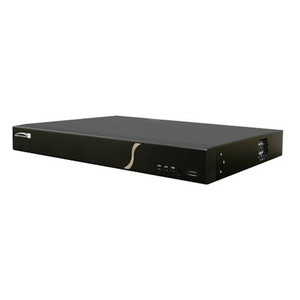
Speco Technologies
SKU: D16HU4TB
Speco Technologies D16HU4TB 16 Channel 4K IP/TVI Hybrid Recorder
16-channel 4K hybrid recorder for TVI + IP cameras with 4TB storage
- Mix TVI analog and IP cameras on one 16-channel recorder
- 4K recording from IP sources with 4TB internal storage capacity
- TAA compliant for federal procurement and government projects
$2,674.65 $1,022.99 Save $1,651.66 -
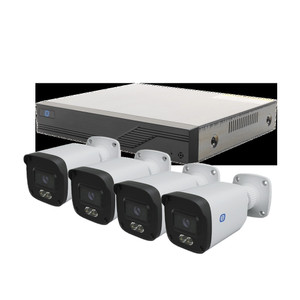
Speco Technologies
SKU: D16VX3TB
Speco Technologies D16VX3TB 16-Channel TVI DVR with 3TB Storage
16-channel TVI DVR with 3TB storage for analog camera systems
- 16 simultaneous TVI channels record continuously to built-in 3TB drive
- Supports higher megapixel TVI cameras for improved image detail
- Local playback and search controls without network or cloud dependency
$1,660.00 $641.99 Save $1,018.01 -
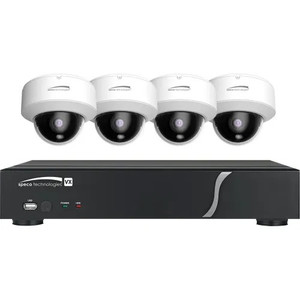
Speco Technologies
SKU: D4VX10TB
Speco Technologies D4VX10TB 4-Channel TVI DVR with 10TB Storage
4-channel TVI DVR with 10TB local storage, network-independent
- 4-channel TVI coaxial input for high-resolution analog camera recording
- 10TB integrated hard drive for continuous local recording without cloud
- Web browser and mobile client remote access when network connected
$2,927.80 $1,118.99 Save $1,808.81 -

Speco Technologies
SKU: D4VX2TB
Speco Technologies D4VX2TB 4-Channel TVI DVR with 2TB Storage
4-channel TVI DVR with 2TB storage for analog camera systems
- Records 4 TVI cameras simultaneously with higher MP resolution capability
- 2TB integrated hard drive supports extended on-site retention and forensic review
- Compact desktop form factor with native DVR interface for local playback and search
$865.30 $333.99 Save $531.31 -
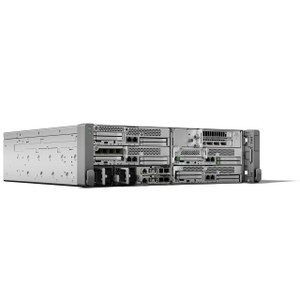
Speco Technologies
SKU: D8HT2TB
Speco Technologies D8HT2TB 8 Channel 1080p TVI & IP Hybrid DVR 2T
8-channel 1080p hybrid DVR/NVR with 2TB storage for TVI and IP cameras
- Records 8 channels at 1080p from both TVI analog and ONVIF IP cameras simultaneously
- 2TB onboard storage supports extended recording without external NAS dependency
- Single unit replaces separate DVR and NVR for mixed analog-to-IP system deployments
$1,988.00 $759.99 Save $1,228.01 -
Speco Technologies
SKU: D8HT4TB
Speco Technologies D8HT4TB 8 Channel 1080p TVI & IP Hybrid DVR 4T
8-channel hybrid DVR mixing TVI analog and IP cameras, 4TB storage
- Records 8 channels at 1080p simultaneously across TVI and IP inputs
- 4TB hard drive supports 30–90 days continuous recording per deployment
- Continuous, scheduled, and motion-triggered modes reduce wasted storage
$2,457.30 $948.99 Save $1,508.31 -
Speco Technologies
SKU: D8HU12TB
Speco Technologies D8HU12TB 8 Channel 4K IP/TVI Hybrid Recorder 1
8-channel 4K hybrid recorder—IP + TVI cameras, 12TB storage
- Records 8 channels of 4K UHD across mixed IP and TVI cameras
- 12TB built-in drive with H.265 compression reduces bandwidth demands
- ONVIF-compliant integration with third-party VMS platforms
$3,289.50 $1,257.99 Save $2,031.51 -
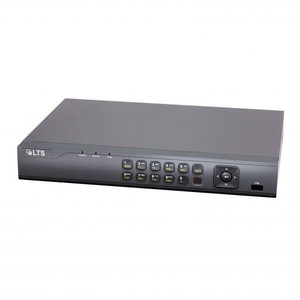
Speco Technologies
SKU: D8VN6TB
Speco Technologies D8VN6TB 8-Channel 4K TVI DVR with 6TB Storage
8-channel 4K TVI DVR with 6TB storage for enterprise surveillance
- Records 8 simultaneous 4K TVI streams (4096×2160) without frame loss
- 6TB internal hard drive supports extended retention for high-resolution footage
- TAA and NDAA compliant for federal procurement and government deployments
$1,538.25 $839.99 Save $698.26 -

Speco Technologies
SKU: H12HRN
Speco Technologies H12HRN 12 Ch. 1080P Hybrid Recorder - 8 TVI +
12-channel hybrid recorder for mixed TVI analog + IP camera setups
- 8 TVI + 4 IP channels at 1080P from one unified recording platform
- NDAA compliant for federal procurement and regulated sector deployments
- Migrate from analog to IP cameras without replacing recorder infrastructure
$809.30 $309.99 Save $499.31 -
Speco Technologies
SKU: H12HRN10TB
Speco Technologies H12HRN10TB 12 Channel Hybrid Recorder - 8 Hybr
12-channel hybrid recorder with 10TB storage for mixed TVI/IP setups
- 8 hybrid channels accept TVI analog or IP video streams per channel
- 10TB built-in storage supports simultaneous recording across all 12 channels
- NDAA compliant rack-mount unit for federal and critical infrastructure deployments
$2,302.80 $879.99 Save $1,422.81 -

Speco Technologies
SKU: H12HRN12TB
Speco Technologies H12HRN12TB 12 Channel Hybrid Recorder - 8 Hybr
12-channel hybrid recorder with 12TB storage for TVI and IP cameras
- 8 hybrid channels accept TVI or IP input; 4 dedicated IP channels
- 12TB integrated storage for extended forensic recording and compliance
- NDAA compliant for government and sensitive-sector deployments
$2,506.50 $957.99 Save $1,548.51
Desktop NVRs
Compact desktop NVR appliances for small to mid-size camera systems. Built-in PoE ports, pre-installed surveillance-grade drives, and embedded recording firmware deliver plug-and-play deployment for retail, branch office, and small commercial installations.
Plan Your Deployment
- Match channel count to current camera total plus 20-30% expansion headroom
- Verify built-in PoE port count and per-port wattage for your camera power requirements
- Calculate required HDD capacity from bitrate, camera count, and retention period
- Confirm VMS firmware compatibility with deployed camera brands and ONVIF profiles
- Evaluate HDMI output for local monitoring without a dedicated workstation
Desktop NVRs — Engineering-Grade Video Recording & Storage for Commercial Deployments
This category covers 356 working models of desktop nvrs sourced manufacturer-direct or through channel-direct US distribution. Build the rest of your system around the architectural choices below — compatibility, environmental rating, and lifecycle decisions made here propagate through every downstream component you specify.
What to Look For
Channel count and supported resolution define the recorder's ceiling. A 16-channel NVR rated for 8MP per channel is a different product from a 16-channel rated for 2MP — the latter throttles your future camera upgrades. Read the per-channel and aggregate bitrate ceilings (often expressed in Mbps incoming/outgoing). A safe rule: target an NVR with at least 50% headroom on bitrate, and channel count one step above current need.
Storage architecture matters as much as raw capacity. Surveillance-grade drives (WD Purple, Seagate SkyHawk) are tuned for 24/7 write loads and a small concurrent read count; desktop drives fail in months under the same workload. RAID levels affect both fault tolerance and write performance — RAID 5 for general retention with one drive of redundancy, RAID 6 or 10 for larger arrays where two-drive failure isn't recoverable in RAID 5.
VMS choice locks you into a vendor ecosystem more than any camera decision will. Genetec, Milestone, Hanwha Wisenet WAVE, Avigilon, and Axis Camera Station differ on per-camera licensing cost, third-party integrations (access control, video analytics, identity), and analyst workflow. Demo the operator interface with the people who will actually use it before committing — analyst frustration drives more replacements than technical limits.
Plan for off-site or redundant storage. Single-site recorders fail or get stolen. Cloud-archive licensing, NAS replication, and multi-site federation become important the moment a chain customer asks for centralized investigation tools. Recorders that bury cloud-archive in a per-camera SaaS bundle drive long-term costs much higher than a one-time NAS expansion.
Key Specs in This Category
| Spec | Available Options |
|---|---|
| Resolution | 8MP, 20MP+, 12MP, 5MP, 2MP, 4MP |
| IP Rating | IP66, IP67 |
| Connectivity | Wired, Wi-Fi |
| Power | PoE, PoE+, AC/DC, PoE++, Battery |
| Channels | 16, 8, 4, 12 |
| Storage | microSD, HDD |
Top Brands in This Category
Frequently Asked Questions
How many drives can fit in a typical NVR?
Compact desktop NVRs hold 1-2 drives — typically capping around 16TB usable. Mid-size rack-mount NVRs hold 4-8 drives, often 32-64TB usable in RAID 5/6. Enterprise NVRs and dedicated storage servers scale to 16+ drives with hot-swap and JBOD expansion. Match drive count to your retention math; running out of drive bays mid-project means a recorder replacement, not just a drive add.
Should I use surveillance-grade or enterprise drives?
Surveillance-grade drives (WD Purple, Seagate SkyHawk) are correct for most NVRs — they're tuned for many concurrent write streams from cameras with low read count. Enterprise drives (WD Gold, Seagate IronWolf Pro, Exos) are appropriate for high-channel-count systems with many concurrent investigator clients reading recorded video. Avoid desktop drives entirely; they're rated for 8x5 light duty and fail quickly in 24/7 NVR loads.
What's the difference between an NVR and a hybrid recorder?
An NVR records exclusively from IP cameras over Ethernet. A hybrid (or tribrid) recorder accepts both IP cameras and legacy analog/HD-over-coax cameras on dedicated BNC inputs, useful for migrations where you can't replace coax runs immediately. Hybrid units cost more per channel and add complexity; if you're starting fresh or fully replacing analog, a pure NVR is simpler and almost always cheaper per usable channel.
Can I expand storage on an existing NVR?
Most rack NVRs and storage servers accept storage expansion via empty drive bays, eSATA/SAS JBOD shelves, or iSCSI targets. Desktop NVRs with only 1-2 bays generally do not. Before buying, check the recorder's supported expansion architecture and the maximum raw and usable capacity — many sub-$2,000 NVRs cap below the 24TB threshold most projects need within three years.
Do I need a dedicated VMS workstation?
For a few cameras and one or two simultaneous operators, the NVR's built-in client interface is enough. For 32+ cameras, multiple investigator seats, video walls, or wall-of-monitors operations, a dedicated workstation (or thin client) running the VMS client is standard. The workstation needs adequate GPU decode capacity for the simultaneous stream count — H.265 decode acceleration is essential at scale.
Need help choosing? Talk to a Senior Specialist — direct line 877-277-7147 or request a quote.