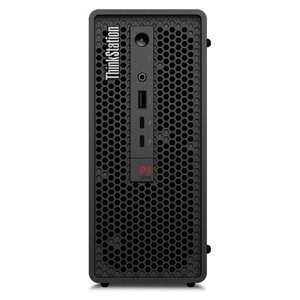
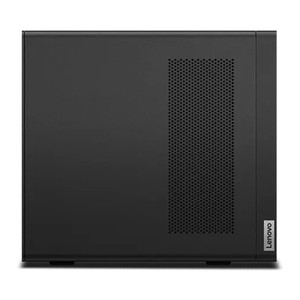
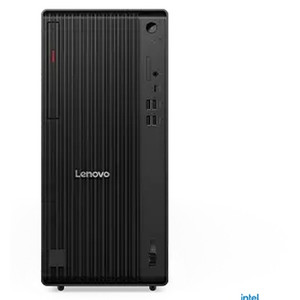
Lenovo 30HA00ANUS ThinkStation P3 Ultra Compact Workstation
Overview
The Lenovo ThinkStation P3 Ultra (30HA00ANUS) is a compact professional workstation built around Intel's 20-core Core i7-14700T processor — a platform that punches well above its physical footprint for video management, edge analytics, and security operations workloads. At 9 lbs, this unit ships ready to drop into a rack shelf, server closet, or under-desk mount without dominating the space. The base 16GB DDR5-4800 configuration is a starting point, not a ceiling — four SO-DIMM slots accept up to 192GB, so the system scales as your VMS channel count or analytics load grows without requiring a hardware swap. For teams building out security workstations or surveillance command centers, the 30HA00ANUS delivers a credible foundation that won't need replacement after 18 months.
Key Features
- Intel Core i7-14700T (20 cores, up to 5.0 GHz boost): Twenty cores with a 5.0 GHz single-thread ceiling means the platform handles both the sustained multi-stream decoding of a 32+ channel VMS and the burst demand of running analytics queries or generating reports simultaneously — without one task starving the other. The 1.3 GHz base clock is a power-efficiency figure, not a performance ceiling; under real workstation loads the processor runs well above that.
- 16GB DDR5-4800 (1 x 16GB SO-DIMM, 4 slots, 192GB max): DDR5 at 4800 MHz delivers roughly double the memory bandwidth of DDR4 at equivalent clock speeds, which matters when a VMS is simultaneously decoding multiple high-resolution streams and writing to disk. Starting with a single 16GB module leaves three slots open — add a second 16GB stick to enable dual-channel and roughly double memory throughput before spending a dollar on any other upgrade. Maximum 192GB headroom means you are not buying a new workstation when the deployment doubles in size.
- 512GB NVMe SSD (OS + application drive): A solid-state OS drive eliminates the boot-time and application-launch latency of spinning disk, which matters when operators need the VMS interface up fast during an incident. This drive is for the operating system and applications; surveillance footage storage belongs on dedicated high-capacity drives or a NAS — plan accordingly.
- Compact form factor at 9.0 lbs: Small enough to mount behind a monitor, on a rack shelf, or inside a control room console. For deployments where physical space in the security room is constrained — and most are — the P3 Ultra's footprint is a real operational advantage over full tower workstations.
- DDR5 memory architecture: Beyond raw bandwidth, DDR5's on-module error correction (on-die ECC per JEDEC spec) reduces soft errors in long-running processes — relevant for a workstation running a VMS service continuously rather than being rebooted nightly.
- No optical drive: Consistent with modern enterprise workstation design. Software deployment via network or USB. If your deployment relies on optical media for driver or VMS installation, plan for an external USB optical drive or migrate to network-based deployment before commissioning.
Integration and Compatibility
The P3 Ultra's x86 Intel architecture is broadly compatible with the major video management software platforms — Milestone XProtect, Genetec Security Center, Avigilon Control Center, Hanwha Wisenet WAVE, and others publish Intel Core i7 workstations as qualified or reference hardware. Verify the VMS vendor's current hardware compatibility matrix for your specific version, as channel count and analytics feature licensing affect minimum RAM and CPU requirements. The four SO-DIMM slots and the 192GB memory ceiling also make this platform compatible with memory-intensive analytics engines that process metadata from large camera arrays. Pair with a dedicated network video recorder or NAS for video retention storage rather than relying solely on the internal SSD. For broader context on building out a surveillance infrastructure around a workstation like this, review our VMS architecture guide. The Lenovo ThinkStation lineup — see the full Lenovo catalog — spans additional configurations with higher core counts and discrete GPU options for deployments requiring hardware-accelerated transcoding or AI inference.
Frequently Asked Questions
Q: What is the maximum RAM this workstation supports?
A: The 30HA00ANUS ships with 16GB DDR5-4800 in a single SO-DIMM slot. It has four SO-DIMM slots and supports up to 192GB of DDR5 memory, giving substantial headroom for large VMS deployments or memory-intensive analytics workloads.
Q: Is the 512GB SSD intended for surveillance video storage?
A: No. The 512GB NVMe SSD is sized for the operating system and applications. Surveillance video retention should be handled by dedicated high-capacity storage — either internal high-capacity drives (if the chassis supports additional bays), an external NAS, or a dedicated NVR. Plan your storage architecture separately from this drive.
Q: What processor does the 30HA00ANUS use?
A: An Intel Core i7-14700T with 20 cores and a maximum boost frequency of 5.0 GHz. Base frequency is 1.3 GHz, which reflects the processor's power-efficient design for sustained workloads in a compact chassis.
Q: How much does the ThinkStation P3 Ultra 30HA00ANUS weigh?
A: 9.0 lbs per the distribution spec sheet, making it well-suited for rack shelf, under-desk, or control-room console mounting.
Q: Can the memory be upgraded after purchase?
A: Yes. The unit ships with one 16GB module in a four-slot SO-DIMM configuration. You can add up to three additional modules — enabling dual-channel operation with the second slot — up to a system maximum of 192GB DDR5.
Q: Does this workstation include an optical drive?
A: No optical drive is included. Software and driver installation should be handled via network deployment or USB media.
The 30HA00ANUS is a workstation I'd seriously consider for any mid-to-large VMS deployment where you need real compute in a small box. The i7-14700T's 20-core layout — with its 5.0 GHz single-thread boost — is the key spec here: multi-stream decoding and real-time analytics don't compete for the same cores the way they do on an 8- or 10-core platform, which is where you see frame drops and latency spikes on cheaper hardware.
Technical Highlights:
- 20-core i7-14700T at 5.0 GHz boost: Sustained multi-camera decoding workloads benefit from the core count; the 5.0 GHz ceiling handles single-threaded analytics tasks and UI responsiveness without throttling.
- DDR5-4800, 4x SO-DIMM, 192GB max: Starting with one 16GB stick means there's immediate, low-cost upgrade potential. Adding a matched second module enables dual-channel and effectively doubles memory bandwidth — a real-world win for VMS platforms buffering multiple high-res streams.
- 512GB SSD (OS/app drive): Fast application launch and OS responsiveness, but this is not the video storage drive. Integrators need to account for separate video retention storage in the system BOM.
Deployment Considerations:
- The single-channel starting memory config is a legitimate first upgrade target — before adding cameras or analytics licenses, price out a matched 16GB DDR5-4800 SO-DIMM to unlock dual-channel bandwidth.
- No optical drive means you need a deployment plan for VMS software and drivers — USB or network-based. Flag this during site commissioning if the operator's IT team still distributes software on disc.
This unit is well-matched for a 32–64 camera VMS server in a security operations center where rack space or physical footprint is constrained — a control room console install or a small IT closet where a tower workstation isn't an option.