Black Box ACU5600A-MM DVI-D USB 2.0 Single-Link KVM Extender
Overview
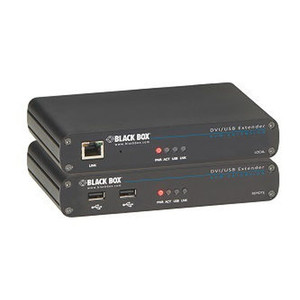
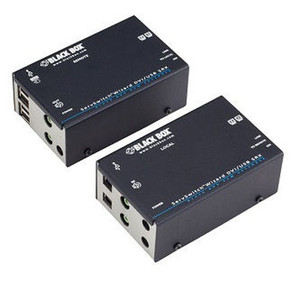
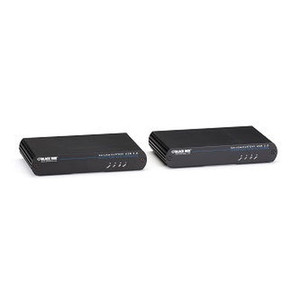
The Black Box ACU5600A-MM is a single-link DVI-D and USB 2.0 KVM extender designed to separate a workstation or computing source from its display and input peripherals over multimode fiber — a practical solution for control rooms, broadcast environments, secure server rooms, and any deployment where the CPU must remain locked in a rack or restricted space while operators work at a remote console.
KVM extension over fiber offers a meaningful advantage over copper-based alternatives: multimode fiber is immune to electromagnetic interference, which matters in environments with heavy electrical equipment, and it physically isolates the operator station from the compute rack without running signal-degrading copper runs across long distances. The ACU5600A-MM (often searched as ACU5600A MM) handles both the DVI-D video signal and USB 2.0 peripheral data across a single multimode fiber link, keeping the cabling infrastructure manageable.
The USB 2.0 support means standard HID devices — keyboards, mice, and compatible USB peripherals — extend to the remote console without requiring proprietary input hardware. DVI-D single-link carries digital video without analog conversion, preserving signal integrity from source to display. Black Box's KVM extender line is a well-established category within the Black Box networking and connectivity catalog, and the ACU5600A-MM fits within their fiber-based extension portfolio.
Key Features
- DVI-D Single-Link Video: Pure digital video transmission — no analog conversion means no signal degradation at the display end. Appropriate for workstation monitors and medical or industrial displays requiring clean digital input.
- USB 2.0 Extension: Extends keyboard, mouse, and compatible USB peripherals to the remote console, so operators interact naturally without any awareness of physical separation from the source machine.
- Multimode Fiber Transport: Fiber is inherently immune to EMI and ground loop issues that plague copper KVM extension in electrically noisy environments like broadcast studios, manufacturing floors, and data centers with dense UPS and power distribution.
- Single-Link Architecture: Keeps the system straightforward — one transmitter, one receiver, one fiber run. Easier to commission and troubleshoot compared to multi-head or matrix configurations.
- USB Connectivity: The USB interface on both ends allows straightforward integration with standard workstation hardware without custom drivers for basic HID use cases.
Integration & Compatibility
The ACU5600A-MM is designed for environments where DVI-D video output is available at the source — verify your GPU or workstation video output before specifying this unit, as HDMI or DisplayPort sources require an active adapter upstream. USB 2.0 peripheral support covers standard keyboards and mice; confirm compatibility for any specialized USB device before deployment. For KVM extenders and switches in more complex multi-user or multi-source configurations, review Black Box's broader KVM matrix lineup. If your installation requires PoE-powered network infrastructure alongside KVM extension, see the PoE switch category for compatible network switching. For guidance on selecting the right extension architecture for your control room or secure facility, the AV and security integration planning resources can help frame the decision.
Frequently Asked Questions
Q: What video interface does the ACU5600A-MM support?
A: The ACU5600A-MM supports DVI-D single-link digital video. It does not natively support HDMI or DisplayPort — sources with those outputs require an active adapter before connecting to the extender.
Q: Does the ACU5600A-MM work over singlemode fiber?
A: The MM designation in the part number indicates this unit is designed for multimode fiber. A separate singlemode variant exists in the Black Box lineup for longer-distance runs — confirm fiber plant type before ordering.
Q: What USB devices are supported at the remote console?
A: The ACU5600A-MM extends USB 2.0, which supports standard HID devices including keyboards and mice. Compatibility with specialized USB peripherals (storage devices, audio interfaces, etc.) should be verified with Black Box prior to deployment.
Q: Is the ACU5600A-MM suitable for secure or classified environments?
A: KVM extension over fiber physically isolates operator consoles from compute hardware in locked rooms — a common architecture in secure facilities. However, certification claims (TEMPEST, NIAP, etc.) are not confirmed from available evidence and should be verified directly with Black Box for any compliance-specific deployment.
Q: Can the ACU5600A-MM be used in a video wall or multi-display setup?
A: The ACU5600A-MM is a single-head extender supporting one DVI-D display at the remote end. Multi-display or video wall configurations require a multi-head or matrix KVM solution from the Black Box lineup.
The ACU5600A-MM is a fiber-based KVM extender — and the multimode fiber transport is the spec that defines its deployment fit. If you're working in a control room, broadcast facility, or secure server room where you need to physically separate operator consoles from compute hardware, this is the architecture that makes that clean. DVI-D single-link keeps the video path fully digital end-to-end, and USB 2.0 covers standard HID peripherals without requiring proprietary input hardware at the console.
Technical Highlights:
- DVI-D Single-Link: Digital video only — no analog stage means what the GPU outputs is what the display receives. In environments with sensitive displays (medical imaging, broadcast monitors), that matters more than it might seem.
- Multimode Fiber Transport: Fiber sidesteps every EMI and ground loop problem that copper KVM runs into in electrically dense environments. If your rack room sits near UPS banks, generators, or heavy switching gear, multimode fiber is the right transport choice.
- USB 2.0 Extension: Standard keyboards and mice work transparently at the remote console — operators don't need to change workflows or learn new hardware to use an extended console effectively.
Deployment Considerations:
- Verify your multimode fiber plant type (OM1/OM2/OM3/OM4) against Black Box's supported distance specifications before committing — not all multimode fiber performs identically at extension distances, and the ACU5600A-MM's maximum range will depend on the specific fiber grade installed.
- DVI-D single-link caps at 1920×1200 resolution — if your workstation drives a 4K display or a high-refresh-rate monitor, this extender will not carry that signal. Confirm display resolution requirements before specifying the ACU5600A-MM for graphics-intensive workstations.
The ACU5600A-MM is the right call for control room and secure facility deployments where a DVI-D workstation needs to feed a remote operator console over existing multimode fiber infrastructure — particularly where EMI immunity and physical compute isolation are non-negotiable requirements.