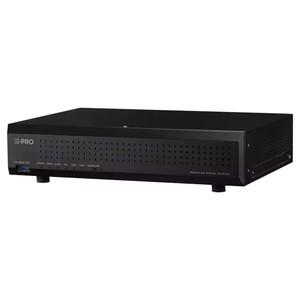
i-PRO NVR-SFL-1-4TB-V7 4TB Network Video Recorder Windows 11 Pro
Overview
The NVR-SFL-1-4TB-V7 is a 1U compact network video recorder purpose-built for mid-scale professional IP surveillance—branch offices, retail environments, and small enterprise installations where you need sustained multi-stream recording without oversizing the appliance. Configured with Intel Core processing, 16GB system RAM, and 4TB native storage, it delivers concurrent high-bitrate ingest from multiple camera streams while maintaining responsive search and playback operations across the full retention period. Windows 11 Pro pre-installed provides enterprise-grade stability and ONVIF VMS compatibility for open-ecosystem camera integration.
Compatibility
The NVR-SFL-1-4TB-V7 integrates with any ONVIF-compliant IP camera—including i-PRO IP cameras, Axis, Hikvision, Hanwha, and other standards-based surveillance systems. PoE ports on the recorder support direct camera power delivery (802.3af), eliminating the need for separate injectors on budget-constrained installations. The unit functions as a central recording and management node for small-to-medium surveillance networks without requiring external NVR hardware.
Installation Notes
Mount the NVR in a 1U rack or shelf environment. Disconnect power before opening the unit to install internal storage. Use a Phillips screwdriver to secure hard disk mounting screws—do not overtighten. Connect grounding before power-on to prevent static discharge during commissioning. Ensure proper ventilation; do not obstruct fan intake or exhaust ports. Complete startup by connecting network and PoE cables, then powering on via the rear panel switch. Do not force power disconnection during operation or shutdown—use the on-screen shutdown control to prevent data corruption.
What's in the Box
- NVR-SFL-1-4TB-V7 unit with 4TB integrated storage
- Power cable and grounding hardware
- Phillips screwdriver (1# and 2# for HDD installation)
- Quick reference guide (LED status, interface diagram, disk installation procedure)