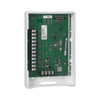
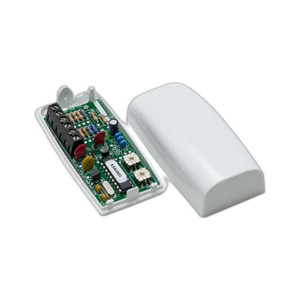
Honeywell 4208U 8-Zone Expansion Module
Overview
The Honeywell 4208U is a hardwired zone expander that adds eight supervised input channels to compatible Honeywell VISTA-series alarm panels via the V-Plex polling loop. Each zone accepts normally closed (NC) contact sensors or end-of-line resistor (EOLR) supervision, giving you flexibility to wire door/window contacts, motion detectors, glass break sensors, and similar devices without replacing the base panel. The 4208U is the standard solution when your VISTA system has reached its built-in zone capacity and you need to scale without a full control panel upgrade.
Key Features
- 8 Supervised Zones: Each zone independently addresses NC or EOLR-wired sensors. EOLR supervision detects wire breaks and sensor tampering — essential in commercial installations where fire code or insurance policy mandates fault detection on every perimeter point.
- V-Plex Bus Connectivity: Connects to the panel's 4-wire polling loop with no separate power supply required. Draws only 28.6 mA maximum from the panel's 12 VDC auxiliary output, so you won't overload the power budget even with multiple modules installed.
- Daisy-Chain Support: Multiple 4208U modules stack on the same polling loop, scaling zone count as your deployment grows. Zone address assignment uses DIP switches on the board — no software license or programming tool overhead.
- Compact Form Factor: Measures 6-7/16" W x 4-1/4" H x 1-1/4" D (163 x 108 x 32 mm), fitting standard rack or wall-mount installations without significant footprint impact.
- Temperature Rated for Indoor/Controlled Spaces: Operates from 32°F to 122°F (0°C to 50°C), suitable for climate-controlled facilities, warehouses, and retail environments — not rated for outdoor or extreme temperature exposure.
- Compatible with Current VISTA Lineup: Works with VISTA-15P, VISTA-20P, VISTA-50P, VISTA-128BPT, and VISTA-250BPT panels. Verify your panel model and total V-Plex device count before ordering to avoid integration issues.
Integration and Compatibility
The 4208U integrates directly into the V-Plex architecture used across modern Honeywell VISTA panels. Before deploying, confirm your panel's total device capacity — mixing the 4208U with other V-Plex modules (keypads, touchscreens, wireless receivers) counts against that ceiling. Zone addressing is manual via DIP switches; plan your addressing scheme during system design to avoid future conflicts if you add or remove modules. Installation requires standard alarm wiring practices: 18–22 AWG wire for zone inputs, proper EOLR resistor values (typically 3.3 kΩ or 6.8 kΩ per the panel documentation), and careful termination to prevent false alarms.
Typical Deployments
The 4208U is purpose-built for multi-building campuses, warehouse perimeter expansions, and retrofit projects. In a three-story office building, for example, you might place one 4208U per floor connected to the main VISTA panel in the lobby, eliminating long home runs and simplifying maintenance. Warehouse operators use the 4208U to monitor loading dock doors, emergency exits, and fence-line sensors without replacing the existing control panel.
Frequently Asked Questions
Q: Can I mix NC and EOLR zones on the same 4208U module?
A: Yes. Each of the eight zones can be independently configured as NC or EOLR via DIP switch settings. This flexibility allows you to deploy different sensor types and supervision methods on a single module.
Q: What happens if I exceed the panel's V-Plex device limit?
A: The panel will report a system fault and may not communicate with devices beyond the limit. Count all V-Plex peripherals (keypads, repeaters, wireless receivers, expanders) during design and consult the panel's technical documentation to verify total capacity before installation.
Q: Does the 4208U require a separate power supply?
A: No. It draws power exclusively from the panel's 12 VDC auxiliary output, consuming a maximum of 28.6 mA. This avoids the cost and installation complexity of a dedicated transformer.
Q: How many 4208U modules can I daisy-chain?
A: You are limited by the V-Plex device count ceiling on your specific panel (typically 16–32 devices depending on the VISTA model). Each 4208U counts as one device. Consult your panel's documentation for the exact maximum.
Q: Is the 4208U suitable for outdoor perimeter monitoring?
A: No. The module is rated for indoor operation between 32°F and 122°F. For outdoor sensor zones, you would wire outdoor-rated sensors (with appropriate environmental enclosures) to the 4208U inputs, but the expander module itself must remain inside a controlled space.
Q: Can I use the 4208U with non-VISTA Honeywell panels?
A: The 4208U is designed exclusively for VISTA-series panels that support the V-Plex polling loop. It is not compatible with other Honeywell panel architectures. Verify your panel model before ordering.
Ted PerryPerspective based on aggregated IP Security Depot and affiliated engineering team experience.
The 4208U is a straightforward, proven zone expander that I have deployed dozens of times in multi-building campuses and warehouse perimeter projects where running dedicated home runs back to a central VISTA panel would be economically impractical. It does one thing well: it adds eight supervised zones to your existing panel without forcing a costly control panel replacement or software licensing burden.
Technical Highlights:
- V-Plex Polling Loop Integration: Single 4-wire connection to the panel eliminates the need for separate comms wiring. Daisy-chaining multiple 4208U units on the same loop keeps installation and troubleshooting straightforward — you verify one data path instead of managing separate RS-232 or Ethernet connections.
- EOLR Supervision Flexibility: Each zone independently supports NC or EOLR modes. EOLR is non-negotiable in commercial and hospitality deployments where code requires detection of wire breaks or sensor tampering — the 4208U delivers this without panel upgrades.
- Minimal Power Draw (28.6 mA max): Draws from the panel's onboard 12 VDC supply, eliminating transformer costs and avoiding power-supply redundancy issues. In retrofit projects, this means no additional electrical infrastructure.
Deployment Considerations:
- V-Plex Device Ceiling: Before adding a 4208U, verify your panel model's total V-Plex device capacity (keypads, wireless receivers, other expanders all count). Exceeding this limit silently breaks downstream devices — it is not a graceful failure mode.
- Indoor Temperature Rating Only: The module operates 32°F–122°F. In outdoor or uncontrolled spaces (warehouse doors, loading docks, outdoor enclosures), mount the 4208U itself indoors and run protected sensor wiring to outdoor devices. Do not install the module outdoors.
- DIP Switch Addressing: Zone address assignment is manual. Document your addressing scheme during installation — future technicians will need this map if you add or troubleshoot zones.
For any VISTA-based system that has maxed out its built-in zone count, the 4208U is the standard path forward. Pair it with proper EOLR supervision on perimeter points, confirm your V-Plex headroom before ordering, and you have a reliable multi-zone expansion that will perform for years with minimal ongoing support.
When to Choose a Different Approach
If your VISTA panel is already at or near its V-Plex device limit, adding more 4208U modules may not be feasible. In that case, consider whether a higher-capacity VISTA model (such as the VISTA-250BPT if you are currently on a VISTA-50P) would be more cost-effective than managing multiple polling-loop devices. Alternatively, if you need wireless zone expansion rather than hardwired, evaluate Honeywell's wireless receiver modules, which also connect via V-Plex but support battery-powered sensors and eliminate wiring labor.
Installation Notes
The 4208U mounting is flexible: use the included wall-mount points, rack mounting, or cabinet integration depending on your installation space. Proper wire termination and EOLR resistor selection are critical — verify resistor values against your panel's technical specification sheet before wiring. After installation, test all eight zones in the panel's configuration menu to confirm proper addressing and supervision mode before placing the system in service.