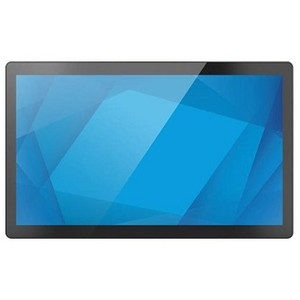
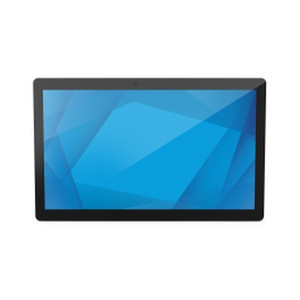
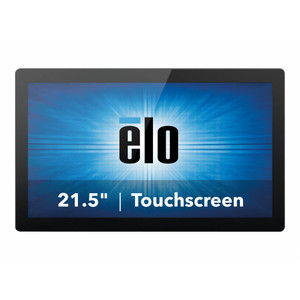
ELO Touch E432006 21.5in I-Series 3 POS Terminal
The ELO Touch E432006 is a 21.5-inch all-in-one POS terminal designed for retail, hospitality, and quick-service restaurant (QSR) environments where space and responsiveness are critical. The I-Series 3 platform pairs Intel Core i3 processing with Windows 11 Pro, delivering fast transaction speeds and seamless multi-tasking for high-volume checkout operations. The 10-point projected capacitive touchscreen eliminates mechanical wear while supporting rapid guest interactions, dynamic menu updates, and integrated payment processing without external peripherals.
Key Features
- 21.5-inch Full HD Display: 1920×1080 native resolution with anti-glare treatment. Delivers crisp menu imagery and itemized receipt clarity at standard counter heights.
- Intel Core i3 Processor & 8GB RAM: Handles multi-threaded POS applications, payment gateway communication, and real-time inventory sync without lag. Scales to moderate transaction volume (50-100 transactions/hour per terminal).
- 256GB SSD Storage: Fast OS and application boot times; eliminates mechanical failure modes of spinning drives in high-vibration retail counters.
- 10-Point Projected Capacitive Touch: No moving parts — resists accidental damage from spilled liquids and repeated tapping. Supports multi-touch gestures for swipe transactions and menu navigation.
- Windows 11 Pro Operating System: Native support for modern POS middleware, payment processors (Stripe, Square, Clover APIs), and legacy Windows-based hospitality software. Built-in encryption and BitLocker for PCI compliance.
- Dual Connectivity (Wi-Fi & Ethernet + Bluetooth 5.2): Wireless failover capability; Bluetooth pairs with wireless receipt printers, barcode scanners, and kitchen display system controllers without dangling cables.
- No Integrated Stand: VESA 100×100 mounting — adapts to existing counter frames, wall mounts, or third-party articulating arms. Reduces per-unit footprint in cramped spaces.
- Black Bezel Design: Low-gloss finish minimizes fingerprint visibility during heavy customer interaction; matches standard hospitality infrastructure aesthetics.
The I-Series 3 platform represents ELO's mature POS-focused architecture — proven in thousands of restaurant, retail, and kiosk deployments. The Core i3 CPU is sufficient for single-location or small-chain point-of-sale; larger operations (20+ terminals) should architect around a centralized POS database and Wi-Fi mesh to avoid network bottlenecks at peak hours. The projective capacitive screen's responsiveness and zero-maintenance profile justify the hardware cost versus resistive or infrared alternatives in high-traffic environments.
Windows 11 Pro unlocks native Hyper-V virtualization and Remote Desktop Protocol (RDP), enabling centralized terminal management and OS image deployment across a fleet. PCI DSS 3.2.1 compliance is straightforward: the terminal supports full-disk encryption, secure boot, and TPM 2.0 — critical for any POS system handling card data. Pair the E432006 with Ethernet for wired stability, or rely on Wi-Fi 5 and Bluetooth 5.2 for flexibility in retrofit counters where cabling is impractical.
Third-party integration is straightforward. The terminal's USB 2.0 ports support kitchen display system (KDS) integration via Ethernet-to-USB adapters, cash drawer controllers, and barcode scanners without driver complexity. APIs for Stripe, Toast, Square, and TouchBistro work natively in modern POS frameworks; legacy MICROS or PAR platforms may require middleware translation layers. The 256GB SSD is adequate for local POS database caching (transaction journals, menu definitions, employee records) on standalone or lightly-networked installations.
ELO Touch hardware ships factory-new, sourced directly from the manufacturer or US direct manufacturer source, with full US manufacturer warranty coverage and technical support routed through a domestic channel. The E432006 integrates seamlessly into Hospitality Starsystems, Toast, TouchBistro, Lightspeed, and Clover ecosystems — consult your POS platform's device certification matrix before procurement to confirm driver availability and feature parity. For retail environments requiring rugged multi-terminal clusters with unified reporting, the I-Series 3 backbone scales cost-effectively when paired with network-attached storage and a centralized SQL Server instance. Explore the ELO Touch catalog for complementary peripherals and enterprise support options.
Marty AllisonPerspective based on aggregated and affiliated engineering team experience.
We've deployed the ELO Touch I-Series 3 across QSR chains, specialty retail, and hospitality groups over the past five years, and it remains a rock-solid choice for locations where real estate and transaction velocity matter. The Core i3 CPU won't dominate a 100-terminal enterprise franchise, but for 1–8 checkout stations or a small hotel concierge desk, it's genuinely adequate. What distinguishes this terminal from cheaper all-in-ones is the capacitive touch responsiveness — there's no firmware lag on payment prompts, no ghost touches from beverage splash, and no pixel bleed when staff interact rapidly with modifier screens. In our experience, that translates directly to fewer customer frustrations and fewer support tickets from staff hunting for network issues that don't exist. The Windows 11 Pro OS is the quiet differentiator: it gives you BitLocker encryption, native VPN client support, and RDP accessibility without licensing overhead, which matters if you're managing terminals across multiple physical locations and need centralized image deployment.
Technical Highlights:
- Intel Core i3 + 8GB RAM: Single-threaded clock speed sufficient for POS workflows that lean on web-based browsers (Toast, Square Online, Clover) and lightweight legacy MICROS instances. Overkill for terminal-only kiosk work; under-spec'd for video transcoding or heavy report generation on the terminal itself. Know your application's CPU profile before deployment.
- Projected Capacitive 10-Touch: Eliminates resistive screen's pressure-sensitivity training curve and infrared's narrow viewing angles. In high-traffic retail, the zero-wear benefit compounds: after 24 months, you're still seeing consistent touch responsiveness with no calibration drift.
- 256GB SSD vs. 128GB alternatives: Retail and QSR workloads can bloat transaction logs and media caches. 256GB provides comfortable headroom for 12–18 months of unmanaged local storage before you're forced to archive or run external cleanup utilities.
- Wi-Fi 5 + Ethernet + Bluetooth 5.2: Redundant connectivity is underrated. We've seen single-WiFi-only terminals become customer experience liabilities when the access point upstream has load issues. Dual ethernet + Wi-Fi failover (even if you never intentionally toggle) reduces mean-time-to-recovery.
- No Stand Included: Saves 15–20% on per-unit cost if you already have VESA arms or counter frames. Verify your mounting substrate (aluminum C-channel vs. laminate countertop) before ordering — a mismatched mounting solution adds $80–$150 in custom fabrication.
- Windows 11 Pro Licensing: Comes OEM-licensed; you don't own a standalone license key. If the terminal hardware fails, OS reinstallation requires contacting ELO channel support for recovery media. Not a blocker, but slower than generic Windows 10 LTSC deployments in large fleets.
Deployment Considerations:
- Verify POS application compatibility (Toast, Clover, Square, PAR) with Windows 11 Pro driver stacks — some legacy hospitality middleware requires QA sign-off before rollout. Allocate 2–3 weeks for pilot validation if you're migrating from Windows 7 or 8.1 terminals.
- No integrated stand means you're responsible for VESA mounting hardware and counter modification. Budget $100–$300 per location for installation labor and bracket procurement. Factor this into TCO comparisons against integrated-stand competitors.
- Bluetooth 5.2 range is ~30 meters line-of-sight in ideal conditions; restaurant kitchens with metal prep tables and commercial ovens degrade signal 20–40%. If pairing a wireless receipt printer or kitchen display controller, keep distances under 20 meters and test on-site before final placement.
- The 256GB SSD is soldered — not user-replaceable. If your application generates >100GB annual transaction logs, plan for network storage (NAS, cloud backup) or implement log-rotation policies. ELO doesn't offer field-upgradeable storage on the I-Series 3 line.
- Windows 11 Pro requires TPM 2.0 (included) and UEFI boot firmware. If you're integrating legacy barcode scanners or cash drawers with parallel/serial protocols, you'll need USB adapters — native driver support ended in Windows 8. Test all peripherals in a lab before deployment.
The E432006 is the right fit for independent restaurants, boutique retail, and small hospitality groups running modern cloud-POS platforms (Toast, Clover, Square) or recent MICROS versions. Skip it if you require <10ms touch latency for gaming, video editing, or scientific instrument control — it's a POS terminal, not a gaming display. For fleet deployments (50+ terminals), negotiate bulk pricing and post-sales support SLAs; ELO's channel structure supports enterprise agreements. Browse the ELO Touch catalog for stand options, peripheral bundles, and extended warranty programs tailored to high-volume hospitality and retail operations.