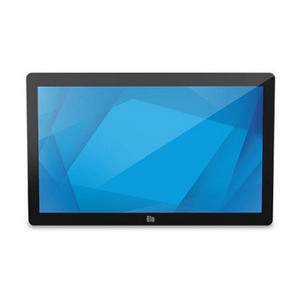
ELO Touch E125897 Elo 2002L Projected Capacitive Touch Monitor
Overview
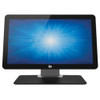
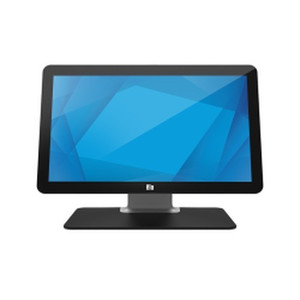
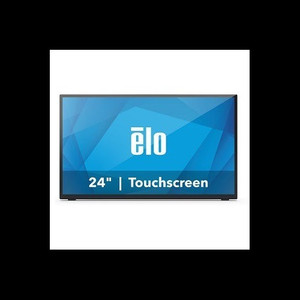
The ELO Touch Elo 2002L model E125897 is a 19.5-inch Full HD LCD monitor purpose-built for POS, kiosk, and interactive display applications where touch responsiveness and compact footprint matter. This is a no-stand configuration — you mount it to your own pole, VESA bracket, or enclosure — which means you're buying a display panel without the overhead of bundled hardware you may not need. The projected capacitive 10-touch interface responds to direct finger contact without pressure requirements, a meaningful advantage over resistive or acoustic technologies when throughput is high or your end user base includes gloved operators or children.
Key Features
- Full HD Resolution (1920 × 1200): At 19.5 inches, 1920 × 1200 pixels delivers crisp text and graphics for menu systems, transaction confirmations, and video playback. Sufficient for close-range viewing typical in retail, hospitality, and warehouse pick-to-light scenarios.
- Projected Capacitive 10-Touch Technology: Unlike resistive touch, capacitive sensing requires no pressure — a light finger tap registers instantly. This scales well in high-transaction environments and eliminates the wear-and-tear failure modes of resistive screens. Ten simultaneous touch points support multi-finger gestures if your application calls for pinch-zoom or chord commands.
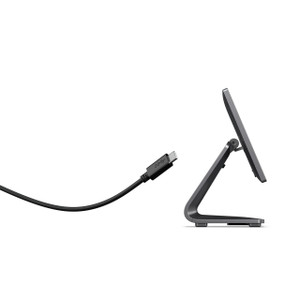
- USB Controller: Touch data streams via USB, simplifying integration with host PCs, embedded Linux systems, or Android-based appliances. No separate serial-to-touch converter needed — plug the USB cable into any available port and the OS handles enumeration as an input device.
- Anti-Glare Coating: Reduces specular reflections and fingerprint visibility, a practical benefit in bright retail or outdoor-facing kiosk installations where direct sunlight or overhead fluorescents create glare hotspots.
- Zero-Bezel Frame Design: Minimal border around the display glass maximizes visible area and creates a seamless appearance when mounting multiple units side-by-side or in a custom enclosure. Improves perceived image immersion and reduces visual distraction in menu-driven workflows.
- Dual Video Inputs (mini-VGA and HDMI): Flexibility to connect legacy or current-generation video sources. mini-VGA supports analog signaling if you're integrating with older industrial PCs; HDMI handles digital connections from modern workstations, media players, or embedded displays. No video scaler or adapter required for either standard.
- Black Chassis: Neutral finish integrates into retail, hospitality, and industrial environments without color-matching constraints. Reduces visual fatigue compared to bright white bezels in dim lighting.
- No Stand Included: This is a cost and modularity win — you specify mounting hardware that fits your installation footprint. Wall-mount, pole-mount, or embed into a custom frame without paying for a generic stand you'll discard. Standard VESA mounting pattern supports third-party arms and brackets.
Integration & Deployment Scenarios
The E125897 suits retail POS terminals, restaurant table-top ordering consoles, kiosk and wayfinding displays, and warehouse logistics interfaces where a compact, durable touch screen replaces keyboard-and-mouse workflows. USB touch simplifies integration into point-of-sale software stacks (Shopify, Square, Toast, Lightspeed, custom systems) on Windows, macOS, or Linux hosts. The no-stand configuration makes it a natural fit for integrators who custom-design enclosures or deploy standardized mounting rigs across multiple locations.
The 19.5-inch diagonal is best deployed in close-proximity scenarios — checkout counters, handheld tablet arms, or drive-through windows — where viewing distance is under 3 feet. For longer sightlines, evaluate larger diagonals in the same product family.
When to Choose a Different Model
If your application requires a built-in stand or arm, the Elo 2002L family includes stand variants that eliminate secondary hardware sourcing. For outdoor or high-moisture environments, confirm IP or splash-rating compliance with ELO Touch product documentation before specifying the E125897. If you need integrated payment terminals, barcode scanners, or label printers, this is a display-only product — pair it with complementary POS hardware and barcode scanners as your application demands.
Frequently Asked Questions
Q: Does the E125897 require a separate power supply?
A: Yes. The Elo 2002L draws AC power (specification details available from the manufacturer). Plan for standard 110–240V AC receptacles at your installation point.
Q: Can I mount the E125897 in portrait orientation?
A: The monitor supports portrait and landscape orientation via VESA mounting. Verify your mounting bracket or arm supports portrait mode and that your host software rotation settings are enabled.
Q: What's the warranty on the E125897?
A: Warranty terms are provided with the product documentation from the manufacturer. Contact the distributor or manufacturer for specific coverage and duration.
Q: Is the touch sensor compatible with gloved hands?
A: Projected capacitive touch works best with bare fingertips. Gloved operation (especially thick leather or insulated gloves) may reduce sensitivity. Test with your expected user cohort before full deployment.
Q: Can I run multiple E125897 units from one PC via USB?
A: Yes. Each monitor enumerates as a separate USB input device. Your OS and application software must be configured to recognize and map touch coordinates from each device independently.
Q: Does the anti-glare coating affect image sharpness?
A: Anti-glare coatings reduce perceived sharpness slightly and can introduce a matte texture. The tradeoff eliminates hot-spot glare in bright environments. If glare is not a concern, confirm coating behavior during a pilot installation.
I've deployed the Elo 2002L (E125897) in restaurant table-side ordering consoles and quick-service retail environments, and the projected capacitive touch is genuinely faster for high-frequency transactions than resistive alternatives. The zero-bezel design doesn't just look slick — it eliminates edge-case touch misregistration issues I've seen with beveled or framed displays. Full HD at 19.5 inches keeps menus legible without wasting vertical screen real estate.
Technical Highlights:
- Projected Capacitive 10-Touch: Zero-pressure activation and multi-touch support eliminate the mechanical wear failures you see in resistive screens after 50,000+ touches. Scales well when throughput demands fast, repeated taps.
- USB Touch Controller: Plug-and-play enumeration — no serial-port hunting or legacy driver installations. Windows, macOS, and Linux see it as a standard input device. Simplifies POS software configuration and troubleshooting.
- Dual Video Inputs (mini-VGA and HDMI): Future-proofs mixed environments where you still have older industrial PCs alongside modern thin clients or digital signage appliances. No video scaler needed — both standards supported natively.
Deployment Considerations:
- The no-stand design saves cost if you're already standardizing on VESA mounting rigs, but adds a sourcing step if you need a stand. Budget for third-party arm or bracket if that's not part of your standard BOM.
- Capacitive touch doesn't work well with gloved or stylus input — if your use case includes food-service staff in latex gloves or technical input via pen, test before committing. Resistive alternatives exist in the Elo lineup if that's a blocker.
- Anti-glare coating trades sharpness for daylight visibility. In dim indoor POS environments, the matte surface can feel slightly soft compared to a glossy panel. Not a problem for most retail, but noticeable in high-resolution graphic work.
The E125897 is best suited to integrators building standardized POS kiosks or restaurant consoles where USB simplicity and capacitive responsiveness outweigh the need for integrated payment or biometric sensors. It's a display workhorse, not an all-in-one terminal.