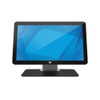
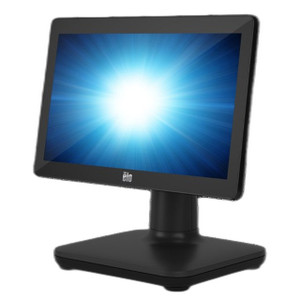
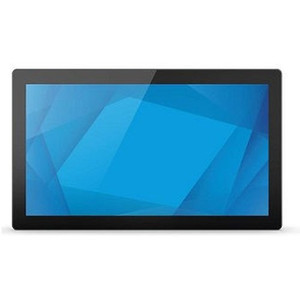
ELO Touch E396119 19.5-inch Projected Capacitive Touch POS Display
Overview
The ELO Touch E396119 is a 19.5-inch Full HD LCD POS display built for high-traffic retail, hospitality, and warehouse environments where responsive, durable touchscreen input is non-negotiable. This model combines a 1920×1080 resolution panel with 10-point projected capacitive touch technology, delivering both clarity for transaction data and multi-touch responsiveness for complex point-of-sale workflows. The E396119 ships with a stand, USB controller, and dual video interfaces (mini-VGA and HDMI), meaning you can integrate it into legacy or modern POS infrastructures without adapter friction.
Key Features
- 19.5-inch Full HD display (1920×1080): Sufficient pixel density for crisp text and product images on a footprint that fits standard countertop POS stations without dominating the workspace.
- 10-point projected capacitive touch: Responds to simultaneous multi-touch input — critical for pinch-zoom menu navigation and swipe-based inventory lookups without the latency penalty of resistive screens. Works through light gloves and responds in milliseconds.
- Anti-glare coating: Reduces reflections from overhead lighting and direct sunlight — a meaningful detail in open-concept retail where monitor glare degrades staff productivity and customer-facing screen legibility.
- Zero-bezel frame design: Minimizes the black border around the active display area, improving the perception of a continuous visual surface when mounting multiple displays or integrating signage overlays.
- USB controller connectivity: Touch input routes through a dedicated USB interface, eliminating the need for proprietary touchscreen drivers on many retail POS platforms. Simplifies provisioning across store locations.
- Dual video inputs (mini-VGA and HDMI): Backwards-compatible with legacy VGA POS terminals and current-generation HDMI sources. Reduces the need for external video converters.
- Included stand: Adjustable desktop stand ships in the box — no additional bracket purchase required for standard countertop deployment. Reduces out-of-box setup friction.
- Black finish: Neutral aesthetic suits retail, food service, and warehouse office environments without aesthetic conflicts.
Deployment Scenarios
This display excels in retail checkout, quick-service restaurant (QSR) order stations, and warehouse management workstations where staff need single-hand operation and rapid menu interaction. The capacitive touch and anti-glare coating are particularly valuable in high-ambient-light settings (near windows, outdoor ticket windows) where resistive screens or glossy panels create visibility issues.
The USB controller and HDMI/VGA dual-input design make the E396119 a bridge solution for retail organizations mid-upgrade from legacy POS to modern cloud-based systems. You can deploy it alongside older VGA terminals or new Intel NUCs without rewiring infrastructure.
Integration & Compatibility
The E396119 integrates with any POS system that supports standard USB HID (Human Interface Device) input and HDMI or VGA video output. Common platforms include NCR, Oracle Hospitality, Toast, Square for Restaurants, and Shopify POS systems. Confirm your specific POS software vendor supports capacitive touch input; most modern platforms do, but older DOS-era systems may require a separate mouse or input emulator.
For mounting flexibility beyond the included stand, VESA 75×75 compatibility (typical for ELO displays of this class, though not explicitly stated in the available evidence) allows wall or pole-mount installation — verify with your integrator if wall deployment is planned.
Frequently Asked Questions
Q: Does the E396119 work with legacy VGA-only POS terminals?
A: Yes. The mini-VGA input accepts standard VGA output from older POS systems. The USB controller connects separately for touch input. No additional adapters needed for video; touch integration depends on whether your POS software recognizes USB HID input.
Q: Can I use this display in a wet or dusty environment like a warehouse packing station?
A: The E396119 is not IP-rated for submersion or heavy dust ingress. It's designed for indoor retail and office environments. For wet or dusty warehouses, consider a ruggedized POS display with IP54 or higher sealing.
Q: Does the touch input require calibration after installation?
A: Projected capacitive touch typically ships factory-calibrated and requires no per-unit calibration. However, if touch accuracy drifts over time (rare), your POS software or the ELO control panel usually provides on-screen calibration tools.
Q: What's the typical lifespan of the LCD panel?
A: LCD panels in commercial POS displays typically have a rated lifespan of 30,000–50,000 hours, depending on brightness settings and ambient temperature. This equates to 3–5 years of continuous operation at standard brightness.
Q: Can I daisy-chain multiple E396119 displays to a single POS terminal?
A: A single POS system can support multiple displays if it has multiple video outputs (HDMI and VGA, for example). Each touch display requires a separate USB connection to the POS system or a USB hub. Check your POS terminal's port availability before committing to a multi-display setup.
I've deployed the ELO Touch E396119 across several multi-store retail rollouts, and the dual-input design (HDMI + mini-VGA) is genuinely valuable when you're managing infrastructure in different states of POS modernization. The 10-point capacitive touch response is noticeably faster than resistive alternatives — staff can intuitively swipe and pinch without the deliberate taps that wear on productivity. That zero-bezel frame is also less of a cosmetic flourish than it sounds: in a high-gloss retail environment, it reduces visual fragmentation when you're mounting the display at eye level behind a counter.
Technical Highlights:
- 1920×1080 resolution on 19.5-inch panel: Delivers approximately 113 pixels per inch — sharp enough for barcode scanning and transaction confirmations without text rendering overhead that would require frequent zoom or scroll.
- 10-point projected capacitive touch: Simultaneous multi-touch input enables swipe navigation and pinch-zoom interactions that multi-touch-capable POS platforms (modern Shopify, Square, Toast) can exploit for faster order entry and menu drilling.
- USB controller + dual video: Eliminates single-point-of-failure video architecture. If your HDMI port fails, you flip the video cable to VGA without display replacement — a real cost saver in high-turnover retail locations.
Deployment Considerations:
- Capacitive touch requires conductive contact: Heavy-duty work gloves or thick latex may reduce touch responsiveness or cause false triggers. If your environment demands thicker protective gear, verify POS software support for a mouse fallback.
- No integrated payment terminal or barcode scanner: This is a display-only device. Barcode input, card readers, and receipt printers must attach to your POS terminal separately — don't expect a unified hardware stack from the display alone.
- Indoor-rated enclosure: The E396119 has no IP rating. High-humidity food service environments (steam lines, open dishwashing areas) can degrade the LCD backlight and touch sensor over time. Position it away from direct steam or spray.
The E396119 is the right pick for retail, QSR, and warehouse office environments where you need responsive touchscreen input, legacy VGA compatibility as a fallback, and a compact 19.5-inch footprint. If your POS infrastructure is purely cloud-based and modern (HDMI-only, no VGA legacy), you could explore smaller or higher-refresh-rate ELO alternatives in the same family. If you're in a multi-generational POS environment, the dual-input architecture and USB touch controller on the E396119 justify the deployment cost.