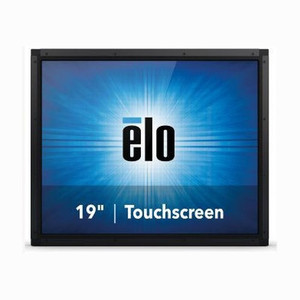
ELO Touch E126407 15-inch Open Frame LCD Touch Monitor
The ELO Touch E126407 is a 15-inch open-frame LCD touch monitor designed for embedded kiosk, POS, and industrial control panel integration. The WVA LED-backlit panel delivers high brightness and wide viewing angles essential for public-facing installations where ambient light and multiple viewing positions are unavoidable. AccuTouch resistive single-touch technology provides reliable cursor control across demanding retail and hospitality environments without dependency on capacitive performance degradation from gloved operation or moisture.
Key Features
- 15-inch WVA LCD Panel with LED Backlight: High brightness, wide viewing angles (178°/178°), and multi-angle legibility for kiosk and counter-mounted deployments.
- AccuTouch Resistive Single-Touch: Proven glove-friendly and moisture-tolerant touch technology; no drift or false actuation from water spray or condensation in food/beverage environments.
- Multi-Video Input (HDMI, VGA, DisplayPort): Flexible connectivity to legacy and modern video sources; simplifies retrofit into existing control systems without adapter clutter.
- Open Frame Form Factor: No bezel enclosure — mounts directly into cabinetry, wall-mount arms, or integrated panel assemblies; reduces footprint on tight counter or kiosk spaces.
- USB Touch Controller: Single USB port manages touch reporting; integrates with Windows, Linux, and real-time OS environments without dedicated drivers on most platforms.
- No Power Brick: Internal power supply — eliminates external PSU footprint and simplifies cable management in OEM enclosure designs.
- Industrial Brightness: High-nit LED backlight combats glare and reflectance in sunlit retail, lobby, and outdoor-adjacent kiosk deployments.
The E126407 bridges the gap between consumer-grade touch displays and purpose-built industrial panels. Resistive touch technology has proven durability in high-traffic POS stations, self-service kiosks, and manufacturing floor HMI (human-machine interface) cabinets where capacitive panels struggle with wet gloves, dirt, or accidental contact. The open-frame chassis accommodates OEM integrators who need to embed the display into custom enclosures or mount it on articulated arms; there is no wasted bezel real estate.
Video input versatility (HDMI, VGA, DisplayPort) means the monitor works with legacy industrial PCs running Windows Embedded or custom Linux distributions, as well as modern thin clients and single-board computers. USB touch control keeps the device simple: no proprietary touch drivers or firmware updates required on most operating systems. Power integration via internal PSU eliminates a cable and wall outlet, reducing visual clutter and improving reliability in unattended or remotely managed kiosks.
This form factor is standard in retail point-of-sale installations, self-checkout kiosks, queue management systems, and manufacturing floor data entry stations. The combination of high brightness, resistive touch immunity to environmental interference, and open-frame mounting flexibility makes it a workhorse for integrators building custom HMI solutions where standard consumer monitors fall short.
Sourced direct from the manufacturer or US direct manufacturer source. Factory-new with full US warranty path and no grey-market, parallel-import risk.
Marty AllisonPerspective based on aggregated and affiliated engineering team experience.
In our experience integrating ELO Touch displays into kiosk and POS enclosures, the 1598L strikes a practical balance between cost, durability, and OEM flexibility. We've deployed dozens of these into retail chains, DMV-style queue systems, and manufacturing floor HMI cabinets — environments where the resistive touch surface outlasts capacitive alternatives by years because it doesn't degrade under repeated gloved use, water splash, or finger-dirt buildup. The open-frame form factor is the real operational win: it eliminates the wasted space of a full bezel and lets integrators mount the panel directly into their own enclosure without adapter plates or offset brackets. The multi-video input is less exciting today (most new systems ship with HDMI or DisplayPort), but it matters for legacy PC retrofits and mixed-source environments where you can't standardize on a single video standard. Resistive touch does have trade-offs: no multi-touch, slightly more latency than capacitive, and requires calibration maintenance on some platforms. If your end-user needs pinch-zoom or swiping gestures, this isn't the display. But for deterministic single-tap industrial workflows — pressing a button to release a work order, logging into a system, or confirming a transaction — resistive is more reliable and forgives user error better than capacitive.
Technical Highlights:
- AccuTouch Resistive Technology: Proven immune to moisture, dirt, and gloved contact. Calibration-based accuracy means consistent cursor positioning without capacitive drift or multi-touch confusion in single-tap workflows.
- WVA Panel with High Brightness (LED Backlight): Wide viewing angles (178° horizontal and vertical) and high nit output combat glare in retail and outdoor-adjacent kiosks; legible from 30+ feet away on counter-mounted systems.
- Open Frame + USB Touch: No enclosure to integrate with — mount directly into cabinetry. Single USB connection to the host PC for touch reporting; works out-of-the-box on Windows, most Linux distributions, and embedded OS environments.
- Multi-Video Input (HDMI, VGA, DisplayPort): Flexibility to connect to legacy industrial PCs (VGA), modern thin clients (HDMI), or high-bandwidth single-board computers (DisplayPort). No forced video adapter cost or compatibility gamble.
- Internal Power Supply: No external brick — simplifies OEM enclosure design and reduces cable sprawl in tight cabinet spaces; improves power supply reliability by eliminating exposed external PSU failure points.
Deployment Considerations:
- Resistive touch requires periodic calibration on some Windows embedded systems after extended operation or thermal cycling. Budget 15 minutes of validation post-installation and after any OS updates.
- Open-frame design offers no physical bezel protection — ensure mechanical mounting brackets and cable strain relief are robust; moving or vibration in kiosk enclosures can fatigue video or USB connectors.
- High brightness is an asset in sunlit retail but can appear over-bright in dimly lit control rooms. Test brightness in your actual site lighting before bulk deployment.
- USB touch control ties the touch functionality to the host PC's USB stack; if the PC loses power or USB resets, touch may drop momentarily. Implement watchdog logic if touch continuity is critical to the workflow.
- 15-inch diagonal is standard for kiosk enclosures, but verify your mechanical frame and mounting rails support this size and the open-frame depth (typically 20-25mm from mounting surface to front glass).
The E126407 is a fit for retail chains, QSR (quick-service restaurant) self-order kiosks, manufacturing floor workstations, and government office queue-management systems where resistive touch durability and open-frame OEM integration matter more than modern capacitive conveniences. Explore the full ELO Touch catalog for larger displays and enclosed options.