ELK Products ELK-M1XEP M1 Ethernet Interface
Overview
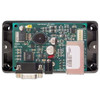
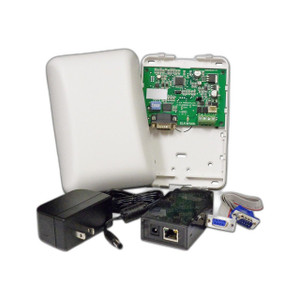
The ELK-M1XEP is an Ethernet interface module that adds IP connectivity to ELK M1 control panels. It solves the core problem of remote panel access and cloud/server integration when your M1 installation lacks native Ethernet—typical in retrofit deployments or distributed security architectures where wired serial connections aren't viable. Mount this card into your M1 control panel enclosure to enable web-based monitoring, arm/disarm from remote locations, and integration with third-party management platforms over standard IP networks.
Compatibility
The ELK-M1XEP integrates directly into ELK M1 control panels. Confirm your M1 enclosure has an available expansion slot and adequate power budget before ordering—slot availability varies depending on how many other interface cards (telephone module, relay expansion, etc.) are already installed in your panel.
Installation Notes
Install the M1XEP card into an available slot inside the M1 enclosure following the manual—no external mounting or separate power supply required. Wire your Ethernet cable (CAT5e or better, standard RJ-45) to the module's connector, then run it to your network infrastructure. Ensure your network switch port supports the data rate and any PoE requirements of the interface card if applicable. Test connectivity through the M1's web interface after installation to confirm the panel can reach your monitoring server or app. Power cycling the M1 panel may be necessary after card insertion.