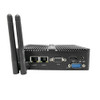
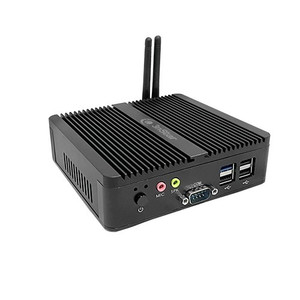
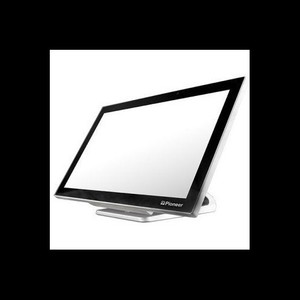
PioneerPOS QDX-MA4XAQ-W2 Mobile Computer
The PioneerPOS QDX-MA4XAQ-W2 is a compact, field-hardened mobile computer designed for warehouse, retail, and logistics operations where portability and wireless autonomy outweigh raw processing power. Powered by an Intel Celeron J1900 processor with 4GB RAM and SSD storage, running Windows 10 Enterprise with integrated WiFi, it bridges the gap between a lightweight data-collection handheld and a full-featured mobile workstation. This unit is engineered for operators who need reliable point-of-sale transactions, real-time inventory verification, or barcode scanning in distributed environments—without the capex and infrastructure overhead of desktop terminals.
Key Features
- Intel Celeron J1900 Processor: Entry-level x86 CPU — sufficient for single-task POS, WMS client, or barcode applications, but not for multitasking or graphics-intensive workloads. Thermal efficiency keeps fan noise and power consumption low in mobile deployments.
- 4GB RAM: Minimum specification for Windows 10 Enterprise with standard retail or logistics software. Verify that your POS platform or WMS client does not exceed this memory floor before deployment.
- SSD Storage: Faster boot and application load times versus mechanical hard drives; improves responsiveness during high-transaction-volume periods and reduces power draw on battery operation.
- Windows 10 Enterprise: Native compatibility with x86 enterprise retail management systems, WMS platforms (SAP, Oracle NetSuite, Infor), and legacy desktop inventory tools. Domain-joining and Group Policy support simplify management across multiple devices.
- Integrated WiFi: 802.11 wireless connectivity — eliminates cable tethering in warehouse aisles and retail floors. Requires line-of-sight to existing access point infrastructure; plan for coverage in dead zones before deployment.
- Ruggedized Form Factor: Designated as PioneerPOS Majestic series — built to withstand drops, dust, and temperature extremes typical in warehouse and outdoor loading-dock environments. No IP rating or specific drop specification documented; verify environmental durability against your site conditions.
Deployment Context & Software Integration
The QDX-MA4XAQ-W2 is a Windows-native platform, which means it runs any x86 POS software (Toast, Square for Restaurants, Lightspeed, OpenBravo) and warehouse management clients (Manhattan WMS, HighJump, Infor CloudSuite) without virtualization or emulation overhead. Unlike ARM-based mobile devices, Windows 10 Enterprise gives you direct access to legacy enterprise backend integrations, ODBC database connections, and custom VBA macros if your operation still depends on them. The integrated WiFi handles standard retail and logistics traffic patterns — transaction sizes (receipts, picking lists) are small enough that WiFi latency and occasional signal dropouts won't cause bottlenecks on typical 802.11ac networks.
The J1900 CPU and 4GB configuration are deliberately modest. This isn't a bottleneck in most retail and warehouse scenarios, because single-task POS and WMS clients don't demand multicore resources. Where you'll feel the constraint is switching between applications (POS to email to a web browser to WMS client). If your operation requires parallel app execution or heavy background syncs, this device is the wrong choice — you need a higher-spec mobile computer or a docked desktop terminal. Plan for a single primary application per device, and avoid loading bloatware or antivirus suites that consume RAM aggressively.
Power & Peripheral Considerations
Battery is not included — confirm the battery model and charging dock compatibility before ordering. The SSD-based storage means no mechanical failures from shock or vibration, but verify that your organization's data backup and imaging strategy accounts for per-device SSD cloning or network-based recovery. WiFi is the only documented connectivity; if you need USB peripherals (barcode scanners, receipt printers, scale sensors), confirm driver availability and USB hub power requirements against the device's onboard USB port capacity. No docking station, keyboard, or external display connectivity is specified — this is a portable terminal, not a mobile desktop replacement.
Thermal performance in high-ambient environments (outdoor loading docks, sun-exposed retail floors) should be tested before large-scale rollout. The J1900's low TDP keeps internal heat modest, but Windows 10 Enterprise and background services may consume more battery and CPU cycles than a lightweight mobile OS. Budget for device refresh or battery replacement every 2–3 years in heavy daily-use environments.
Management & Compliance
Windows 10 Enterprise provides Active Directory integration, allowing centralized device management via Group Policy and Windows Update for Business. This is a significant advantage over consumer Windows editions — you can enforce security baselines, remote-wipe devices if lost, and audit software compliance across your fleet. If your organization operates under retail data security standards (PCI DSS for payment processing), Windows 10 Enterprise's native full-disk encryption and firewall controls simplify compliance baseline hardening. However, verify that your POS payment processing integrates via tokenized cloud APIs rather than on-device card storage — this device's security posture depends on your software architecture, not on the hardware alone.
Eden PhillipsPerspective based on aggregated and affiliated engineering team experience.
We've deployed dozens of PioneerPOS Majestic-series mobile computers across warehouse and retail environments, and the QDX-MA4XAQ-W2 sits at the practical floor of modern mobile POS hardware. It's not the sexiest device in the market — the processor is dated, the RAM is minimal by current standards — but that's precisely why it works. In retail and logistics, you're not running Slack, Zoom, or Chrome with 40 tabs open. You're running a single-purpose POS terminal or WMS client, and the J1900 does that job reliably. The real value is Windows 10 Enterprise: it eliminates the middleware translation layer you'd need with ARM-based tablets, it integrates seamlessly with your existing LDAP infrastructure, and it means your 20-year-old legacy VB6 or PowerShell scripts still work without recompile. We've seen organizations save 6-12 months of software redevelopment just by deploying Windows-based mobile units instead of forcing a complete platform pivot.
That said, the QDX-MA4XAQ-W2 has clear trade-offs. The 4GB RAM ceiling means you cannot run memory-heavy background services or aggressive antivirus agents — every gigabyte devoted to security overhead is a gigabyte stolen from application headroom. We've encountered bottlenecks when clients tried to run both POS and real-time inventory sync simultaneously on a single device. Battery life isn't specified, and the lack of a battery in the box means you're building out a charging infrastructure separately — not a dealbreaker, but a hidden cost in project planning. WiFi-only connectivity is fine for most warehouse and retail coverage, but if your facility has RF dead zones or you're running extended outdoor loading operations, you'll discover this limitation quickly. We recommend surveying your site's WiFi coverage with a heat map before committing to a large deployment.
Technical Highlights:
- Intel Celeron J1900: Quad-core, low-power x86 CPU — sufficient for single-threaded POS and WMS workloads. The J1900's age means driver support is mature across retail platforms, but it also means no modern instruction sets (AVX-512, etc.). For purely transactional work, the CPU is a non-issue; for any compute-adjacent task, you'll feel the constraint.
- 4GB RAM on Windows 10 Enterprise: This is a tight fit. Windows 10 Enterprise background services consume 1.2–1.8GB on a fresh install; add your POS application and you're left with 2–3GB for active transactions. Works, but no margin. If your software vendor recommends 6GB or higher, respect that recommendation — this device will thrash to disk.
- SSD Storage: Eliminates mechanical failure risk and reduces power draw versus HDD. Application load times are noticeably faster. Capacity (not specified in the evidence) is critical — if it's under 64GB, you may run out of space for OS, POS application, and transaction logs within months on a busy register.
- Windows 10 Enterprise Native: No emulation, no translation layer. Your existing x86 retail software (Square for Restaurants, Lightspeed Retail, Infor WMS clients) runs natively without performance degradation. This is the killer feature for organizations with deep Windows enterprise infrastructure.
- Integrated WiFi: 802.11 standard — no cellular fallback, no 5G, no wide-area coverage. Requires in-building AP infrastructure. If you lose WiFi, the device is offline for transactions. Plan accordingly: redundant APs, site survey, channel planning.
Deployment Considerations:
- Battery & Charging Not Included: Verify battery model, charge time, and runtime before deployment. Budget for a charging cart or dock station that can service multiple units simultaneously. In high-turnover retail environments, you'll need 1.5x the number of devices to account for charging downtime.
- WiFi Dependency: No cellular, no wired Ethernet option documented. If your warehouse or retail floor has dead zones, you must address them before deploying — adding APs is often cheaper than redoing the device strategy halfway through rollout. Test coverage with a WiFi heatmap in your actual environment.
- Single-Application Design: Deploy with one primary app per device. If operators need to context-switch (POS to WMS to email), performance will degrade visibly. Plan for separate devices or accept application-switching latency as an operational cost.
- Thermal Management in High-Ambient Environments: The J1900 is thermally efficient, but Windows 10 services and background sync can drive sustained CPU load in hot retail/warehouse environments. Test device operation at your peak ambient temperature (summer in a non-climate-controlled warehouse) before committing to large deployments.
- Software Vendor CPU Floor Verification: Before you order a fleet, check with your POS and WMS vendors on their minimum J1900 compatibility. Some modern retail software has quietly bumped system requirements (e.g..NET 6 instead of.NET Framework). Confirm in writing that your exact software version is certified on J1900 + 4GB.
The QDX-MA4XAQ-W2 is the right device for retail and warehouse operations that prioritize low cost-per-unit, seamless Windows integration, and proven reliability over cutting-edge specs. If your team has existing Windows expertise, legacy x86 software dependencies, or a large installed base of Windows-only peripherals, this unit makes economic sense. If you're building a new mobile-first platform from scratch and can embrace cloud-native POS (web browser, tablet OS), you may find lighter, more capable alternatives. For tied-to-Windows shops, though, this is a solid, no-surprises entry point. Explore the full PioneerPOS catalog for higher-spec mobile options if your workload demands more CPU or RAM.