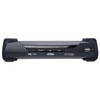
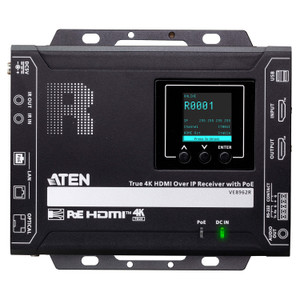
ATEN KE8952R 4K HDMI KVM Over IP Receiver Unit
Overview
The ATEN KE8952R is the receiver half of ATEN's KE8952 4K HDMI KVM over IP extender pair, designed for AV/IT environments where you need to separate an operator workstation from the host system across a standard IP network. Running the KE8952R at the operator desk, you get full 4K resolution at up to 3840 x 2160 @ 60Hz (4:2:0) or 3840 x 2160 @ 30Hz (4:4:4) with less than 5ms latency — performance that makes the remote connection effectively transparent during normal operation. Connectivity runs over your existing Ethernet infrastructure, with the unit drawing power directly from a standard 802.3af PoE switch port, eliminating the need for a local power brick at the receiver end.
The KE8952R ships with both a copper RJ-45 PoE port and an SFP slot, giving you flexibility to extend reach over fiber when copper distances are a constraint. Keyboard and mouse connectivity is handled over USB, keeping the peripheral stack familiar for operators without additional driver overhead.
Key Features
- 4K @ 60Hz via 4:2:0 / 30Hz via 4:4:4: The 3840 x 2160 resolution at 60Hz in 4:2:0 covers the majority of high-resolution monitoring and control scenarios. If strict color fidelity is required — digital signage QC, medical imaging review, or color-sensitive design workflows — 30Hz in full 4:4:4 preserves every chroma sample at the cost of frame rate. Choose your mode based on what matters more for your use case.
- Sub-5ms latency: At under 5ms end-to-end, the KE8952R keeps keyboard, mouse, and video response tight enough that operators typically cannot perceive the network hop. This matters in control room environments where sluggish cursor response or video lag erodes operator confidence in remote KVM setups.
- PoE (802.3af) power input: The receiver draws power over the same RJ-45 cable carrying data — no separate power supply required at the operator station. If your PoE switch infrastructure already covers the space, deploying the KE8952R adds zero additional outlet requirements per seat.
- Dual network connectivity — RJ-45 + SFP slot: The copper PoE port handles typical rack-room-to-operator-desk runs. The SFP slot opens the door to fiber uplinks for longer-distance deployments or where electrical isolation between buildings is a requirement. No separate media converter needed in the network path.
- USB keyboard and mouse: Standard USB HID support means existing peripheral sets plug in directly. No proprietary dongles, no custom drivers required at the operator end.
- Semi-recessed reset pushbutton: The recessed design prevents accidental resets — a small but meaningful detail in shared console environments where stray contact with controls can disrupt active sessions.
- LED remote indicator: The single green remote LED gives operators an at-a-glance connection status confirmation without requiring on-screen VMs or software status panels.
- Firmware v2.1.201 (released 2025-02-11): The current firmware release (ke8950-ke8952-v2.1.201.zip) is recent, indicating active product maintenance. In KVM infrastructure that may run for years between refreshes, an actively maintained firmware train matters for compatibility with updated host systems and security patch coverage.
Integration and Compatibility
The KE8952R operates as the remote (receiver) unit and pairs with the KE8952T transmitter installed at the host system. Both units must be on the same IP network; managed switch infrastructure with appropriate VLAN and QoS configuration is recommended for production deployments where multiple KVM sessions share network bandwidth. The SFP slot supports standard fiber modules — verify module compatibility against ATEN's current supported transceiver list before procurement. USB keyboard and mouse support follows standard HID protocols, so any compliant USB peripheral set will work without special configuration. Operating humidity tolerance is 0–95% RH non-condensing, which covers standard conditioned equipment room and office environments; do not deploy in unconditioned outdoor enclosures without supplemental climate control.
For deployments integrating the KE8952R into a broader KVM switching architecture, ATEN's CCVSR software and compatible matrix controllers can manage multiple KE-series receiver units centrally. Check ATEN's compatibility matrix for specific controller and software version pairings before designing a multi-seat rollout. See the full ATEN catalog for transmitter units, matrix switches, and compatible accessories.
Frequently Asked Questions
Q: Does the KE8952R require its own power supply, or does it run on PoE?
A: The KE8952R draws power via PoE (802.3af) over its RJ-45 port. No separate power supply or outlet is needed at the receiver end — as long as your switch port delivers 802.3af PoE, the unit is self-powered.
Q: What is the maximum video resolution supported by the KE8952R?
A: The KE8952R supports 3840 x 2160 (4K UHD) at 60Hz in 4:2:0 chroma sampling, or 3840 x 2160 at 30Hz in full 4:4:4 chroma. Resolution mode selection depends on whether frame rate or color depth is the priority for the connected display and workflow.
Q: What is the latency of the KE8952R over IP?
A: ATEN specifies latency at under 5ms. In practice this makes the remote connection feel near-local for keyboard, mouse, and video interaction in typical LAN environments.
Q: Can the KE8952R connect over fiber instead of copper Ethernet?
A: Yes. The KE8952R includes an SFP slot in addition to the copper RJ-45 PoE port. Installing a compatible SFP fiber transceiver allows connection over single-mode or multi-mode fiber for extended distances or where electrical isolation between buildings is needed.
Q: What keyboard and mouse interfaces does the KE8952R support?
A: Keyboard and mouse connectivity is USB. Standard USB HID peripherals work without additional drivers.
Q: What is the current firmware version for the KE8952R?
A: The current release is firmware v2.1.201, released 2025-02-11, distributed as ke8950-ke8952-v2.1.201.zip. This firmware covers both the KE8950 and KE8952 models.
The KE8952R earns its place in control room and secure-facility deployments specifically because of the dual-path network design — the combination of 802.3af PoE on copper and an SFP slot in a single receiver unit is not standard across the KVM over IP market, and it directly solves the inter-building fiber extension problem without adding a media converter to the BOM. If you're deploying this in a campus environment where operator stations are in a separate building from the server room, that SFP slot is the spec that matters most.
Technical Highlights:
- 4K 60Hz with sub-5ms latency: 3840 x 2160 at 60Hz in 4:2:0 keeps the operator display at full 4K refresh — relevant for video wall control stations or high-resolution monitoring desks where lower frame rates create visible judder.
- PoE 802.3af self-powered: Stays under the 15.4W 802.3af ceiling, so it fits on any standard PoE port without requiring 802.3at or 802.3bt switch upgrades. One cable, no outlet.
- Firmware v2.1.201 (2025-02-11): An active firmware release as recently as February 2025 means the platform is still under development — relevant when you're buying KVM infrastructure expected to run for 5+ years alongside evolving host OS and GPU driver stacks.
Deployment Considerations:
- Plan your switch QoS policy before go-live: at 4K 60Hz, the KVM stream will consume meaningful bandwidth on a shared LAN segment. Dedicated VLAN with priority queuing prevents video artifacts during network congestion events.
- The 4:2:0 mode at 60Hz versus 4:4:4 at 30Hz is a one-or-the-other tradeoff — if your workflow requires both full chroma and high frame rate simultaneously, this receiver cannot deliver both at once. That's a design constraint to document before the project is approved.
The KE8952R is the right receiver unit for secure operations centers, broadcast control rooms, and enterprise IT environments where operator workstations must be physically separated from servers — particularly where the network path crosses building boundaries and fiber is already in the infrastructure plan.