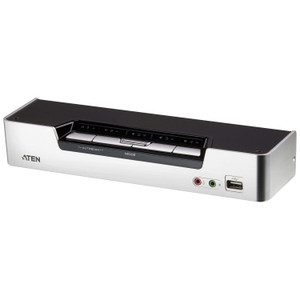
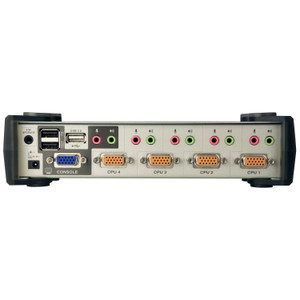
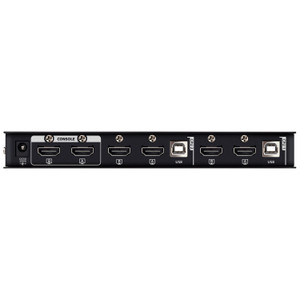
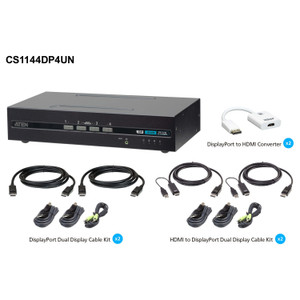
ATEN CS1964 4-Port USB 3.0 4K DisplayPort Triple-Display KVMP Switch
Overview
The ATEN CS1964 is a 4-port KVMP switch built for power users and engineering workstations that drive three monitors simultaneously — each at up to 4096 x 2160 (4K) @ 60Hz. Where most KVM switches force you to choose between resolution and display count, the CS1964 handles both without compromise: four computers share three high-resolution DisplayPort outputs, a USB keyboard and mouse, and two USB 3.1 Gen1 ports for peripherals or storage. If your workflow involves toggling between workstations running CAD, video production, or security management software — all on a multi-monitor desk — this is the architecture that makes it practical.
Port switching on the CS1964 is flexible enough to match any workflow: front-panel pushbutton, hotkey sequences, mouse-based switching, or RS-232 serial commands for integration into control systems. A slide switch handles station selection. The unit supports scan intervals between 1 and 99 seconds (default 5 seconds), so you can set it to cycle through connected machines automatically during monitoring tasks.
Key Features
- Triple 4K DisplayPort @ 60Hz: Each of the four connected computers gets access to three DisplayPort outputs capable of 4096 x 2160 @ 60Hz — that's full 4K across all three screens, not a degraded resolution to accommodate the monitor count. For graphics-intensive workstations or multi-screen surveillance dashboards, you're not trading display quality for port count.
- High-Refresh Gaming and Design Mode — 2560 x 1440 @ 144Hz: When 4K isn't the priority and frame rate is, the CS1964 supports 2560 x 1440 at 144Hz — relevant for workstations running simulation software, real-time video analysis, or any application where smooth motion matters more than maximum pixel count.
- USB 3.1 Gen1 Hub (2 Ports): Two USB 3.1 Gen1 Type-A ports — one on the front panel, one on the rear — deliver up to 5Gbps transfer speeds. Plug in an external SSD, a USB-attached storage device, or a high-speed peripheral and it's shared across whichever computer has focus. Swapping the active machine also hands off USB access without physically replugging.
- Four-Mode Port Switching: Hotkey, pushbutton, mouse-triggered switching, and RS-232 serial commands all work. The RS-232 path is particularly useful in rack-integrated AV or control-room environments where a control processor (AMX, Crestron, or similar) needs to drive source switching programmatically — no operator interaction required.
- Configurable Auto-Scan (1–99 Seconds): The scan interval is adjustable from 1 to 99 seconds, defaulting to 5. In monitoring environments where an operator needs to cycle through multiple machines on a schedule — checking status across servers or security workstations — this prevents the manual fatigue of repetitive switching.
- USB Keyboard and Mouse Support: The CS1964 uses USB for keyboard and mouse, which means compatibility with virtually any modern input device including multimedia keyboards and mice with extended button sets. No PS/2 adapters, no legacy hardware requirements.
- Humidity Tolerance — 0–80% RH, Non-Condensing: Rated for operation up to 80% relative humidity (non-condensing), which covers most indoor environments including server rooms, control centers, and broadcast facilities that run climate-controlled but not necessarily dry.
Integration and Compatibility
The CS1964 connects up to four computers via KVM ports (5 total KVM connectors on the unit) and shares them across three DisplayPort monitors. Port selection via RS-232 commands makes this a practical fit for control-room automation environments where a hardware controller manages source selection. The USB 3.1 hub ports provide shared peripheral access that switches with the active computer, eliminating the need for a separate peripheral switch. Firmware is field-upgradeable — the current release is v1.1.101 (dated 2023-12-07) — meaning support and feature improvements can be applied without hardware replacement. For the full resolution compatibility matrix across all supported modes, ATEN publishes a Max. Resolution reference tab on their ATEN KVM and connectivity product line page.
If you're specifying this for a control room or NOC environment, pair it with a desktop KVM switch infrastructure plan that accounts for cable management across three monitor runs per workstation. For environments requiring longer cable distances between the switch and computers, review KVM extender options to determine whether local-unit deployment is sufficient. A compatible set of ATEN KVM cables ensures signal integrity at 4K60 — generic cables often fail at full bandwidth. For large deployments sharing peripherals across many seats, consider how the USB switch and hub category complements KVM switching for non-display peripherals.
Frequently Asked Questions
Q: How many monitors can be connected to the CS1964?
A: The CS1964 supports three DisplayPort monitors simultaneously. All four connected computers share those three displays, with the active computer taking full control of all three screens when selected.
Q: What is the maximum resolution supported by the CS1964?
A: The CS1964 supports up to 4096 x 2160 @ 60Hz per display. It also supports 2560 x 1440 @ 144Hz for high-refresh-rate workflows. ATEN publishes a full resolution compatibility list on their website under the product's Max. Resolution tab.
Q: Can the CS1964 be controlled by an external control system like a Crestron or AMX processor?
A: Yes. The CS1964 supports RS-232 serial commands for port switching, which is compatible with integration into hardware control systems that use serial control. This makes it suitable for control-room and AV integration environments.
Q: What USB standard do the hub ports on the CS1964 use?
A: The CS1964 includes two USB 3.1 Gen1 Type-A ports (blue), one on the front panel and one on the rear. USB 3.1 Gen1 delivers up to 5Gbps transfer speeds.
Q: How do I switch between connected computers on the CS1964?
A: The CS1964 supports four switching methods: front-panel pushbutton, hotkey sequences, mouse-triggered switching, and RS-232 serial commands. A slide switch also handles station selection. Auto-scan mode cycles through computers at an interval you configure between 1 and 99 seconds.
Q: Can the CS1964 firmware be updated in the field?
A: Yes. Firmware is field-upgradeable. The current release is v1.1.101, dated 2023-12-07, available as a downloadable zip file from ATEN.
I spec the CS1964 specifically for control rooms and NOC environments where engineers need to work across four machines without breaking their three-monitor layout. The key number here is 4096 x 2160 @ 60Hz — that's not a compromised shared resolution, it's full 4K delivered to all three screens for whichever machine is active. At that pixel density on a triple-display setup, you're not losing situational awareness when you switch sources.
Technical Highlights:
- Triple 4K60 DisplayPort: 4096 x 2160 @ 60Hz across all three connected monitors — the resolution holds regardless of which of the four computers is in control. No downscaling on switch.
- RS-232 Serial Control: Port switching via RS-232 serial commands enables integration with Crestron, AMX, or any serial-capable control processor. In a broadcast or control room rack, the switcher becomes part of the automation chain — no operator button press required.
- USB 3.1 Gen1 Dual Hub Ports: One front, one rear — both running at up to 5Gbps. In practice this means an attached NAS drive or USB storage device hands off automatically when you switch the active machine, which matters in workflows where files need to stay accessible regardless of which workstation is active.
Deployment Considerations:
- The RS-232 integration path requires a serial cable run to the control processor — plan for that in rack layout before installation. The slide switch for station selection is a physical control on the unit itself, not accessible remotely.
- The 144Hz mode caps at 2560 x 1440 — if any workstation in the mix needs both maximum resolution and maximum refresh simultaneously, that's not achievable on a single display at the same time. Plan the monitor spec accordingly.
The CS1964 earns its place in multi-machine engineering workstations and security operations centers where three-monitor continuity across four computers is a hard requirement — not just a convenience. It's the right fit when RS-232 integration and USB 3.1 peripheral sharing are both on the specification checklist.