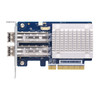
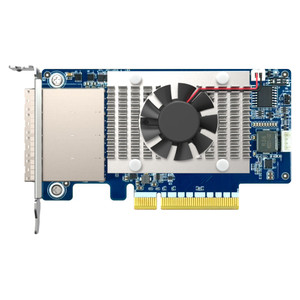
QNAP QXP-32G2FC Dual-Port 32G Fibre Channel Host Bus Adapter
Overview
The QXP-32G2FC is a dual-port QNAP Fibre Channel expansion card that connects a compatible QNAP NAS to an existing SAN or Fibre Channel fabric at speeds up to 32 Gb/s per port (28.05 Gb/s effective). Running on a PCIe Gen3 x8 slot, it auto-negotiates across 32, 16, and 8 Gb/s link rates, making it viable in both current 32G FC environments and legacy 8/16G infrastructures without a forklift upgrade. If you're adding a QNAP NAS as a secondary storage node or backup target on a Fibre Channel SAN — or extending an existing FC fabric to cover NAS-based surveillance or media workflows — the QXP-32G2FC is the card that bridges that connection. The three-year manufacturer warranty covers the card for the duration of most infrastructure refresh cycles.
Compatibility
Designed for QNAP NAS systems with an available PCIe Gen3 x8 slot — primarily the TVS-h series, TS-hx88 series, and other enterprise QNAP NAS enclosures that expose full-length PCIe expansion bays. The dual-port design supports connecting to two separate FC targets or switches simultaneously, enabling redundant path configurations on FC SANs. Verify your NAS chassis supports PCIe Gen3 x8 physical and electrical slot width before ordering — a x16 physical slot will accept the card mechanically, but a x4 electrical slot will limit throughput. Check QNAP's official compatibility list for your specific NAS model to confirm FC HBA support and driver availability for your QTS or QuTS hero firmware version.
Installation Notes
Install requires powering down the NAS, seating the card in a PCIe Gen3 x8 (or wider) slot, and securing with the standard PCIe bracket screw. No external power connector is required — the card draws from the PCIe slot. After boot, QNAP QTS/QuTS hero should enumerate the FC ports automatically; confirm driver recognition in the system logs before attaching FC targets. LC duplex fiber cables (not included) connect to your FC switch or direct-attach FC storage — ensure your cable plant is rated for 32G FC (OM4 or OM3 at appropriate distance limits).