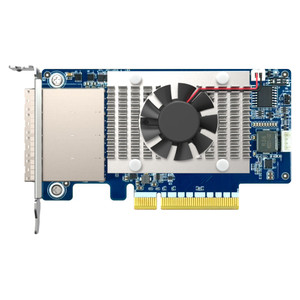
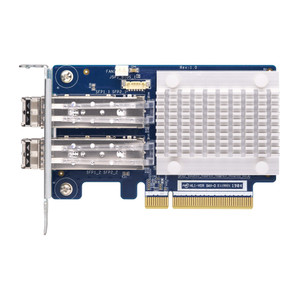
QNAP QXP-400ES-A1164 Quad-Port SATA Expansion Card
Overview
The QXP-400ES-A1164 is a quad-port SATA host bus adapter designed to expand drive capacity on compatible QNAP NAS systems and Windows or Ubuntu PCs. Each SFF-8088 connector supports up to four SATA drives, giving you a direct path to adding dense storage without replacing existing enclosures. If you're scaling a QNAP NAS beyond its built-in bay count — or building out a JBOD expansion shelf — the QXP-400ES-A1164 drops into an available PCIe Gen3 x2 slot and delivers up to 16Gbps of aggregate bandwidth to cover multi-drive sequential workloads without becoming the bottleneck. The PCIe Gen3 x2 interface keeps the card compatible with a wide range of existing motherboard slots, including x4 and x8 slots running at x2 electrical, so installation flexibility is real rather than theoretical.
Compatibility
On the NAS side, this card is supported under QNAP NAS systems running QTS 4.4.2 or later and QuTS hero — check your specific model's PCIe slot specification before ordering, as not all QNAP units expose a full-length PCIe slot. On the PC side, supported operating systems include Windows 8 or later and Ubuntu. External connectivity uses the SFF-8088 (mini-SAS) standard; internal connections can use SFF-8644. Each port fans out to four SATA drives via a standard SFF-8088-to-SATA breakout cable, making it straightforward to connect a QNAP JBOD expansion unit or a custom drive shelf to a host system. If you're pairing this with a storage drive array or evaluating NAS expansion accessories, confirm the expansion enclosure's connector type matches SFF-8088 before committing.
Installation Notes
Seat the card in a PCIe Gen3 x2 (or wider) slot on the host system. Each SFF-8088 port requires a corresponding breakout cable to reach individual SATA drives or a JBOD enclosure — cables are not included and must be sourced separately based on your target enclosure. NAS installation requires a system restart and QTS/QuTS hero at the minimum supported firmware version; the card will not present drives until the OS recognizes the controller. On Windows, standard inbox AHCI drivers typically handle the card without additional driver installation, but verify against your specific Windows build. Ubuntu compatibility follows standard kernel AHCI support.