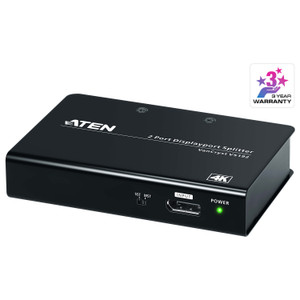
ATEN VS92DP 2-Port True 4K DisplayPort MST Hub
Overview
The ATEN VS92DP is a two-port DisplayPort Multi-Stream Transport (MST) hub designed to split a single DisplayPort source into two independent DisplayPort outputs — both running at full 3840x2160@60Hz with 4:4:4 chroma sampling at 8 bits. For integrators building dual-monitor workstations, control room operator desks, or digital signage arrays where uncompromised 4K detail matters, the VS92DP eliminates the need for a second discrete GPU output without sacrificing resolution or color fidelity. Its compact form factor and 15cm cable reach keep signal runs tight at the source, which is the right architecture for desk-side installations where the hub sits directly behind the host machine.
Key Features
- True 4K@60Hz on Both Outputs: The VS92DP delivers up to 3840x2160 at 60Hz per port using full 4:4:4 chroma at 8-bit depth — no color subsampling, no frame-rate compromise. If you've worked with lesser MST hubs that drop outputs to 30Hz or downsample to 4:2:0 at 4K, this is the spec that matters most. Both connected displays receive identical, uncompromised signals.
- DisplayPort MST Architecture: Multi-Stream Transport daisy-chains or fans out display signals within the DisplayPort protocol itself, meaning both outputs are driven independently — not mirrored via a passive splitter. Each monitor can run at its native resolution and refresh rate (up to the hub's 3840x2160@60Hz ceiling), which is essential for productivity layouts where each display is a discrete workspace.
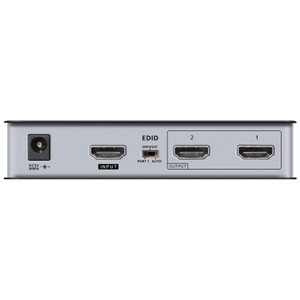
- Dual DisplayPort Outputs: Two blue-coded DisplayPort output ports are clearly differentiated from the power input, reducing mis-wiring during installation. The color coding is a minor but practical detail in rack-dense or cable-crowded environments.
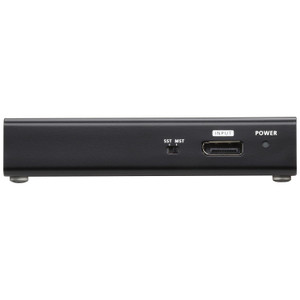
- USB Micro-B Port for Firmware and Power: A single USB Type Micro-B port handles both firmware upgrades and power delivery. This dual-function port means the VS92DP does not require a separate power brick in most deployments — USB bus power from the host machine is sufficient. The firmware upgrade path via the same port also means field updates don't require specialized tools or additional hardware.
- Compact 15cm Maximum Cable Distance: The 15cm maximum distance is a deliberate design constraint, not a limitation to work around. The VS92DP is designed to sit at the source — immediately behind the host PC, embedded in a rack shelf, or mounted on a monitor arm — not as a mid-run signal extender. Pair it with DisplayPort cables appropriate for the actual run length to each display.
- Operating Humidity Range 0–80% RH Non-Condensing: The VS92DP is rated for standard indoor commercial environments up to 80% relative humidity without condensation. This covers typical office, control room, and light industrial spaces. It is not designed for humid industrial or outdoor applications — keep it in a conditioned equipment space.
Integration and Compatibility
The VS92DP integrates into any workflow built around a DisplayPort-equipped host — workstations, laptops with DP output, or mini-PCs. Because MST is a DisplayPort-native protocol, the host GPU and operating system driver stack must support MST output. Most modern discrete GPUs (AMD and NVIDIA) and their associated drivers handle MST correctly, but verify that your specific host supports Multi-Stream Transport before deploying at scale. On the display side, each connected monitor needs only a standard DisplayPort input — no special firmware or MST capability is required at the sink end. The ATEN product line includes complementary KVM switches and video distribution hardware that pair logically with the VS92DP in multi-user or multi-display control environments. If you're planning a full operator workstation layout, consider pairing the VS92DP with a DisplayPort cable rated for your specific run lengths to each monitor. For environments requiring longer signal extension beyond the 15cm hub-to-source proximity, a DisplayPort extender placed downstream of each hub output is the correct architecture.
Frequently Asked Questions
Q: Does the VS92DP support 3840x2160@60Hz on both outputs simultaneously?
A: Yes. The VS92DP delivers up to 3840x2160@60Hz with 4:4:4 chroma at 8-bit depth on both DisplayPort outputs simultaneously — this is the rated maximum resolution and refresh rate for the hub.
Q: What powers the VS92DP — does it need a wall adapter?
A: The VS92DP is powered via its USB Type Micro-B port, which also serves as the firmware upgrade interface. In most deployments, USB bus power from the host machine is sufficient, eliminating the need for a separate power supply.
Q: What is the maximum cable distance supported by the VS92DP?
A: The VS92DP has a maximum distance of 15cm — it is designed to be placed directly at the source device, not as a mid-run signal repeater. Use appropriate DisplayPort cables for the run from the hub to each display.
Q: Does the VS92DP require any special capability on the connected monitors?
A: No. The displays connected to the VS92DP output ports only need standard DisplayPort inputs. MST processing happens at the hub and in the host GPU driver — the monitors receive a standard DP signal and require no MST support of their own.
Q: What are the environmental operating limits for the VS92DP?
A: The VS92DP is rated for 0–80% relative humidity, non-condensing. It is intended for standard conditioned indoor environments such as offices, control rooms, and equipment rooms — not for humid industrial or outdoor use.
Q: Can the VS92DP be used to extend a DisplayPort signal over longer cable runs?
A: No. With a 15cm maximum distance, the VS92DP is a proximity hub meant to sit at the source. For longer runs to each display, pair it with a DisplayPort extender on the output side — do not use the VS92DP itself as a signal extender.
The VS92DP's ability to sustain 3840x2160@60Hz with full 4:4:4 chroma sampling on both outputs simultaneously is what separates it from budget MST hubs that quietly drop to 4:2:0 or 30Hz when you push two 4K displays — a distinction that matters immediately in any video-analytic review or color-critical workflow. This is a proximity device: that 15cm maximum distance is non-negotiable, so plan the installation with the hub physically adjacent to the host.
Technical Highlights:
- 4:4:4 Chroma at 4K@60Hz: Full chroma sampling at 3840x2160@60Hz means no color compression artifacts — critical for forensic video review workstations or color-graded digital signage sources where 4:2:0 subsampling would visibly degrade fine text and color transitions.
- USB Micro-B Dual-Function Port: Powers the hub from host USB bus power and handles firmware upgrades through the same interface — no wall adapter required, no separate firmware tool. One cable handles both operational needs, which keeps the install clean.
- MST vs. Passive Splitting: Because the VS92DP uses DisplayPort Multi-Stream Transport rather than passive signal splitting, each output is an independent DP stream. Both displays are individually addressable by the host OS — you get two separate logical monitors, not a mirror, and each can run at its own resolution up to the hub's 3840x2160@60Hz ceiling.
Deployment Considerations:
- Verify MST support in the host GPU driver before deploying at scale — AMD and NVIDIA discrete GPUs support MST broadly, but some integrated graphics implementations have restrictions. A quick single-unit validation at your target configuration avoids a fleet-wide rework.
- The 15cm distance constraint is a hard physical limit, not a recommendation — plan the host-to-hub gap at installation time. The VS92DP belongs at the back of the workstation or in the rack shelf directly adjacent to the source output, not mid-cable-run.
The VS92DP is the right call for dual-4K operator workstations in security operations centers or video review stations where both monitors need full 3840x2160@60Hz without color compromise — and where a clean, bus-powered install with no external adapter is the preferred hardware footprint.