ATEN KH1516A 16-Port Cat5 High-Density Rackmount KVM Switch
Overview
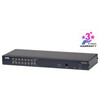
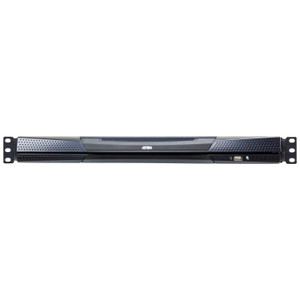
The ATEN KH1516A is a 16-port Cat5 KVM switch built for data center operators and IT infrastructure teams who need to consolidate console access across a dense server rack — without a tangle of proprietary cabling running to every machine. Using standard Cat5e/6 cable runs to ATEN KVM adapter dongles at each server, the KH1516A keeps your rack neat and your cable runs long: you get full 1920×1200 resolution at distances up to 30 meters, which covers most raised-floor deployments comfortably. Pair it with additional units and the daisy-chain architecture scales to 512 nodes from a single console — a meaningful ceiling for mid-to-large server environments.
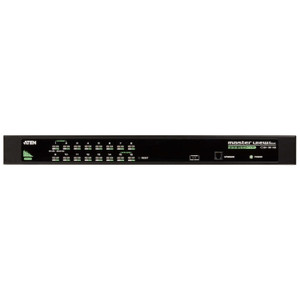
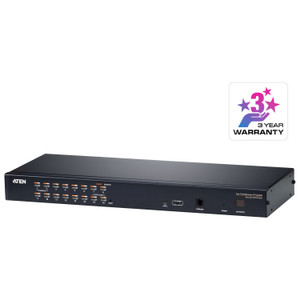
Port selection is handled three ways — on-screen display (OSD), hotkeys, or front-panel pushbutton — giving operators flexibility whether they're working remotely over KVM-over-IP or standing at the rack. The two-digit 7-segment station ID display (orange) makes it immediately clear which unit you're addressing in a multi-switch stack, eliminating the guesswork that causes mis-targeted commands in cascaded environments.
Key Features
- 16 KVM Ports with Cat5 Cabling: Standard Cat5e/6 runs replace bulky VGA/USB cable bundles, cutting rack cable mass significantly. Each port connects to a server via an ATEN KVM adapter (sold separately) — the KVM-side connection stays clean regardless of whether the server uses PS/2 or USB peripherals.
- Daisy-Chain to 512 Nodes: Stack additional ATEN KH-series units off a single console to reach up to 512 servers. For a growing server room, this means you install one console workstation now and expand the KVM layer as the infrastructure scales — no rip-and-replace.
- 1920×1200 @ 60 Hz at 30 m: Full WUXGA resolution is maintained up to 30 meters of Cat5 run. If your console is across the room from the rack (40 m), the switch steps down gracefully to 1600×1200 — still sharp enough for detailed BIOS work. At 50 m you get 1280×1024, which is adequate for emergency console access at extended distances.
- Dual Keyboard/Mouse Support — PS/2 and USB: The KH1516A handles both PS/2 and USB keyboard/mouse at the console, so it drops into mixed-vintage environments without requiring a USB-only console station. Legacy server rooms with PS/2 KVM infrastructure can migrate incrementally.
- Configurable Auto-Scan (1–255 Seconds): The scan interval is user-defined across the full 1-to-255-second range, giving operators control over how quickly the display cycles during unattended monitoring. Set it tight for rapid anomaly detection or slow for deliberate review — the choice is yours based on operational cadence.
- OSD, Hotkey, and Pushbutton Port Selection: Three independent switching methods mean the KH1516A works equally well in a fully automated environment (hotkey macros), a GUI-driven workflow (OSD navigation), or a hands-on rack audit (front-panel pushbutton). No single point of failure for port switching.
- IEC 60320/C14 Power Inlet — Universal Input 100–240V AC: The standard C14 inlet accepts any IEC C13 data center PDU cable at 100–240V/50–60 Hz, drawing just 1A maximum. This is a genuinely low power draw for a 16-port unit — it won't strain a 20A PDU circuit even in a fully populated rack.
- 2-Digit 7-Segment Station ID (Orange): In a daisy-chained stack, knowing which physical unit you're looking at is non-trivial. The front-panel orange LED display shows the station ID at a glance, reducing the risk of misdirected commands when multiple KH1516A units share a cascade.
- Firmware Upgradeable (v1.7.161, June 2025): The latest firmware release (v1.7.161, dated 2025-06-17) is delivered as a downloadable ZIP from ATEN, keeping the unit current without a hardware swap. Active firmware maintenance on a KVM switch matters in long-lifecycle server environments where the switch may outlast several server generations.
- Non-Condensing 0–80% RH Humidity Tolerance: The operating humidity range covers typical controlled data center and server room environments. Not rated for outdoor or high-condensation spaces — this is a rack-room device.
Integration & Compatibility
The KH1516A integrates into the broader ATEN KVM product line, cascading with compatible ATEN KH-series switches to reach the 512-node ceiling. Server connections require ATEN KVM adapter cables (KA-series), available for PS/2, USB, and Sun/Mac console variants — verify the correct adapter for each server type before deployment. The switch supports both PS/2 and USB at the console end, so the local operator workstation can use either peripheral standard.
For environments requiring remote console access over IP, the KH1516A can be paired with ATEN KVM-over-IP units in the same family, extending out-of-band access beyond the physical rack room. If you're planning a larger KVM switch infrastructure, review the cascade compatibility matrix before mixing KH-series generations — firmware version alignment across cascaded units affects OSD navigation behavior.
Power integration is straightforward: the C14 inlet connects to any standard rack PDU without adapters. The 100–240V universal input means no voltage-matching concerns across North American or international deployments.
Frequently Asked Questions
Q: How many servers can the KH1516A manage in a daisy-chain configuration?
A: Up to 512 servers. The KH1516A supports 16 direct-connect ports, and by cascading additional compatible ATEN KH-series switches, the total node count scales to 512 from a single console station.
Q: What is the maximum video resolution and cable distance the KH1516A supports?
A: At 30 meters of Cat5 cable, the KH1516A delivers 1920×1200 at 60 Hz. Resolution steps down to 1600×1200 at 40 m and 1280×1024 at 50 m — all at 60 Hz. Beyond 50 m is not supported.
Q: Does the KH1516A require special cabling, or does it work with standard Cat5e/6?
A: It uses standard Cat5e/6 cable for runs from the switch to ATEN KVM adapter dongles at each server. The adapters (KA-series, sold separately) handle the conversion to PS/2 or USB at the server end. No proprietary cabling is required for the cable runs themselves.
Q: What keyboard and mouse types does the KH1516A support at the console?
A: Both PS/2 and USB keyboard and mouse are supported at the console port. This covers legacy PS/2 workstations and modern USB-only setups without requiring an adapter at the operator station.
Q: What power requirements does the KH1516A have?
A: The KH1516A accepts 100–240V AC at 50/60 Hz via a standard IEC 60320/C14 inlet, drawing a maximum of 1A. It connects directly to any standard data center PDU without voltage adapters.
Q: Can the KH1516A firmware be updated in the field?
A: Yes. ATEN provides downloadable firmware updates — the current release is v1.7.161 (June 2025), distributed as a ZIP file. Field upgrades keep the unit current without hardware replacement.
The KH1516A is one of those switches I recommend when a data center team is tired of fighting cable congestion at the back of the rack. The Cat5-based architecture is the practical advantage here — you run a single Cat5e patch from the switch to an ATEN KVM adapter at each server, and you're done. At 30 meters you hold full 1920×1200 resolution, which means your console workstation doesn't have to live next to the rack to get a usable display.
Technical Highlights:
- 512-Node Cascade Ceiling: Starting with 16 ports and daisy-chaining to 512 nodes means this architecture grows with the environment. You don't outgrow it until you're running a serious multi-rack deployment — and even then, you're just adding switches, not replacing them.
- Distance-Graded Video Output: 1920×1200 at 30 m, 1600×1200 at 40 m, 1280×1024 at 50 m — the three-tier distance/resolution spec lets you plan cable routes realistically. Know your run lengths before you spec the console location; don't assume WUXGA if your run is pushing 35 m.
- 1A Max Draw on Universal Input: The IEC C14 inlet at 100–240V/1A max is genuinely light on PDU budget. In a rack where you're already managing 20–30A of server load, a 1A KVM switch is a non-issue for circuit planning.
Deployment Considerations:
- KVM adapter cables (KA-series) are sold separately — budget for one per server port you plan to populate. Verify adapter compatibility against each server's console interface (PS/2 vs USB) before ordering.
- In a multi-unit cascade, keep firmware versions aligned across all KH1516A units. Mixed firmware in a cascaded stack can cause OSD navigation anomalies; the v1.7.161 release is current as of June 2025.
The KH1516A is the right fit for a mid-size server room — 16 to 512 servers — where the team needs reliable out-of-band console access, clean cable management, and a power footprint that doesn't complicate PDU circuit planning. It's a particularly strong match for colocation environments where multiple operators share console access and need clear station identification in a cascaded stack.