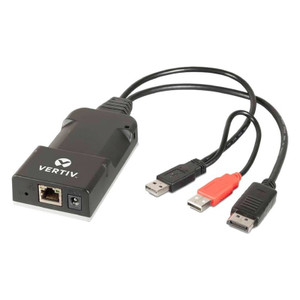
Vertiv HMX5160T-DVID Zero-U KVM-over-IP Transmitter
Overview
The HMX5160T-DVID is a Zero-U form-factor KVM-over-IP transmitter from Vertiv's HMX series, designed to connect a DVI-D video source and USB 2.0 peripherals to a paired HMX receiver across a standard IP network. The Zero-U chassis installs directly at the source computer without consuming rack unit space — a meaningful advantage in dense server or workstation deployments where rack real estate is constrained. It supports resolutions up to 1920x1200, covering the full range of standard widescreen and WUXGA displays used in control rooms, broadcast suites, and engineering workstations. True Emulation keeps the host system's USB and display stack fully enumerated even when no operator is actively connected, preventing login delays, driver reinitializations, and KVM-induced application interruptions that plague non-emulating extenders.
Key Features
- 1920x1200 Maximum Resolution: supports WUXGA output — sufficient for a single high-density workstation display or dual-head configurations where each output is mapped to a discrete receiver. No downscaling artifacts at typical engineering or control-room display sizes.
- DVI-D Video Interface: connects directly to hosts with DVI-D outputs without an adapter chain; eliminates the signal-integrity risk introduced by DVI-to-HDMI or DVI-to-DisplayPort conversion at the transmit end.
- USB 2.0 Support: passes keyboard, mouse, and USB 2.0 peripheral traffic over the IP link — covers the majority of control-room HID and low-bandwidth device use cases without requiring a separate USB extender.
- True Emulation: the host sees a continuously connected display and USB hub regardless of receiver state. This matters in always-on environments (process control, broadcast, data center ops) where a disconnected KVM that drops EDID or USB enumeration causes downstream software faults.
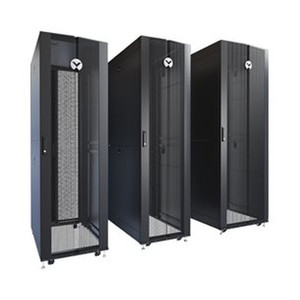
- Zero-U Form Factor: mounts at the host without occupying a rack unit. In a 42U cabinet running 20+ servers, the rack-space savings across the full KVM fabric are measurable.
- HMX Platform Firmware: the HMX 5100 receiver firmware line (v5.3.53065 as of April 2025; v5.2.52850 August 2024) is actively maintained, indicating continued platform support for this transmitter family.
Integration and Compatibility
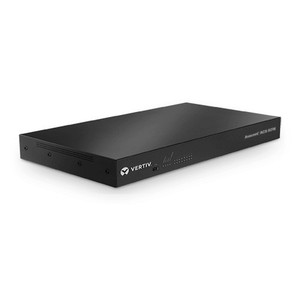
The HMX5160T-DVID operates within the Vertiv HMX extender ecosystem and pairs with compatible HMX receivers. It is part of the broader Vertiv KVM and infrastructure product line. For deployments extending multiple workstations across a structured network, review KVM switches and extenders to plan the full switching fabric. When designing the IP network fabric to carry KVM-over-IP traffic, latency and QoS configuration on the intervening network switches directly affects console responsiveness — plan for dedicated VLANs or QoS queues on links carrying HMX traffic. For rack power and infrastructure supporting the host systems this transmitter connects to, the power distribution category covers compatible Vertiv PDU options.
Frequently Asked Questions
Q: What video interface does the HMX5160T-DVID use at the host end?
A: The HMX5160T-DVID uses a DVI-D interface to connect to the source host. No adapter is required for hosts with native DVI-D outputs.
Q: What is the maximum supported display resolution?
A: The transmitter supports up to 1920x1200 (WUXGA), covering standard widescreen and WUXGA displays without downscaling.
Q: What does True Emulation mean for this unit?
A: True Emulation means the host system sees a continuously connected display and USB hub at all times, even when no receiver is actively connected. This prevents USB re-enumeration events and EDID drops that can disrupt applications in always-on environments.
Q: What USB version does the HMX5160T-DVID support?
A: The unit supports USB 2.0, sufficient for keyboard, mouse, and most HID or low-bandwidth peripheral traffic across the KVM-over-IP link.
Q: Is firmware for the HMX 5100 platform still being maintained?
A: Yes. The HMX 5100 Receiver firmware was updated to v5.3.53065 in April 2025, indicating active platform support.
The HMX5160T-DVID is built around one operational guarantee that gets overlooked in spec comparisons: True Emulation. In process-control rooms and 24/7 data center operations where the host machines cannot tolerate a USB re-enumeration or a dropped EDID — the kind of event that kills a serial console session or triggers a KVM-induced display blank during a critical window — this unit keeps the host stack fully enumerated regardless of receiver state. That is the primary reason to specify this model over a non-emulating extender at comparable price points.
Technical Highlights:
- 1920x1200 Resolution Ceiling: WUXGA coverage handles the full range of engineering workstation and control-room display sizes without a scaling stage in the signal path — no interpolation artifacts at the receiver end.
- DVI-D Native Interface: eliminates the conversion chain at the host. Every adapter in a KVM signal path is a potential failure point and a source of EDID negotiation friction; native DVI-D here removes one layer entirely.
- HMX 5100 Platform Firmware Currency: v5.3.53065 shipped April 2025 — the platform is receiving active maintenance updates, which matters for long-lifecycle deployments in regulated environments where firmware currency is an audit item.
Deployment Considerations:
- The HMX5160T-DVID (often searched as HMX5160T DVID) pairs with HMX-family receivers — confirm receiver compatibility before ordering, as HMX 5100, 6200, 6500, and 8000 receiver lines are distinct platforms with different firmware streams and feature sets.
- KVM-over-IP console responsiveness is sensitive to network latency and packet loss — plan for a dedicated VLAN and QoS policy on any switch carrying HMX traffic, especially in shared infrastructure environments where bulk data transfers could introduce jitter.
This transmitter is best suited for control room and data center console access deployments where hosts run continuously and the cost of a USB re-enumeration or display blank is measured in operational risk, not just inconvenience — broadcast master control, SCADA operator workstations, and tier-1 data center out-of-band console access are the deployment scenarios where True Emulation pays for itself.