


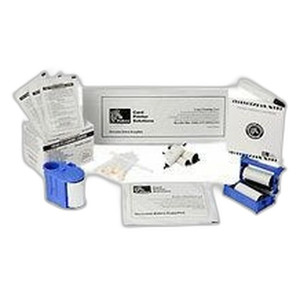

Product images are provided for reference and may not represent the exact model, configuration, or included
components.
Overview
SKU:
P1123335-041
Condition:
New
Availability:
Usually ships in 24 hours
Warranty
1-Year Limited Warranty

Zebra P1123335-041 ZT111/ZT231 Cutter Upgrade Kit
Zebra P1123335-041 Cutter Upgrade Kit Overview The Zebra P1123335-041 is a cutter option upgrade kit designed to add automatic label cutting function…

Zebra P1123335-041 ZT111/ZT231 Cutter Upgrade Kit
$613.99
Your recommended setup
Review items below — quantities update pricing automatically.
Item
Qty
Status
Price
Optional Add-Ons recommended
Services optional
Bundle Summary
Bundle Subtotal:
$0.00
Optional Add-Ons:
$0.00
Services:
$0.00
Total:
$0.00
Overview
SKU:
P1123335-041
Condition:
New
Availability:
Usually ships in 24 hours
Warranty
1-Year Limited Warranty
Description

Zebra P1123335-041 Cutter Upgrade Kit
Overview
The Zebra P1123335-041 is a cutter option upgrade kit designed to add automatic label cutting functionality to Zebra ZT111 and ZT231 thermal desktop printers. This accessory module transforms standard label printing into a streamlined, cut-ready workflow without requiring printer replacement. The P1123335-041 integrates directly with the printer's existing architecture, enabling operators to produce finished labels that are automatically separated and ready for application or downstream processing.
Key Features
- Compatibility: Designed for Zebra ZT111 and ZT231 thermal printers
- Automatic Label Cutting: Eliminates manual label separation and improves workflow efficiency
- Easy Installation: Upgrade kit format allows retrofit installation without printer replacement
- Drop-in Integration: Works with existing printer connectivity and driver infrastructure
- Thermal Printing Optimization: Supports standard label media and thermal ribbon configurations used in ZT111/ZT231 operations
- Cost-Effective Enhancement: Lower capital expense than purchasing new equipped printer units
Integration & Compatibility
The P1123335-041 upgrade kit is engineered for seamless operation within the Zebra ZT series thermal printer ecosystem. It maintains full compatibility with existing ZT111 and ZT231 printer configurations, including standard label media widths and thermal ribbon supplies. The cutter mechanism integrates with the printer's control firmware, allowing operators to trigger automatic cutting through standard print job commands and label design software. No additional driver installation or firmware updates are required beyond standard printer setup procedures.
Organizations operating warehouse and logistics environments benefit from reduced manual touch time per label and improved label presentation for barcode scanning and RFID applications. The automatic cutting function produces clean, separation-ready labels that are suitable for high-volume labeling applications including shipping labels, inventory tags, and asset identification labels.
Typical Applications
The P1123335-041 is commonly deployed in distribution centers, manufacturing facilities, healthcare supply chain operations, and retail receiving departments where label throughput and presentation quality directly impact operational efficiency. The automatic cutting capability reduces labor cost and handling damage when managing high-volume label production workflows. Integration with Zebra's ZT111 and ZT231 printers ensures compatibility with existing thermal printing infrastructure and minimizes deployment complexity.
Jerry Tildsen
I've reviewed the Zebra P1123335-041 cutter kit as part of our recent logistics center refresh. This is a straightforward upgrade path for operations already standardized on ZT111 or ZT231 printers. If you're currently running these printers with manual label cut-off or using scissors at the print station, the P1123335-041 represents a meaningful labor reduction without rearchitecting your entire thermal printing stack.
Technical Highlights:
- Direct Retrofit: The P1123335-041 integrates as an upgrade kit, meaning no printer replacement required—a significant cost advantage over purchasing new equipped units
- Firmware Compatibility: Works with standard ZT111 and ZT231 driver stacks; no custom firmware or complex integration
- Label Format Flexibility: Supports variable label lengths and widths within printer media specifications, accommodating diverse SKU label requirements
Deployment Considerations:
- Verify your installed printer firmware is current before installation; Zebra typically provides guidance on any required updates in the kit documentation
- Account for slightly longer print cycle time when cutting is enabled—cutting occurs during the label feed process, not between labels
- Test label media stock thickness tolerance with your specific ribbon before full-scale deployment to ensure clean cuts and prevent jams
- Budget for basic maintenance: cutter blade wear is expected in high-volume environments and replacement blades should be stocked as consumables
For distribution and warehouse environments operating ZT111/ZT231 printers at moderate to high label volumes, the P1123335-041 is a pragmatic choice. The upgrade justifies itself within 4–6 months of operation through labor savings. I'd recommend it for any facility printing more than 500 labels per day.
Specifications
Product Type:
Printer cutter option
Have Questions?
Ask an Expert.
RELATED PRODUCTS


System Design, Deployment & Technical Support
Support services and planning resources for commercial surveillance, access control, and infrastructure deployments.
Fixed scope • Fixed price
System Design Assistance
- Get help validating product compatibility
- Coverage requirements
- Storage planning and deployment architecture before you buy.
Deployment & Configuration Support
- Access fixed-scope support for rollout planning
- User setup guidance
- Migration and system standardization across single-site or multi-site deployments
Guides, Tools & Calculators
- PoE requirements
- Storage retention
- Camera selection and deployment methodology