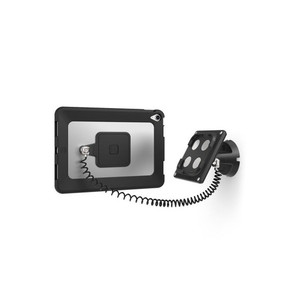
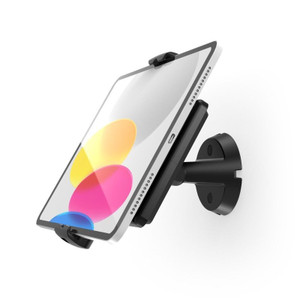
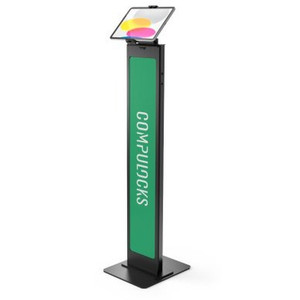
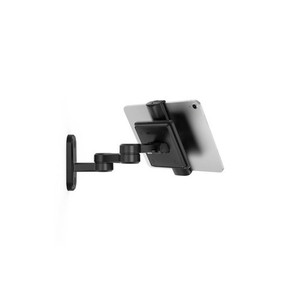
Product images are provided for reference and may not represent the exact model, configuration, or included components.

No Bots, Just Experts

Questions about this product? Free pre-sales support from a senior specialist — product questions, compatibility checks, BOM quotes, price confirmation — typically answered within one business day. Need camera placement or system design work? Engineering time is $175 per hour (qty 1 = 1 hour). Hardware buyers get up to one hour ($175) credited back on their order.

Description

Compulocks 505BSMP01B Universal Invisible Tilting Wall Mount

Overview

The Compulocks 505BSMP01B is a wall-mount bracket engineered for a clean, hardware-invisible install — the mount hardware sits flush and out of sight once the display is seated, which matters in customer-facing or executive environments where exposed fasteners and bracket arms undermine the finished look. The tilting mechanism lets you dial in the viewing angle after installation without pulling the unit off the wall, a practical advantage in signage, POS, or kiosk deployments where screen glare or viewer sightlines need fine-tuning post-mount.

Compatibility

The 505BSMP01B is positioned as a universal tilting wall mount within the Compulocks mounting line. Without manufacturer specification data on file for this SKU, confirmed compatibility with specific tablet models, display sizes, or VESA patterns cannot be stated. Before ordering, verify the target device's VESA hole pattern, display size range, and weight capacity against Compulocks' published specifications for this model to confirm fit — mismatched VESA or load ratings are the most common cause of returns on mounting hardware.

Installation Notes

Wall-mount hardware of this type typically requires locating studs or using rated wall anchors appropriate for the combined weight of the mount and display — drywall anchors alone are insufficient for commercial deployments with regular interaction. Confirm the mounting surface material and load path before drilling. The tilting adjustment mechanism should be locked down after final angle is set to prevent drift in high-traffic environments.

Specifications
Max Load: 5lbs / 2.27kg
Max Screen Size: 13" / 33cm
Tilting Angle: 130 degree
Mounting Type: Wall Mount
VESA Pattern: 100x100
Cable Management: Through Arm
Material: Aluminum
Q&A
Reviews

Compulocks Universal Invisible Tilting Wall Mount - 505BSMP01B

$159.00
$158.99

RELATED PRODUCTS

Save $20.01
Compulocks Universal Invisible Mount Brandable - 140BSMP01B
Add to Cart The item has been added

Compulocks 140BSMP01B

Compulocks Universal Invisible Mount Brandable - 140BSMP01B

Universal invisible mount engineered for handheld scanners, mobile computers, and small tablets in warehouse and retail environments

  • Universal invisible mount for handheld scanners and tablets
  • Discreet low-profile bracket for warehouse and retail stations
  • Brandable surface for in-store customization
Usually Ships in 2-3 Weeks Free shipping over $499
$419.00 $398.99 Save $20.01
The item has been added Add to quote
$419.00 $398.99 Save $20.01
Save $20.01 Add to cart Add to quote
Save $20.01
Compulocks Universal Invisible Mount Brandable - 140WSMP01W
Add to Cart The item has been added

Compulocks 140WSMP01W

Compulocks Universal Invisible Mount Brandable - 140WSMP01W

Universal invisible mount engineered for warehouse, retail, and point-of-sale environments where you need to secure tablets or lightweight mobile

  • Universal invisible mount in white for retail and POS
  • Wall or fixture install for tablets and lightweight devices
  • Discreet low-profile bracket for warehouse stations
Usually Ships in 2-3 Weeks Free shipping over $499
$419.00 $398.99 Save $20.01
The item has been added Add to quote
$419.00 $398.99 Save $20.01
Save $20.01 Add to cart Add to quote

System Design, Deployment & Technical Support

Support services and planning resources for commercial surveillance, access control, and infrastructure deployments.

Fixed scope • Fixed price

System Design Assistance

  • Get help validating product compatibility
  • Coverage requirements
  • Storage planning and deployment architecture before you buy.
Request Design Help

Deployment & Configuration Support

  • Access fixed-scope support for rollout planning
  • User setup guidance
  • Migration and system standardization across single-site or multi-site deployments
View Support Services

Guides, Tools & Calculators

  • PoE requirements
  • Storage retention
  • Camera selection and deployment methodology
Open Technical Resources