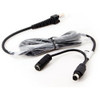
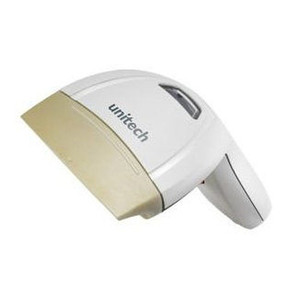
Unitech 1550-900078G PS/2 Keyboard Wedge Cable
Overview
The 1550-900078G is a 59-inch PS/2 keyboard wedge cable built specifically for the Unitech MS250 presentation scanner. Keyboard wedge integration pipes barcode data directly into your host application as if typed from a keyboard—no driver installation, no middleware, no VB script required. This cable solves the integration problem on legacy POS systems, kiosks, and warehouse workstations where native scanner drivers are either unavailable or blocked by system policy. The 59-inch length bridges typical counter and kiosk setups where the scanner sits 4–5 feet from the host computer.
Compatibility
This cable is designed for the Unitech MS250 presentation scanner only. PS/2 connector compatibility is limited to systems with active PS/2 keyboard ports (the round 6-pin DIN connector, typically purple or black). Modern USB-only systems require a PS/2-to-USB adapter, which is not included and must be sourced separately. Verify your host system has an available PS/2 port before ordering—many newer workstations lack this interface entirely.
Installation Notes
Connect the PS/2 end to your computer's PS/2 keyboard port. Attach the opposite end to the MS250 scanner connector. The scanner draws power from the PS/2 bus and requires no external power supply or configuration. If your host system is already booted when you connect the cable, power-cycle the computer to ensure proper port recognition. Route the cable away from high-current power lines and industrial machinery to avoid electromagnetic interference on the data signal. Keep cable runs under 6 feet where possible to minimize signal degradation on long runs.