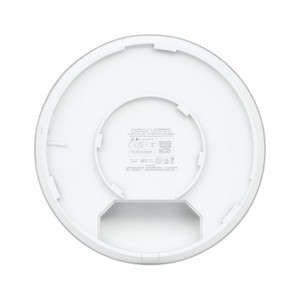
Ubiquiti UMA-D-US Dual-Band Directional Mesh Antenna
Overview
The Ubiquiti UMA-D-US is a directional antenna engineered for outdoor and semi-outdoor mesh deployments where focused RF coverage and extended range matter more than 360-degree radiation. Unlike omnidirectional antennas that waste transmit power in all directions, the UMA-D-US concentrates energy along a specific azimuth, directly reducing interference and improving signal-to-noise ratio. This makes it particularly valuable in warehouse environments, campus networks, and remote site connectivity where multiple mesh nodes operate within RF range of each other. At just 1 pound, the antenna installs cleanly on pole or wall mounts without requiring structural reinforcement — a practical advantage when deploying across dozens of sites.
Key Features
- Dual-band operation (2.4 GHz and 5 GHz): Integrates with WiFi 6 (802.11ax) access points and mesh nodes across both standard frequency bands. This avoids forcing your mesh infrastructure into a single band and enables band-steering strategies that optimize throughput during congestion.
- Directional radiation pattern: Concentrates transmit and receive energy along a specific compass heading, naturally isolating coverage from neighboring mesh links. In congested RF environments — think multi-story warehouses or adjacent office parks — this isolation directly reduces co-channel interference without requiring separate channel planning.
- Extended effective range: By focusing power toward the target rather than scattering it omnidirectionally, the UMA-D-US extends effective link distances, particularly valuable for bridging between buildings or reaching remote assets. This range gain often eliminates the need for intermediate relay nodes, simplifying topology design.
- Lightweight design (1 pound): Mounts securely with standard U-bolts and aluminum boom hardware found at any industrial supplier. No specialized mounting rails or heavy-duty brackets required, lowering installation cost and simplifying field repairs.
- Standard connector options: Integrates with Ubiquiti's UniFi and EdgeMax platforms via RP-SMA or N-type connectors (depending on device pairing). This connector compatibility ensures you can swap antennas during commissioning without adapter cascades that degrade performance.
- Weatherproof construction: Designed for permanent outdoor installation with proper sealant application at connector interfaces. Operates reliably across seasonal temperature swings and direct sun exposure.
Deployment & Integration
The UMA-D-US integrates directly into Ubiquiti mesh architectures and third-party WiFi 6 infrastructure supporting standard antenna connectors. Site surveys should account for antenna orientation, clear line-of-sight to the target receiver, and Fresnel zone clearance when planning links exceeding 1 km — obstacles in the first Fresnel zone will degrade performance more dramatically with a directional pattern than with an omnidirectional alternative. During commissioning, verify polarity and azimuthal alignment to confirm the directional focus actually points toward your coverage target; mounting hardware rotation or boom repositioning may be needed if initial site surveys missed obstructions or RF reflections.
In practice, directional antennas reduce backhaul power requirements, allowing you to run mesh nodes at lower transmit levels. This cuts interference to neighboring networks and extends battery life on power-constrained devices. For point-to-multipoint topologies (one central hub with multiple remote spokes), mount the hub antenna omnidirectionally or use multiple directional antennas on separate boom positions; spoke nodes use directional antennas aimed back toward the hub.
When to Choose a Different Model
If your deployment requires 360-degree coverage — such as in a dense indoor WiFi environment or a small closed space — an omnidirectional antenna eliminates the need for azimuthal alignment and simplifies commissioning. For point-to-point links under 100 meters with no interference pressure, the gain and directionality of the UMA-D-US may be unnecessary complexity. Consult your site survey and RF propagation model before committing to directional geometry.
Frequently Asked Questions
Q: What connector type does the UMA-D-US use?
A: The antenna supports RP-SMA or N-type connectors depending on the specific revision and the access point or mesh node you're pairing it with. Verify your device's connector specification before ordering to avoid adapter chains.
Q: Can I mount the UMA-D-US indoors?
A: While the antenna is designed for outdoor and semi-outdoor use, mounting it indoors in a warehouse or large enclosed facility is technically possible if the mounting location offers clear line-of-sight to the target receiver. Performance will degrade if the antenna is enclosed in metal structures or surrounded by dense RF-absorbing materials.
Q: How do I align the UMA-D-US during installation?
A: Mount the antenna securely, then use your mesh node's signal-strength indicators (RSSI readouts from the UniFi or EdgeMax interface) to fine-tune azimuthal and elevation orientation. Rotate the antenna in small increments until you achieve peak signal at the remote receiver, then tighten all boom hardware.
Q: What's the difference between the UMA-D-US and an omnidirectional antenna?
A: The UMA-D-US focuses RF energy in one direction, reducing multipath and interference but requiring precise aiming. Omnidirectional antennas radiate equally in all directions, simplifying alignment but wasting power in unwanted directions and picking up noise from all bearings.
Q: Is the UMA-D-US compatible with non-Ubiquiti WiFi 6 equipment?
A: Yes. The antenna works with any WiFi 6 access point or mesh node that supports the same connector type. Verify connector compatibility (RP-SMA vs N-type) and impedance matching before installation.
Q: Does the UMA-D-US require any special grounding or lightning protection?
A: For outdoor installations, follow standard network equipment grounding practices: bond the antenna mount to the building's grounding system and use a lightning arrestor on the feed line if the antenna is mounted on a tall structure. Local electrical codes may specify additional requirements.
Ted PerryPerspective based on aggregated IP Security Depot and affiliated engineering team experience.
The UMA-D-US (often searched as UMA D US) solves a real problem in multi-node mesh deployments: noise. When you're laying down a campus or warehouse network with a dozen access points operating on the same band, omnidirectional antennas pick up interference from every direction. The directional pattern on the UMA-D-US cuts that problem by concentrating on a single bearing—meaning your backhaul links actually stay clean even under RF pressure.
Technical Highlights:
- 1-pound weight: Standard U-bolt hardware suffices; no structural engineering needed for rooftop or pole mounting. Simplifies field deployments across multiple sites.
- Dual-band (2.4 GHz and 5 GHz): Works with both standard bands on WiFi 6 infrastructure, so you can segregate mesh backhaul from client-facing SSIDs without antenna swaps.
- Directional gain: Extends effective link distance and reduces transmit power requirements, lowering interference footprint and improving coexistence with neighboring networks.
Deployment Considerations:
- Requires line-of-sight and azimuthal alignment: Unlike omnidirectional antennas, you must physically aim the UMA-D-US. Obstructions in the first Fresnel zone will hurt performance more than they would with an omnidirectional pattern.
- Connector type matters: Verify whether your mesh nodes use RP-SMA or N-type connectors before commissioning. Mismatches force adapters and degrade gain.
Best deployed in point-to-point bridging (campus-to-campus, warehouse-to-annex) and multi-node mesh topologies where interference isolation and extended range justify the alignment overhead. Skip it if your environment is small, interference-free, or requires 360-degree coverage.