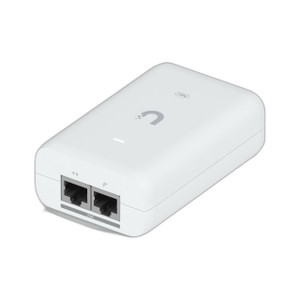
Ubiquiti UACC-CHIME-POE PoE Smart Notification Device
Overview
The UACC-CHIME-POE is a compact, PoE-powered notification device designed to integrate with Ubiquiti UniFi Protect doorbell systems and UniFi Access door control hubs. It delivers audible and visual alerts via an integrated speaker and RGB/W LED indicators, eliminating the need for separate power infrastructure or wired chime replacements at installation points. The device pairs directly with your UniFi ecosystem via web application and native mobile apps (iOS and Android), centralizing access control and video notifications in a single management interface.
Key Features
- PoE Power Supply: Draws a maximum of 3W via standard 44–57V DC PoE input — well within the budget of any modern PoE switch without requiring a dedicated power supply or wall outlet. This is significant for retrofit installations where running AC power to a hallway or entry vestibule would be expensive or impractical.
- Audible + Visual Notification: Integrated speaker provides event-triggered alerts, while RGB/W LED indicators give at-a-glance status indication. Useful in noisy warehouse or manufacturing environments where audible-only alerts might be missed.
- Multiple Mounting Options: Available in three configurations — in-wall (89 × 63.1 mm), on-wall (62 × 20.2 mm), or standalone (62 × 54 mm diameter) — giving you flexibility to integrate into existing architectural surfaces without requiring custom fabrication or extensive wall modifications.
- Polycarbonate and Aluminum Construction: Durable materials resist fingerprints and minor impacts common in high-traffic areas. IP-rated enclosure protects internal components from dust and moisture, making the device suitable for both office lobbies and light industrial environments.
- Temperature and Humidity Operating Range: Rated for 0–40°C ambient and 10–90% noncondensing humidity — acceptable for most indoor deployments, including unheated vestibules or warehouses with climate control. If you need below-freezing operation (cold storage, outdoor covered areas), this will be a limitation.
- Factory Reset Button: Onboard reset capability allows field recovery without requiring access to a management console, reducing troubleshooting time if the device loses connectivity.
- NDAA Compliant: Meets Section 889 federal procurement requirements, critical if you're deploying within government agencies, defense contractors, or federally funded infrastructure projects.
- 10/100 Mbps Ethernet: Standard gigabit-capable Ethernet port ensures reliable communication with UniFi management platforms. Bandwidth consumption is minimal given the device's notification-only role.
Integration & Compatibility
The UACC-CHIME-POE (often searched as UACC CHIME POE) operates exclusively within the UniFi Protect and UniFi Access ecosystem. It does not function as a standalone device or with third-party VMS platforms. Integration is straightforward: provision the device through the UniFi mobile app or web console, then assign it to a specific UniFi Protect doorbell or UniFi Access hub. Once paired, the chime triggers automatically on doorbell events or door unlock notifications without requiring manual configuration of ONVIF streams or generic IP camera integrations. This simplicity is a double-edged sword — it reduces deployment friction within UniFi-only environments but locks you into Ubiquiti's ecosystem if you later need to migrate to a broader VMS architecture.
What's in the Box
- 1x PoE Smart Chime device
- Mounting hardware for in-wall and on-wall installation
When to Choose a Different Approach
If your facility is already standardized on Milestone, Axis Camera Station, or another third-party VMS, the UACC-CHIME-POE will not integrate — you would need a generic PoE speaker or a different notification appliance that supports open integrations. Conversely, if you have a small UniFi Protect deployment and need only basic audible alerts, a lower-cost standalone PoE speaker may suffice and offer more flexibility for future platform changes.
Frequently Asked Questions
Q: Does the UACC-CHIME-POE work with third-party VMS platforms like Milestone or Axis?
A: No. The UACC-CHIME-POE integrates exclusively with UniFi Protect and UniFi Access. It does not support ONVIF or generic IP camera integrations. If your VMS is not Ubiquiti UniFi, this device will not function in your environment.
Q: What is the maximum PoE power draw, and will it work with standard 802.3af PoE?
A: The device draws a maximum of 3W and requires 44–57V DC PoE input. This is well within 802.3af budgets (15.4W available per port on most switches) and does not require PoE+ (802.3at) or higher power classifications.
Q: Can I install the UACC-CHIME-POE outdoors or in wet locations?
A: The device is rated for 0–40°C ambient and 10–90% noncondensing humidity. It is not rated for direct outdoor exposure, heavy rain, or condensing moisture. Deploy it in protected vestibules, hallways, or light industrial interior spaces only. For outdoor doorbell notifications, consider a weatherproof external speaker rated for IP66 or higher.
Q: Is the UACC-CHIME-POE NDAA Section 889 compliant?
A: Yes. The device is NDAA-compliant and can be procured for federal agencies and government-funded projects.
Q: What mounting options does the UACC-CHIME-POE support?
A: Three mounting configurations: in-wall (89 × 63.1 mm), on-wall (62 × 20.2 mm), or standalone (62 × 54 mm diameter). Mounting hardware for in-wall and on-wall installation is included.
Q: If the device loses connectivity, how do I reset it?
A: A factory reset button on the device allows local recovery without console access. Press and hold the reset button to restore the device to factory settings, then re-provision it through the UniFi mobile app or web interface.
Ted PerryPerspective based on aggregated and affiliated engineering team experience.
The UACC-CHIME-POE is purpose-built for UniFi-first deployments — nothing exotic, but it solves a real problem in access control and video intercom workflows. At 3W maximum consumption, this device won't tax your PoE infrastructure, and the three mounting options (in-wall, on-wall, standalone) make retrofits straightforward in existing buildings. That said, it's a closed ecosystem. You're locked into UniFi Protect and UniFi Access; there's no ONVIF fallback, no generic IP speaker compatibility, and no bridge to Milestone or other third-party platforms.
Technical Highlights:
- 3W PoE Draw: Negligible power consumption means you won't need a PoE+ switch or dedicated power injector. Even a modest 48-port 802.3af infrastructure can support dozens of these devices without oversubscription.
- RGB/W LED + Speaker: Dual notification channels (visual and audible) reduce the risk of missed alerts in noisy or high-traffic spaces. The LED also provides firmware status feedback during provisioning.
- Three Form Factors: The in-wall variant (89 × 63.1 mm) fits standard US electrical boxes, reducing installation labor. The on-wall and standalone options add flexibility for post-retrofit deployments where wall cavities aren't available.
- NDAA Compliance: If you're in or near federal procurement, this is non-negotiable. The UACC-CHIME-POE clears Section 889 requirements without additional vetting.
Deployment Considerations:
- The 0–40°C operating range excludes cold storage and outdoor covered areas unless you can maintain heated vestibules. If you need below-freezing, this device is not suitable.
- The ecosystem lock is real. If your facility standardizes on Milestone, Axis, or a generic ONVIF stack, the UACC-CHIME-POE adds no value. Plan your access control and VMS strategy before committing to Ubiquiti notifications.
- No remote provisioning over WAN without a UniFi Dream Machine or Ubiquiti Cloud account. If your IT policy requires on-premises management only, coordinate with your UniFi console infrastructure.
Best fit: small to mid-sized UniFi Protect deployments (offices, light industrial, healthcare facilities) where you control the entire stack and can justify the ecosystem lock-in for integration simplicity and unified management. Skip this if you're multi-VMS or need a migration path to generic notification devices.