Ubiquiti UA-G2-BLACK UniFi Access Reader G2
Overview
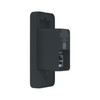
The Ubiquiti UA-G2-BLACK is a proximity card access control reader designed for integration into organizations already running Ubiquiti infrastructure. This in-wall mountable unit connects via PoE, eliminating the need for dedicated power circuits at each access point. The UA-G2-BLACK operates as part of Ubiquiti's UniFi Door Access family, enabling centralized credential provisioning, reader management, and audit logging through a single UniFi controller interface. It's a straightforward card-reading solution without biometric or multi-factor authentication layers — size your deployment around that core capability.
Key Features
- PoE power delivery: Draws power entirely over Ethernet (standard 802.3af), so you don't need to run separate low-voltage lines to each door. Consolidating data and power onto a single network cable cuts installation time and reduces cable clutter in walls.
- In-wall form factor: Mounts flush in standard electrical boxes using provided hardware, making it suitable for retrofits into existing door frames or new construction without adding external hardware.
- UniFi ecosystem integration: Syncs directly with UniFi controllers, so administrators provision readers, manage user credentials, and review access logs from the same dashboard that manages your wireless, switching, and other UniFi devices. No separate software stack to maintain.
- Proximity card recognition: Supports standard credential formats for card-based access. No biometric scanning or multi-factor challenges — authentication is credential-only, meaning deployment speed is fast but you lose the security depth that fingerprint or facial recognition would add.
- Centralized audit trail: All access events (successful and denied) log to the UniFi controller, enabling compliance reporting and post-incident investigation without querying individual readers.
- Lightweight, compact: Weighs 3.6 pounds and ships from China, so logistics and installation labor remain minimal for office-scale deployments.
When to Choose the UA-G2-BLACK
The UA-G2-BLACK is the right fit if you already operate UniFi wireless, switching, or other access control systems and want to extend that unified management model to physical security. It works well for office entry points, secure labs, server rooms, and any access-controlled zone where credential-only authentication meets your risk posture. Multi-reader deployments benefit from unified provisioning and a single audit trail, reducing administrator overhead. If you're not yet committed to the UniFi ecosystem, or if you need biometric or multi-factor authentication, evaluate higher-feature alternatives in the Ubiquiti lineup or other vendors.
Integration & Compatibility
Network connectivity to a UniFi controller is mandatory — the reader has no local mode or failover without the controller. A PoE-capable port on a compatible switch or PoE injector supplies power and data. Credential synchronization occurs across all deployed readers, and you can integrate with existing user authentication databases through the UniFi platform. The UA-G2-BLACK works within the UniFi Door Access family, meaning you can combine it with UniFi Lock controllers, door sensors, and wireless connectivity points on the same system. Ensure your network design includes adequate bandwidth for access event logging and controller redundancy if uptime is critical.
Installation Considerations
Mount the UA-G2-BLACK in a standard electrical box at or near the access point. Route a network cable (Cat5e minimum) to a PoE source and verify controller connectivity before configuring policies. Basic electrical and network familiarity is required. The in-wall design means installation happens inside the wall cavity, so plan cable runs during the rough-in phase if doing new construction. Retrofits require careful box placement to avoid damaging existing infrastructure.
Frequently Asked Questions
Q: Does the UA-G2-BLACK work without a UniFi controller?
A: No. The reader requires network connectivity to a UniFi controller for credential provisioning, access policy management, and audit logging. Local-only operation is not supported.
Q: What credential formats does the UA-G2-BLACK recognize?
A: It supports standard proximity card formats. Consult the UA-G2-BLACK datasheet or contact the vendor for a detailed list of supported card types and frequency bands.
Q: Can I integrate the UA-G2-BLACK with third-party access control systems?
A: The UA-G2-BLACK is designed for UniFi ecosystem deployment. Integration with non-Ubiquiti systems depends on ONVIF or API support; verify compatibility before committing to a mixed-vendor architecture.
Q: How much PoE power does the UA-G2-BLACK consume?
A: The unit operates on standard 802.3af PoE (under 13W typical draw), so it won't strain most modern PoE switches or injectors designed for multiple endpoints.
Q: Is the UA-G2-BLACK suitable for outdoor installations?
A: The UA-G2-BLACK is an in-wall reader designed for indoor use. If you need outdoor access control, verify environmental ratings or consider outdoor-rated alternatives in the UniFi access family.
Q: Can I use the UA-G2-BLACK with wireless door locks or electronic strikes?
A: The reader authenticates users and logs access events within UniFi. Integration with electromagnetic locks or strikes depends on your door hardware and control architecture. Confirm compatibility with your lock system before installation.
Ted PerryPerspective based on aggregated IP Security Depot and affiliated engineering team experience.
The UA-G2-BLACK fits naturally into organizations where UniFi network infrastructure is already the standard. If your wireless, switching, and routing are Ubiquiti, adding this reader lets you manage physical access from the same controller dashboard — a genuine operational win when you're already running a unified fabric. The 802.3af PoE draw means you won't need to budget extra power capacity; it integrates cleanly into most PoE switch deployments without special provisioning.
Technical Highlights:
- PoE (802.3af): Under 13W draw eliminates separate power infrastructure at each access point. One network cable carries both data and power — fewer runs in the wall, lower installation cost.
- In-wall flush mount: Standard electrical box installation keeps the reader hidden and protects it from physical damage. Retrofits and new construction both work without custom brackets or external enclosures.
- UniFi controller dependency: Centralized management is powerful when you already run UniFi, but there's no local failover. Network outages or controller unavailability block access authentication — design your network with redundancy if uptime is critical.
Deployment Considerations:
- Credential-only authentication means no biometric or multi-factor options — size your security model around card-based access. If you need fingerprint, facial recognition, or PIN validation, evaluate higher-tier readers in the Ubiquiti lineup.
- Standard proximity card support is broad, but confirm your existing card stock will work before deploying across multiple doors. Switching card formats mid-deployment is labor-intensive.
- The unit ships from China, so if you're on a tight timeline, factor logistics into your procurement schedule.
The UA-G2-BLACK is the practical choice for UniFi-first enterprises rolling out access control as an extension of existing network and wireless infrastructure. It's not a high-security reader, but it's a clean fit for office, lab, and server room deployments where credential management and audit trails are the priority. Deploy it where you already run UniFi, not where you're evaluating vendors.