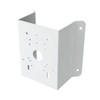
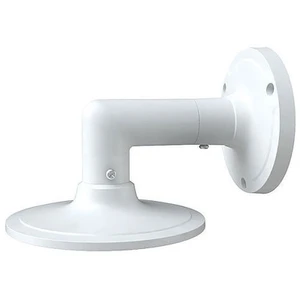
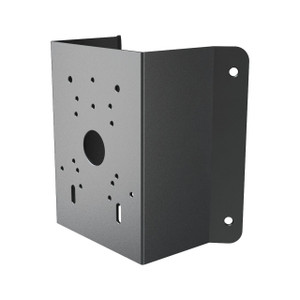
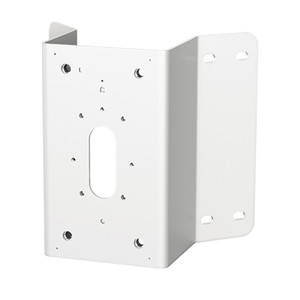
Speco Technologies CMT1 Corner Mount Bracket
Overview
The CMT1 is a corner mounting bracket that positions Speco dome cameras at wall and corner intersections—solving the common installation constraint where standard wall mounts leave coverage gaps at transitions between perpendicular surfaces. Corner mounting delivers sight lines into adjoining spaces (hallway-to-room junctions, warehouse aisle corners, entry vestibules) without requiring a second camera or repositioning existing infrastructure. The bracket accommodates both the wall mount assembly and junction box configurations, giving installers flexibility to route cabling through corner conduit or exposed runs depending on your network topology and EMI environment.
Compatibility
The CMT1 is verified compatible with the following Speco dome camera models: O4B6, O2VB1, O4VB1, O8VB1, VLB5, H8B6M, O2VB1V, O4VB1M, VLB6, O4B7M, O2BFRM, O8B7M, and O2BLP1M. Verify your exact camera model before ordering—the bracket's mounting interface and load rating are optimized for these Speco domes. If you are integrating a different brand or series, confirm mechanical compatibility with the camera's mounting footprint and the junction box thread pattern.
Installation Notes
The CMT1 supports two mounting configurations per the manufacturer quick-start guide: (1) corner mount with wall mount assembly using lock screws and nuts/bolts to secure the base, and (2) corner mount with junction box, where the camera threads into the upper cover, the lower cover fastens to the bracket with nuts and bolts, and all covers are tightened with screws. Loosen the lock screw on the mounting base to remove it during initial setup. Use the included nuts, bolts, and screws; torque specifications and tool requirements are documented in your camera's quick-start guide. Test the bracket stability under load before final camera installation—corner mounting places horizontal and shear stress on the base attachment points, particularly in high-wind or vibration-prone environments.
What's in the Box
- CMT1 corner bracket assembly
- Mounting nuts and bolts
- Lock screw
- Quick-start installation guide