Socket Mobile AC4159-1956 Charging Stand for Scanner Series
Overview
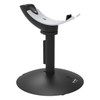
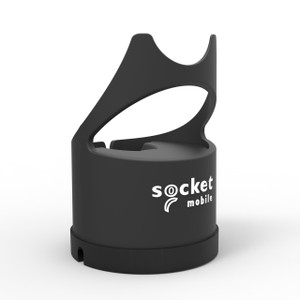
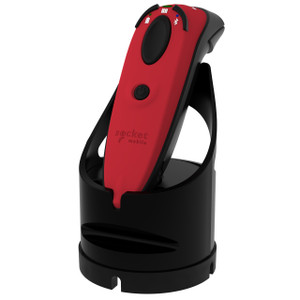
The Socket Mobile AC4159-1956 is a dedicated charging stand designed to dock and charge Socket Mobile barcode scanners in high-throughput warehouse, retail, and logistics environments. This accessory addresses a critical pain point: unorganized scanner storage and inconsistent charging cycles that lead to dead batteries mid-shift and lost productivity. The stand holds a scanner securely during charging, keeping it staged and ready for the next picking or shipping task — no devices left on shelves or forgotten in coat pockets.
Compatibility
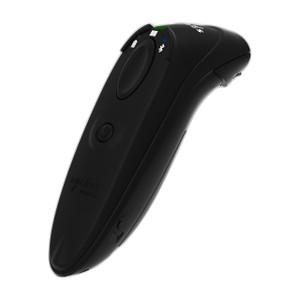
The AC4159-1956 charging stand is purpose-built for Socket Mobile Series 7, 600, and 700 barcode scanners. Before purchase, confirm your scanner model against the Socket Mobile product line — compatibility is exact to these three series. If you operate a mixed fleet of scanners from different manufacturers or older Socket Mobile models, you'll need to verify the dock connector type and form factor match.
Integration into your mobile scanning workflow is straightforward: place the stand at a charging station (usually near your warehouse office, packing area, or dock), plug it into mains power, and dock scanners at end of shift or between scanning tasks. Most deployments position one stand per 3–5 active scanners to ensure devices are always topped up without creating a bottleneck at charging time.
Form Factor & Physical Setup
The AC4159-1956 presents a compact footprint suitable for counter or shelf mounting in high-traffic areas. Its stable base prevents tipping when scanners are inserted and removed repeatedly throughout the day — a real consideration in fast-paced environments where staff move quickly. The stand holds a single scanner at a time, so capacity planning depends on your fleet size and shift rotation. A typical small warehouse (10–20 active scanners) operates with 3–4 stands to maintain cycle efficiency.
Power & Charging Performance
The stand requires mains AC power (exact voltage and amperage specifications are detailed in the Socket Mobile AC4159-1956 datasheet). Charging time depends on scanner battery capacity and current state of charge; refer to your scanner's battery documentation for expected cycle duration. Most Socket Mobile barcode scanners charge fully within 4–6 hours, making overnight charging or during break periods practical for shift-based operations.
Deployment Considerations
Position the AC4159-1956 in a clean, dry location away from moisture and direct spray — typical indoor warehouse and retail environments are ideal. Avoid stacking other equipment on top of the stand or placing it in high-traffic collision zones. If your facility operates in a rugged environment (high dust, temperature swings), inspect the connector pins and dock contacts periodically for corrosion or debris buildup, which can interrupt charging connection.
For larger deployments (50+ scanners), multiple stands distributed across zones reduce staff wait time and improve device availability. Some operations invest in a central charging dock with multiple bays; the AC4159-1956 is a single-bay alternative suitable for smaller teams or secondary stations.
Why This Stand Matters in Your Workflow
Mobile barcode scanners are only productive when charged. Dead batteries mid-shift force staff to stop work, hunt for a backup device, or wait for a charge — each scenario cuts efficiency. A dedicated stand enforces discipline: scanners return to the same location every shift, charge consistently, and are visibly accounted for. This simple discipline eliminates lost devices and battery-related downtime. If you're currently charging scanners ad-hoc (USB cables scattered, batteries unreliable, devices misplaced), the AC4159-1956 delivers measurable operational lift, especially in multi-shift environments.
Frequently Asked Questions
Q: Can the AC4159-1956 charge scanners from other manufacturers?
A: No. The AC4159-1956 is designed exclusively for Socket Mobile Series 7, 600, and 700 scanners. It uses a proprietary dock connector unique to these models. Check your scanner's model number against the Socket Mobile product line before ordering.
Q: How many scanners can one AC4159-1956 stand charge simultaneously?
A: One. The AC4159-1956 is a single-scanner charging dock. For multi-scanner charging, purchase multiple stands or explore Socket Mobile's multi-bay charging solutions if available in your region.
Q: Is the stand waterproof or rated for wet environments?
A: The AC4159-1956 is intended for dry, indoor warehouse and retail environments. It is not submersible or water-resistant. Do not expose it to spray, high humidity, or direct moisture. Keep it on a shelf or counter in a climate-controlled space.
Q: What happens if a scanner doesn't charge when docked?
A: First, verify the scanner's battery is not damaged and the connector pins on both the stand and scanner are clean and free of debris. Gently wipe the dock contacts with a dry cloth. If charging still fails, the scanner battery or dock connector may need service. Contact Socket Mobile support or your local integrator for troubleshooting and potential replacement.
Q: Can I use the AC4159-1956 in a very busy environment where scanners are docked and undocked many times per shift?
A: Yes. The stand is engineered for frequent insertion and removal. However, repeated mechanical stress on connector pins can degrade contact over time. Inspect the dock connector every 6–12 months and clean it regularly. If you're operating 50+ scanners with continuous docking cycles, plan for eventual wear and budget for replacement stands as part of your device maintenance rotation.
Ted PerryPerspective based on aggregated IP Security Depot and affiliated engineering team experience.
The Socket Mobile AC4159-1956 solves a common operational friction point in warehouse operations: scanner battery discipline. In any facility running shift-based picking or shipping with 10–20 active barcode scanners, this single-bay charging stand becomes the anchor point for device lifecycle management. Too many operations treat scanner charging as an afterthought — devices get plugged into generic USB chargers, left in random locations, or forgotten overnight, leading to dead batteries and frustrated staff standing idle. The AC4159-1956 eliminates that chaos by creating a single, visible charging home for each scanner.
Technical Highlights:
- Series 7, 600, 700 Compatibility: Proprietary dock connector ensures exact electrical and mechanical fit — no risk of plugging incompatible devices or loose connections that interrupt charging mid-shift.
- Single-Bay Design: Manages one scanner at a time, simplifying deployment in smaller warehouses or multi-station setups where stands are distributed across zones rather than centralized.
- Stable Base & Frequent Cycling: Stand footprint and docking mechanism are rated for repeated insertion and removal throughout high-traffic shift operations without tip-over or connection degradation in typical warehouse environments.
Deployment Considerations:
- Capacity Planning: For every 3–5 active scanners in your fleet, allocate one charging stand. A team of 15 scanners rotating through three shifts should have 4–5 stands positioned strategically to avoid charging bottlenecks.
- Connector Maintenance Watch:
Dock and scanner connector pins degrade under repeated stress. Clean contacts monthly with a dry cloth and inspect for corrosion or bent pins every 6 months. Debris buildup is the most common culprit in failed charge cycles — a 30-second wipe often resolves intermittent charging issues.
- Environmental Placement:
Keep the AC4159-1956 in dry, climate-controlled indoor spaces. Moisture, dust, and temperature swings accelerate connector corrosion. Avoid positioning stands in high-collision areas or near spray/wash zones common in food and beverage or automotive facilities.
Deploy the AC4159-1956 in mid-size warehouse operations (10–50 scanners) where shift handoffs are frequent and battery reliability directly impacts floor productivity. Pair multiple stands with a simple checkout system — e.g., a whiteboard or digital log of which scanner is docked at which station — and you eliminate lost devices and battery anxiety. For larger fleets (100+ scanners) or ultra-high-throughput environments, evaluate Socket Mobile's multi-bay dock solutions or consider a centralized charging kiosk architecture instead.