


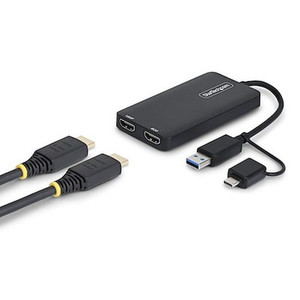
StarTech VS221VGA2HD VGA to HDMI Adapter
In stock · Ships same business day
Free shipping over $499
$122.99

Manufacturer-verified compatible cameras, recorders, mounts, accessories, and licenses for this product. Adjust quantities and add the entire bundle to your cart in one click.
Questions about this product? Free pre-sales support from a senior specialist — product questions, compatibility checks, BOM quotes, price confirmation — typically answered within one business day. Need camera placement or system design work? Engineering time is $175 per hour (qty 1 = 1 hour). Hardware buyers get up to one hour ($175) credited back on their order.
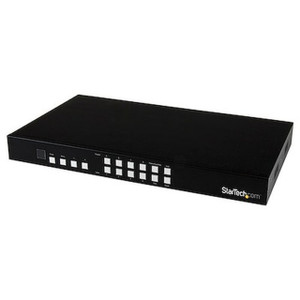
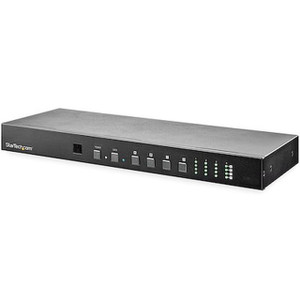
The StarTech VS221HDQ is a 2-port HDMI switch designed to let two HDMI source devices share a single HDMI display or projector. If your workstation, conference room, or control room has one monitor but two signal sources — a PC and a laptop, a workstation and a secondary device, or a presentation computer and a video player — this switch eliminates cable swapping entirely. Rather than unplugging and re-plugging HDMI cables each time you need to switch sources, the VS221HDQ handles the input selection directly, protecting your ports and your workflow.
This is a straightforward hardware-switching solution. HDMI connectivity means it carries both high-definition video and audio over a single cable run, keeping your display setup clean without additional audio routing. For environments where two operators or two systems share a single large-format display, projector, or monitor, the VS221HDQ removes the friction of manual cable management.
The VS221HDQ connects to any HDMI-equipped display or projector and accepts input from any HDMI source. Confirm that your display and source devices share a common HDMI version for best results. No driver installation is required for basic switching — operation is hardware-based. For integration into AV or security monitoring setups, verify that source resolutions match what your display supports, as the VS221HDQ passes the HDMI signal through to the connected display without upscaling or downscaling.
Q: What does the VS221HDQ do?
A: The VS221HDQ is a 2-port HDMI switch that lets two HDMI source devices share one HDMI display or projector. You select which source appears on the monitor using the switch.
Q: Does the VS221HDQ require external power?
A: Power requirements for the VS221HDQ are not confirmed in available evidence. Check the product packaging or StarTech documentation to verify whether USB or external power is needed.
Q: Does the VS221HDQ support 4K or specific resolutions?
A: Specific resolution support is not confirmed in the available evidence. Verify supported resolutions directly from the StarTech VS221HDQ datasheet before deploying in a 4K environment.
Q: Can the VS221HDQ be used with a projector?
A: Yes — the product is specifically described as allowing two HDMI sources to share a single HDMI display or projector.
Q: How many devices can share the display using the VS221HDQ?
A: Two HDMI source devices can connect to the VS221HDQ, sharing one HDMI output to a single display or projector.

The VS221HDQ fills a specific and practical gap: two HDMI sources, one display, no cable swapping. The confirmed HDMI connectivity is the core of what this switch does — it passes digital video and audio from either input to a single monitor or projector on demand. Where this belongs is in small control rooms, training rooms, or dual-workstation setups where rewiring is genuinely disruptive.
Technical Highlights:
Deployment Considerations:
This switch fits best in a paired-workstation or shared-projector conference setup where two operators or two systems take turns driving a single large-format display, and where adding a second monitor is not an option.

Manufacturer-verified compatible cameras, recorders, mounts, accessories, and licenses for this product. Adjust quantities and add the entire bundle to your cart in one click.

Looking for more StarTech products? Shop the full StarTech catalog →
Support services and planning resources for commercial surveillance, access control, and infrastructure deployments.
Fixed scope • Fixed price