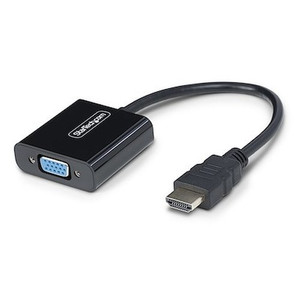
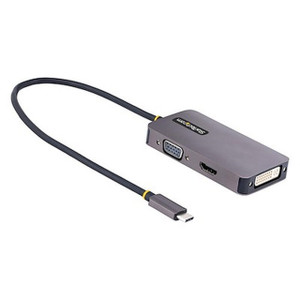
StarTech VS221VGA2HD VGA + HDMI to HDMI 2-Input Video Switch
Overview
The StarTech VS221VGA2HD is a compact 2-input video switch that lets you connect one HDMI display or projector to both a legacy VGA source and a modern HDMI source — without swapping cables every time you switch between them. Measuring just 4.0 x 2.1 x 1.1 inches and weighing 8 oz, it fits neatly behind a monitor or under a conference room table without becoming a cable management problem. This is the device for AV integrators and IT teams who need to bridge mixed-generation equipment on a single screen, whether that's a boardroom projector shared between a laptop dock and a desktop workstation, or a training room display accessed by both older VGA-only PCs and current HDMI-equipped devices.
For context on where this fits in the broader AV switching and video switch landscape, it handles one output only — this is a source-selector, not a matrix or splitter. One display, two sources, one clean output.
Key Features
- 1920x1200 / 1080p Maximum Resolution: supports full 1080p HD and WUXGA (1920x1200) output, so a widescreen business projector or a 24-inch display runs at native resolution from either source — no downscaling artifacts on the output side.
- Dual-Format Inputs (HDMI + VGA): accepts one HDMI source and one VGA source simultaneously, converting both to a single HDMI output. This eliminates the need to re-cable when switching between a legacy desktop and a modern laptop — a real time-saver in shared presentation environments.
- 3.5mm Stereo Audio Input: VGA carries no audio natively, so a dedicated 3.5mm stereo input lets the VGA source send audio through the HDMI output alongside video. The HDMI input carries its own embedded audio. Both paths deliver audio to the display without an external audio mixer.
- Universal 100–240V AC Input: the included power supply accepts any mains voltage worldwide, drawing only 0.3A at input and delivering 5V DC / 1A to the unit. Total consumption is just 5 watts — negligible on any circuit, and safe to leave powered continuously in a conference room or AV rack.
- Compact Form Factor (4.0 x 2.1 x 1.1 in / 226g): small enough to Velcro behind a monitor or mount inside a credenza AV bay. The 8 oz weight means it won't pull cables out of their ports when tucked away.
- 0°C to 40°C Operating Range: rated for standard indoor commercial environments. Not designed for wiring closets without climate control or unconditioned storage — plan accordingly if the installation space runs hot.
- 2-Year Manufacturer Warranty: StarTech backs the VS221VGA2HD with a 2-year warranty, which covers defects in materials and workmanship for a reasonable service life in a commercial setting.
Integration & Compatibility
The VS221VGA2HD is display-agnostic on the output — any HDMI-equipped monitor, projector, or display that accepts up to 1920x1200 will work. On the input side, the VGA port handles analog video from any standard VGA source; pair the 3.5mm stereo input for audio from that source. The HDMI input handles digital video and embedded audio together. If you're building out a conference room AV setup or a training room with mixed laptop types, this switch handles the most common legacy-to-modern bridging scenario without requiring driver installation or software configuration. It is a passive-switching hardware device — no network connectivity, no IP management, no drivers required.
Consider the power delivery: the unit runs off an external 5V/1A supply. Verify the supply is included or sourced separately depending on your configuration. At 5W total draw, power budget impact on any AV power distribution strip is minimal.
Frequently Asked Questions
Q: What is the maximum output resolution of the VS221VGA2HD?
A: The VS221VGA2HD supports up to 1920x1200 (WUXGA) and 1080p full HD on the HDMI output, covering the vast majority of current business displays and projectors.
Q: Does the VGA source get audio output to the display?
A: Yes. Since VGA carries no audio, the VS221VGA2HD includes a dedicated 3.5mm stereo audio input for the VGA source. That audio is combined with the video and delivered over the HDMI output to the display.
Q: What power supply does the VS221VGA2HD require?
A: The unit requires a 5V DC / 1A power supply. The AC input on the included adapter accepts 100–240V AC at 0.3A, making it compatible with standard outlets worldwide. Total power consumption is 5 watts.
Q: Can the VS221VGA2HD split one source to two displays?
A: No. The VS221VGA2HD is a 2-input, 1-output switch — it selects between two sources (VGA and HDMI) and sends the active source to one HDMI display. It does not split or duplicate a signal to multiple outputs.
Q: What is the warranty on the VS221VGA2HD?
A: StarTech covers the VS221VGA2HD with a 2-year manufacturer warranty against defects in materials and workmanship.
Q: What operating temperature range is the VS221VGA2HD rated for?
A: The unit is rated for 0°C to 40°C (32°F to 104°F) operating temperature, suitable for standard indoor commercial environments. Storage range extends from -20°C to 60°C.
The VS221VGA2HD solves a very specific problem cleanly: you have one HDMI display and two sources — one legacy VGA, one modern HDMI — and you need to switch between them without touching cables. At 5W total draw and a 4.0 x 2.1 x 1.1-inch footprint, it disappears behind a monitor or inside a credenza without complicating the installation.
Technical Highlights:
- 1920x1200 Output Cap: covers WUXGA and 1080p natively — if your display tops out at 1080p, you're fine. If you're driving a 4K display, the output maxes at 1920x1200, which most 4K panels will accept via downscale, but native 4K content won't pass through.
- 3.5mm Audio Input for VGA Source: VGA has no audio lane, so this input is non-optional if your VGA source needs sound at the display. It routes cleanly into the HDMI output stream alongside the video conversion.
- 100–240V Universal AC Input: at 0.3A input draw delivering 5V/1A to the unit, this runs off any standard outlet globally. No region-specific power brick to source or swap out for international deployments.
Deployment Considerations:
- This is a manual or hardware-switched device — confirm the switching mechanism (button vs. automatic source detection) matches your use case before deploying in an unmanned room where automatic switching is expected.
- Operating humidity is rated to 80% non-condensing — fine for conditioned office and conference spaces, but avoid installations near HVAC discharge points or in humid climates without climate control.
Best fit: a fixed conference room or training room where a shared projector or HDMI display needs to serve both a room PC (VGA or HDMI) and a visitor laptop (HDMI), without requiring IT intervention every time the source changes.