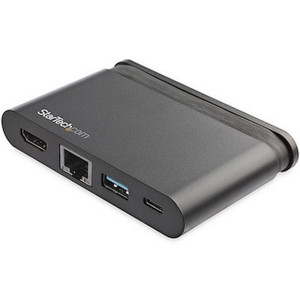
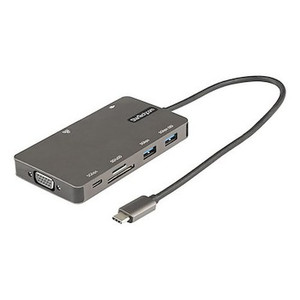
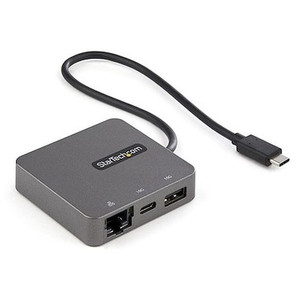
Product images are provided for reference and may not represent the exact model, configuration, or included components.

No Bots, Just Experts

Questions about this product? Free pre-sales support from a senior specialist — product questions, compatibility checks, BOM quotes, price confirmation — typically answered within one business day. Need camera placement or system design work? Engineering time is $175 per hour (qty 1 = 1 hour). Hardware buyers get up to one hour ($175) credited back on their order.

Description

StarTech DKT30CHVPD2 USB-C Multiport Adapter

Overview

The StarTech DKT30CHVPD2 is a USB-C multiport adapter designed to expand the connectivity of laptops and other devices equipped with a USB-C port. It addresses the need for versatile output options, allowing for connection to external displays via HDMI or VGA, alongside additional USB-A peripherals, Gigabit Ethernet, and power delivery. This adapter is ideal for mobile professionals, conference rooms, and workstations where a single USB-C port needs to support multiple essential peripherals and displays simultaneously. The DKT30CHVPD2 model specifically offers 4K HDMI output or a legacy VGA option, providing flexibility for different display requirements.

Compatibility

This adapter is compatible with any host device featuring a USB-C port that supports DisplayPort Alternate Mode (DP Alt Mode) and USB Power Delivery (PD) 3.0. It functions with a wide range of operating systems, including Windows 8.1/10/11, macOS 10.12+, Linux, and Chrome OS. For full functionality, ensure your host device's USB-C port supports 5Gbps data transfer (USB 3.2 Gen 1) and video output. The adapter supports a maximum digital resolution of 3840x2160 (4K) at 30Hz via HDMI, or 1920x1200 at 60Hz via VGA. When using the HDMI port, the USB-A and Ethernet ports operate at USB 3.2 Gen 1 (5Gbps) speeds. When using the VGA port, the USB-A and Ethernet ports operate at USB 2.0 (480Mbps) speeds to accommodate bandwidth limitations.

Installation Notes

The adapter draws power from the host device's USB-C port. For optimal performance, especially when utilizing the 100W Power Delivery passthrough, connect a USB-C power adapter (sold separately) to the adapter's USB-C PD input port. The integrated 11.8-inch (30 cm) cable provides some flexibility in placement. Operating temperature ranges from 0 to +45°C (32 to 113°F), with storage temperatures between -10 to +70°C (14 to 158°F). Humidity should be kept between 10% to 85% RH (non-condensing).

What's in the Box

  • 1x USB-C Multiport Adapter
  • 1x Quick Start Guide
Specifications
Warranty: 3 Years
Host Connection: USB-C
Displays Supported: 1
Ports: 6
Interface: USB 3.2 Gen 1
Bus Type: USB-C
Maximum Digital Resolutions: 3840x2160 (4K 30Hz)
Type and Rate: USB 3.2 Gen 1 - 5 Gbit/s
Host Connectors: 1x USB 3.2 Type-C (24 pin, Gen 1, 5Gbps)
Power Delivery: 100W
Output Voltage: 5 DC
Operating Temperature: 0 to +45
Storage Temperature: -10 to +70
Humidity: 10% to 85 % RH
Color: Black & Gray
Cable Length: 11.8 in [30 cm]
Product Length: 2.0 in [5.2 cm]
Product Width: 3.7 in [9.5 cm]
Product Height: 0.6 in [1.4 cm]
Weight of Product: 3.9 oz [110.0 g]
Package Weight: 5.2 oz [146.0 g]
Brand: StarTech
MPN: DKT30CHVPD2
Type: Power Supply
Connectivity: USB
Power: 100W
Power: 100W
Q&A
Reviews
Have Questions?

StarTech Usb-c Multiport Adapter - 4K HDMI OR VGA - DKT30CHVPD2

$89.16
$88.99

RELATED PRODUCTS

System Design, Deployment & Technical Support

Support services and planning resources for commercial surveillance, access control, and infrastructure deployments.

Fixed scope • Fixed price

System Design Assistance

  • Get help validating product compatibility
  • Coverage requirements
  • Storage planning and deployment architecture before you buy.
Request Design Help

Deployment & Configuration Support

  • Access fixed-scope support for rollout planning
  • User setup guidance
  • Migration and system standardization across single-site or multi-site deployments
View Support Services

Guides, Tools & Calculators

  • PoE requirements
  • Storage retention
  • Camera selection and deployment methodology
Open Technical Resources