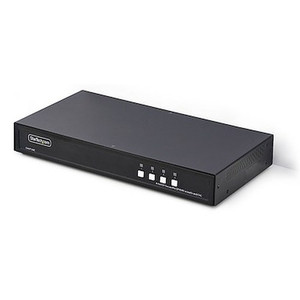
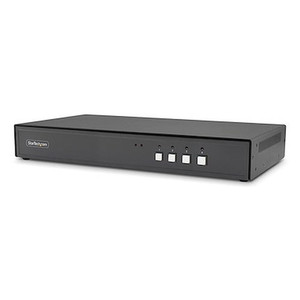
StarTech CK4-P104 4-Port DisplayPort KVM Switch 4K 30Hz
Overview
The StarTech CK4-P104 is a 4-port KVM switch built around DisplayPort connectivity, supporting 4K resolution at 30Hz — making it a practical choice for control room operators, IT administrators, and security integrators who need to manage multiple systems from a single workstation without sacrificing display fidelity. If you are running a multi-PC monitoring station or a small command console where switching between sources quickly matters, the CK4-P104 (often searched as CK4 P104) addresses that without requiring separate display hardware per connected machine.
Key Features
- 4-Port DisplayPort Architecture: Four dedicated source ports mean four independent computers share one monitor, keyboard, and mouse — eliminating the desk sprawl of multiple full workstation setups and reducing the hardware footprint in space-constrained control rooms or NOC environments.
- 4K at 30Hz DisplayPort Output: The 4K 30Hz ceiling is sufficient for dashboard monitoring, configuration consoles, and security VMS workstations where you need high-resolution UI detail rather than high-frame-rate video playback. Confirm your connected systems output DisplayPort natively — adapters can introduce compatibility wrinkles.
- DisplayPort Native Connectivity: Unlike HDMI-based KVM switches that require active adapters for modern GPU outputs, the CK4-P104 connects directly to DisplayPort-equipped workstations and monitors, avoiding signal conversion steps that can degrade reliability or introduce latency in switching.
Integration and Compatibility
The CK4-P104 is designed for environments where all connected sources carry DisplayPort outputs — workstations running Windows-based VMS platforms, security operations centers, or IT management consoles. Verify that both your source machines and your monitor support DisplayPort at 4K 30Hz before deploying. If any source is HDMI-only, a passive adapter will not suffice at 4K — you would need an active DisplayPort adapter or a different KVM model. For KVM switches used in larger multi-operator environments, also evaluate whether a matrix KVM or IP-based KVM extension better fits the topology. Review the StarTech product line for companion accessories and compatible switching solutions. If your deployment involves power-over-network or PoE-driven endpoints, pair with appropriate PoE switches to keep the control network organized. For teams selecting the right KVM configuration for a control room buildout, a KVM switch buying guide can help match port count and resolution requirements to the actual use case.
Frequently Asked Questions
Q: How many computers can the CK4-P104 support simultaneously?
A: The CK4-P104 supports up to four source computers connected via DisplayPort, all sharing one monitor, keyboard, and mouse. Only one source is active on the display at a time — you switch between them rather than viewing all four simultaneously.
Q: What is the maximum resolution supported by the CK4-P104?
A: The CK4-P104 supports 4K resolution at 30Hz over DisplayPort. This is suitable for high-resolution monitoring and desktop environments. If your workflow requires 4K at 60Hz, verify whether a higher-spec model in the StarTech line meets that requirement.
Q: Does the CK4-P104 require any drivers or software to operate?
A: No driver or software installation details are confirmed in available evidence. KVM switches of this class typically operate as plug-and-play devices, but confirm with the manufacturer's documentation for your specific OS environment before deployment.
Q: Can the CK4-P104 be used with HDMI monitors or sources?
A: The CK4-P104 is a DisplayPort-native KVM switch. HDMI sources or monitors are not directly supported. An active DisplayPort-to-HDMI adapter may work in some configurations, but 4K compatibility at 30Hz is not guaranteed through adapters — native DisplayPort on both the source and display is the recommended setup.
Q: Is the StarTech CK4-P104 suitable for a security operations center?
A: Yes, provided all workstations in the SOC use DisplayPort outputs and the monitor supports 4K DisplayPort input. The 4-port configuration suits small to medium control stations where one operator manages up to four systems from a single desk.
The CK4-P104 addresses a specific gap in control room hardware: four DisplayPort-equipped workstations sharing a single high-resolution display at 4K 30Hz without HDMI conversion in the signal path. That native DisplayPort architecture is the detail worth paying attention to — conversion adapters at 4K introduce risk that a direct-connect KVM avoids entirely.
Technical Highlights:
- 4-Port Switching: Four discrete computer connections managed from one console — practical for small SOC stations, IT management desks, or security workstation clusters where operator count is fixed at one per station.
- 4K 30Hz DisplayPort: Sufficient pixel density for VMS dashboards and configuration interfaces at full 4K — the 30Hz ceiling is a consideration if the operator also needs to review live video directly on this display rather than on a dedicated video wall.
- Native DisplayPort Interface: Direct port-to-port connectivity keeps the signal chain clean. No active adapters, no EDID handshake complications that commonly surface in mixed-interface KVM deployments.
Deployment Considerations:
- Confirm every source machine in your deployment has a physical DisplayPort output — not just a USB-C with DP Alt Mode, which may require additional validation for 4K pass-through at this resolution.
- The 30Hz refresh rate is a hard ceiling on this model. If your console operators need fluid video playback at 4K from within a VMS interface, evaluate whether a 4K 60Hz capable KVM in the StarTech line is a better fit before purchasing.
The CK4-P104 is well-matched to a compact security operations center or network operations console where the operator workload is system management and monitoring — not video review requiring high frame rates — and where all sources are confirmed DisplayPort-native.